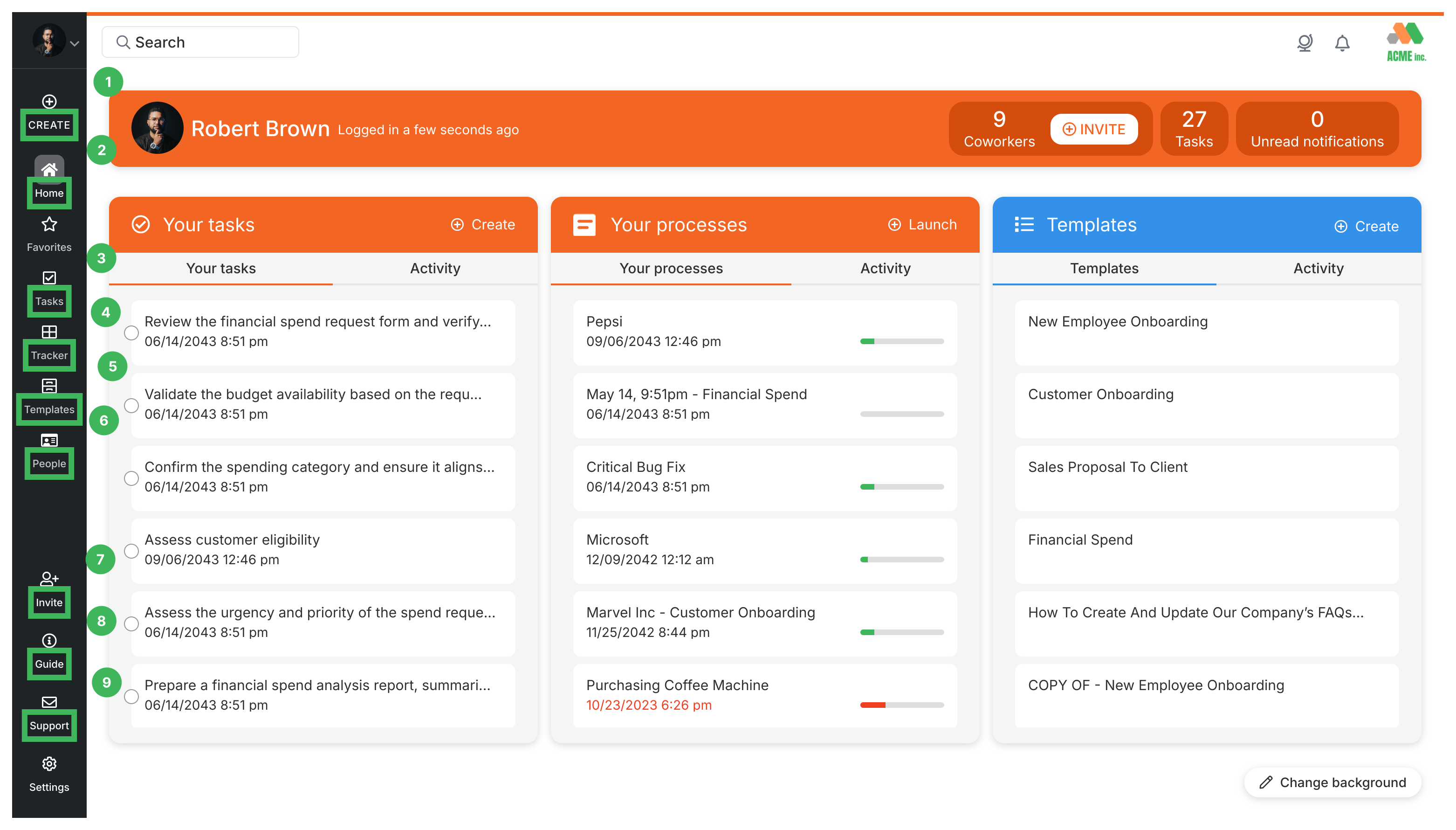
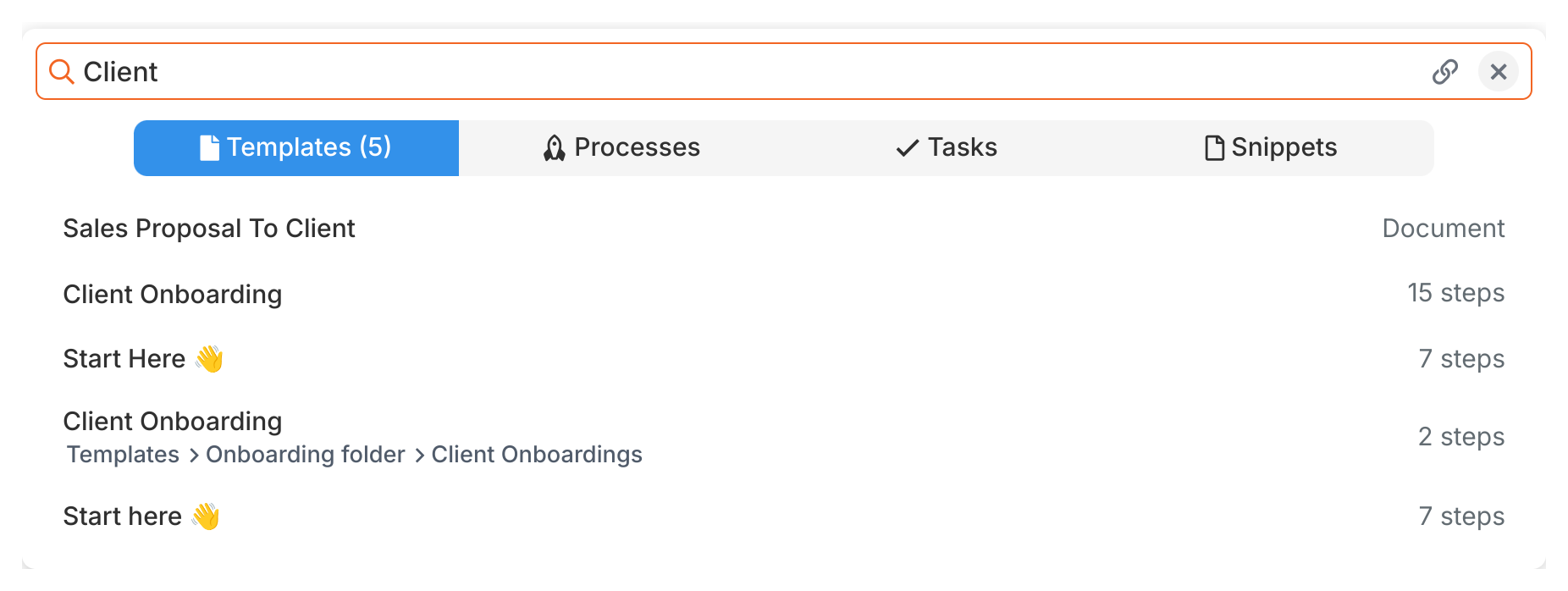
The search bar at the top lets you find anything across your Tallyfy account: processes, templates, tasks, snippets, and team members. Just type keywords.
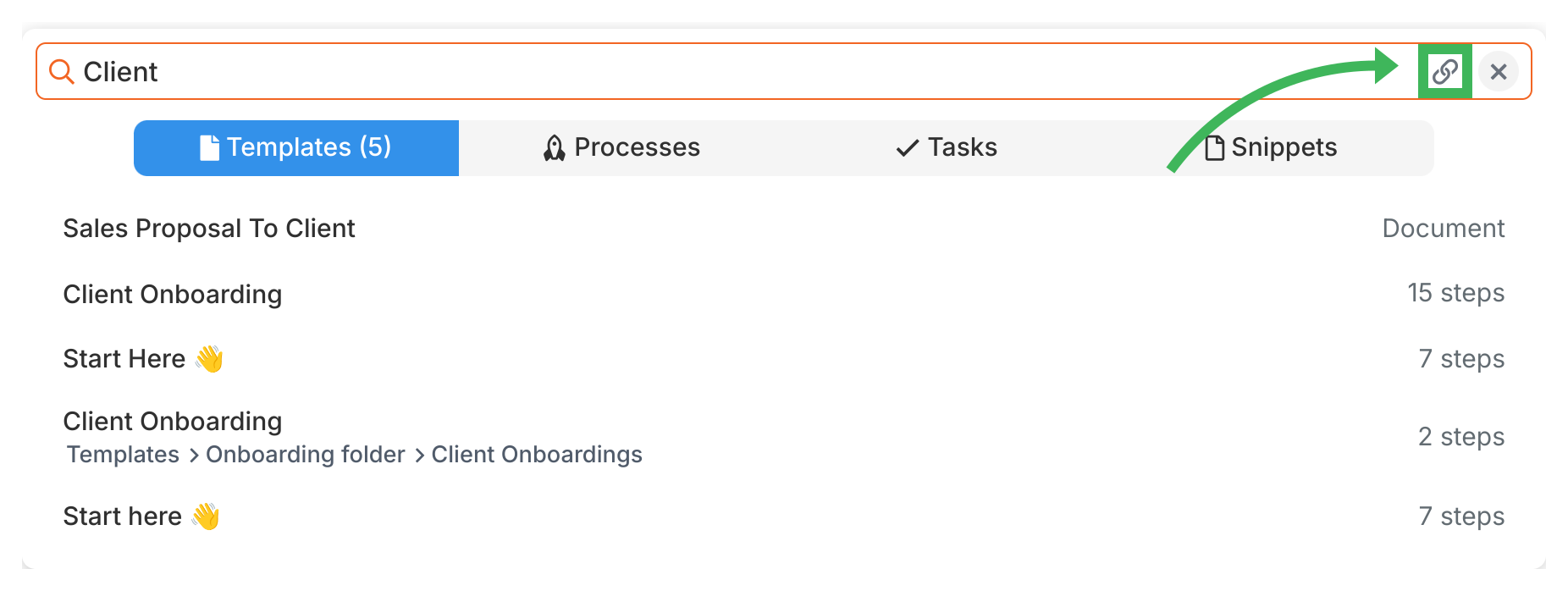
Sharing results: There’s a share icon next to each search result. Click it to copy a direct link to that item.
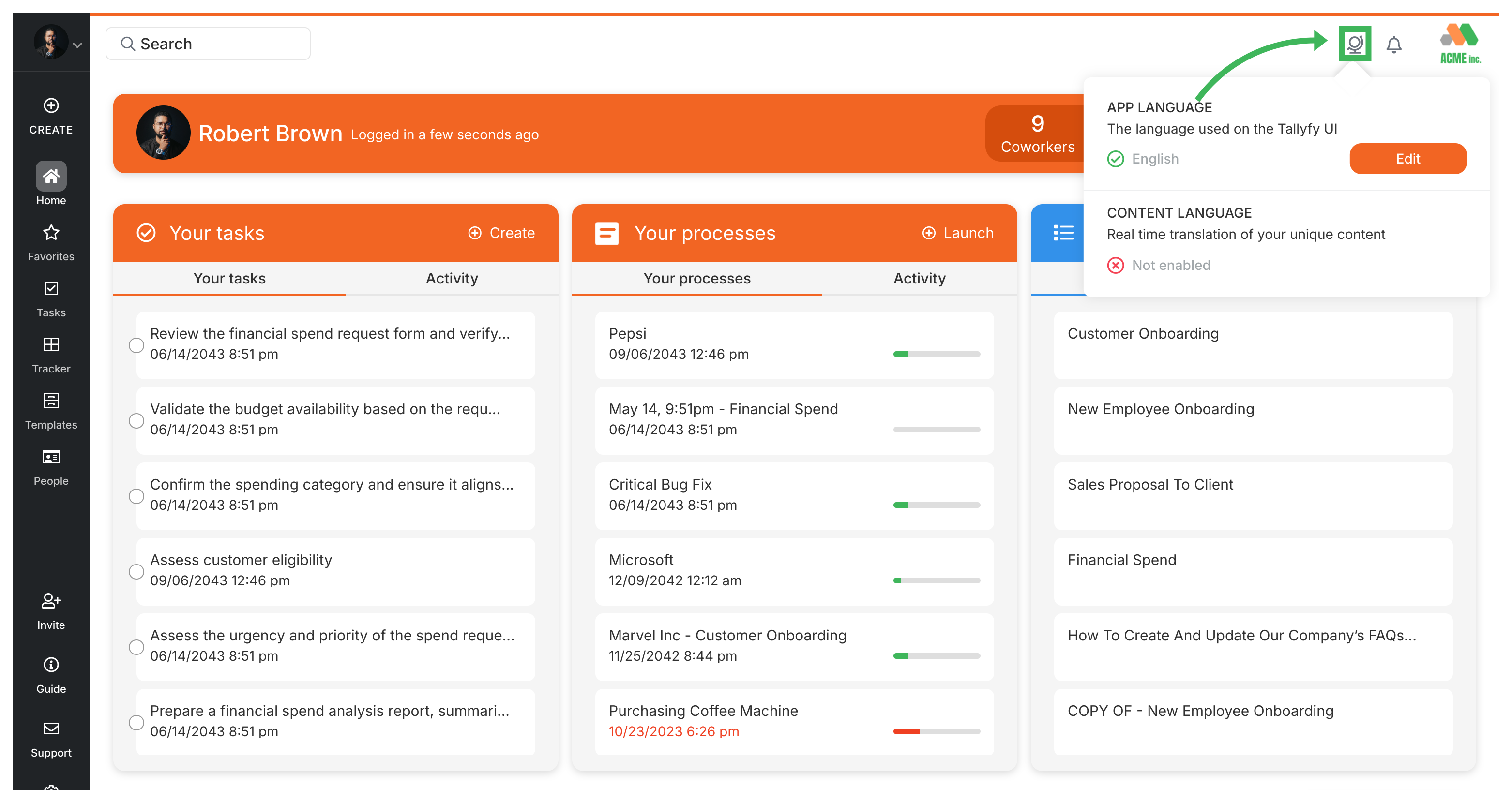
Language selector (Globe icon): Click to change the display language for menus and buttons. If your organization uses the Azure Translation integration, you can also select a language for automatic content translation.
Notifications (Bell icon): Click to view recent notifications about task assignments, comments, and other activity. See Check Notifications.