Tallyfy helps you fix your processes first. Move your SOPs, flowcharts and checklists into…
Effective operations manuals
How to build an operations manual
Section titled “How to build an operations manual”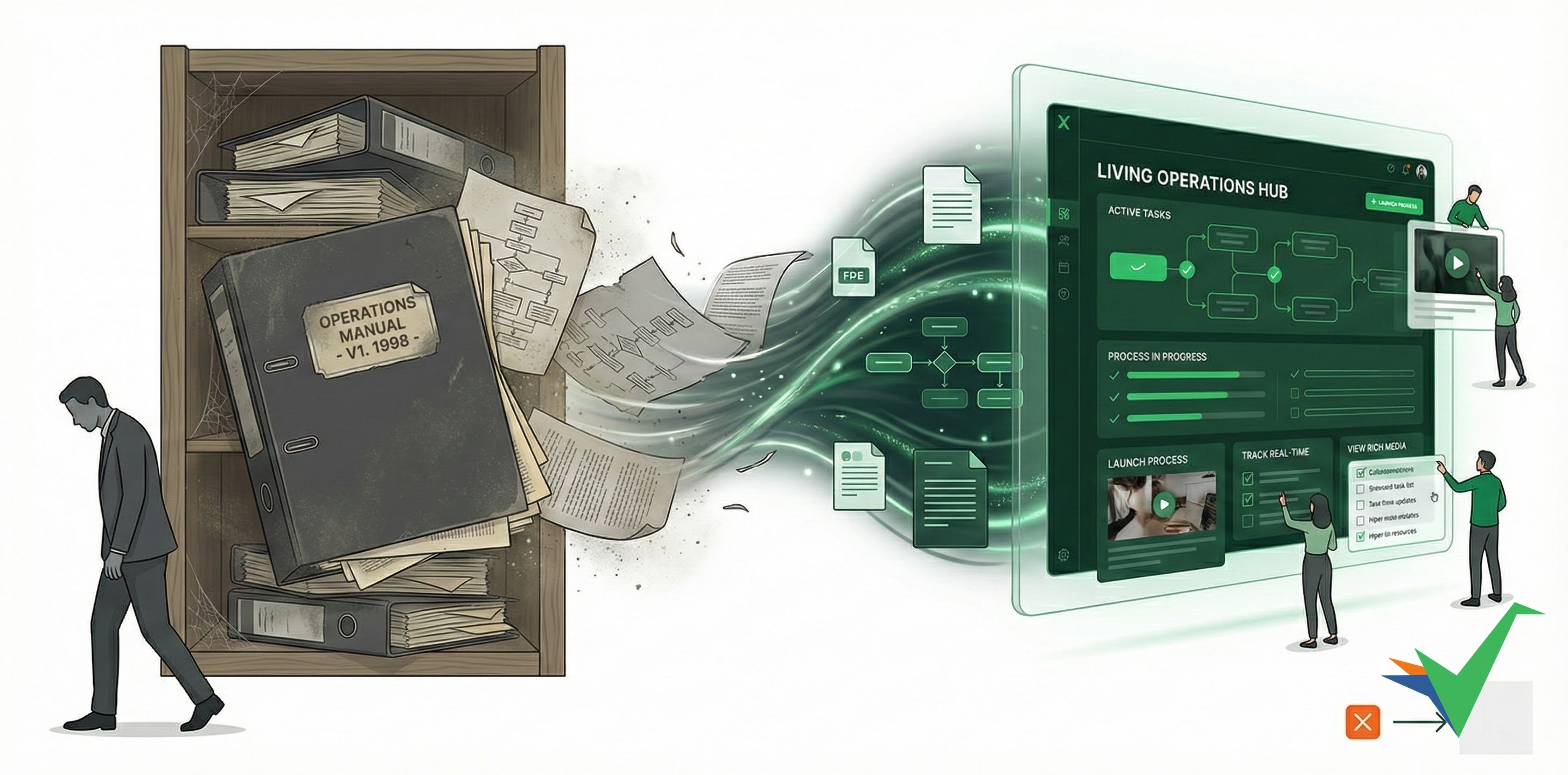
An operations manual standardizes procedures, preserves company knowledge, and keeps quality consistent. But traditional paper manuals go stale fast, and even when people read them, they forget 90% within a week. Tallyfy turns static documents into dynamic, trackable processes using its operations manual software ↗.
Use digital, device-friendly documentation
Section titled “Use digital, device-friendly documentation”Paper binders and static PDFs don’t work well for modern teams:
- Automatic conversion - Upload Word docs, PDFs, or other files to Tallyfy. They’re converted into web formats accessible on any device.
- Rich media - Add images, videos, and interactive elements to instructions instead of plain text.
- Access anywhere - Your team can pull up procedures on any device, anytime.
Replace flowcharts with working automations
Section titled “Replace flowcharts with working automations”Flowcharts are often complex and hard to follow. Here’s a better approach:
- Flowchart conversion - Upload existing flowcharts to Tallyfy for automatic conversion.
- Simple automations - Replace decision diamonds with an if-this-then-that Tallyfy automation.
- Dynamic process flows - Create processes that adapt based on inputs, decisions, or changing conditions.
Establish ownership and responsibility
Section titled “Establish ownership and responsibility”Every operations manual needs clear owners, both for the overall system and individual procedures:
- System owner - Appoint one person to oversee all operations documentation.
- Template owners - Assign process owners using Tallyfy’s folder organization in the Templates section.
- Accountability tracking - Record who created and last updated each process template.
This prevents knowledge from living only in someone’s head.
Organize with a logical hierarchy
Section titled “Organize with a logical hierarchy”A clear structure makes procedures easier to find:
- Folder hierarchies - Group related templates logically using Tallyfy’s folders.
- Tagging system - Use template tags for filtering across categories.
- Naming conventions - Create consistent naming patterns that identify each template’s purpose at a glance.
Document task information
Section titled “Document task information”For each procedure, include these details:
- Task definition - State the task and its purpose clearly.
- Step-by-step instructions - Detail how to perform each part.
- Role assignments - Assign responsibility for each step.
- Timing guidance - Specify when tasks should be done and expected durations.
- Required resources - List necessary systems, tools, or materials.
Tallyfy’s form fields and task types capture this information in a structured way.
Transform documentation into active execution
Section titled “Transform documentation into active execution”An operations manual only works if people actually follow it. Tallyfy makes that happen:
- Launch processes - Turn static documents into active work by launching processes from templates.
- Real-time tracking - See who’s completed which steps on Tallyfy’s dashboard.
- Automated progression - Work moves forward automatically as your team completes steps.
Add clarity with rich media
Section titled “Add clarity with rich media”Visuals help people understand and remember procedures better:
- Screenshots - Show users exactly what they should see at each step.
- Embedded videos - Demonstrate how to perform tasks.
- Resource links - Connect to related materials or examples.
Set up access controls
Section titled “Set up access controls”Not everyone should be able to edit operations documents:
- Role-based permissions - Set up permissions in Tallyfy to control who can view, use, or edit templates.
- Centralized administration - Keep overall control while giving appropriate access.
- Version control - Protect approved procedures while allowing controlled updates.
Measure engagement
Section titled “Measure engagement”Analytics show how your operations manual is actually being used:
- Google Analytics integration - Track reading statistics and engagement.
- Usage patterns - See which procedures are used or run most often.
- Completion rates - Monitor how often processes finish successfully.
Support multilingual operations
Section titled “Support multilingual operations”For teams working across languages:
- Create master templates - Write procedures in your organization’s primary language.
- Enable automatic translation - Use Tallyfy’s content translation feature to create versions in other languages.
- Maintain consistency - Updates to the master template automatically apply to translated versions.
Build in continuous improvement
Section titled “Build in continuous improvement”Your operations manual should evolve as your organization does:
- Improvement comments - Use Tallyfy’s commenting system to collect feedback directly on procedures.
- Regular review cycles - Schedule periodic reviews with procedure owners.
- Change history - Keep records of what changed and why.
Additional practices
Section titled “Additional practices”- Onboarding integration - Link the manual to your employee onboarding process.
- Regulatory compliance - Tag compliance-related procedures for easy auditing.
- Searchable content - Make sure the manual is easy to search.
- Mobile compatibility - Test procedures on mobile devices.
- Feedback loops - Give users a way to suggest improvements.
Related articles
Section titled “Related articles” Tallyfy offers three template types. Procedure Templates for tracked workflows with automation…
Tallyfy templates are reusable blueprints you create once and launch repeatedly. They assign…
Process Improvement > Implementing and sustaining improvements
Tallyfy makes process improvements permanent by embedding changes directly into workflow…
About Tallyfy