Generate a read-only public link for any running process so outsiders can view real-time…
Publish a template
Publishing templates publicly
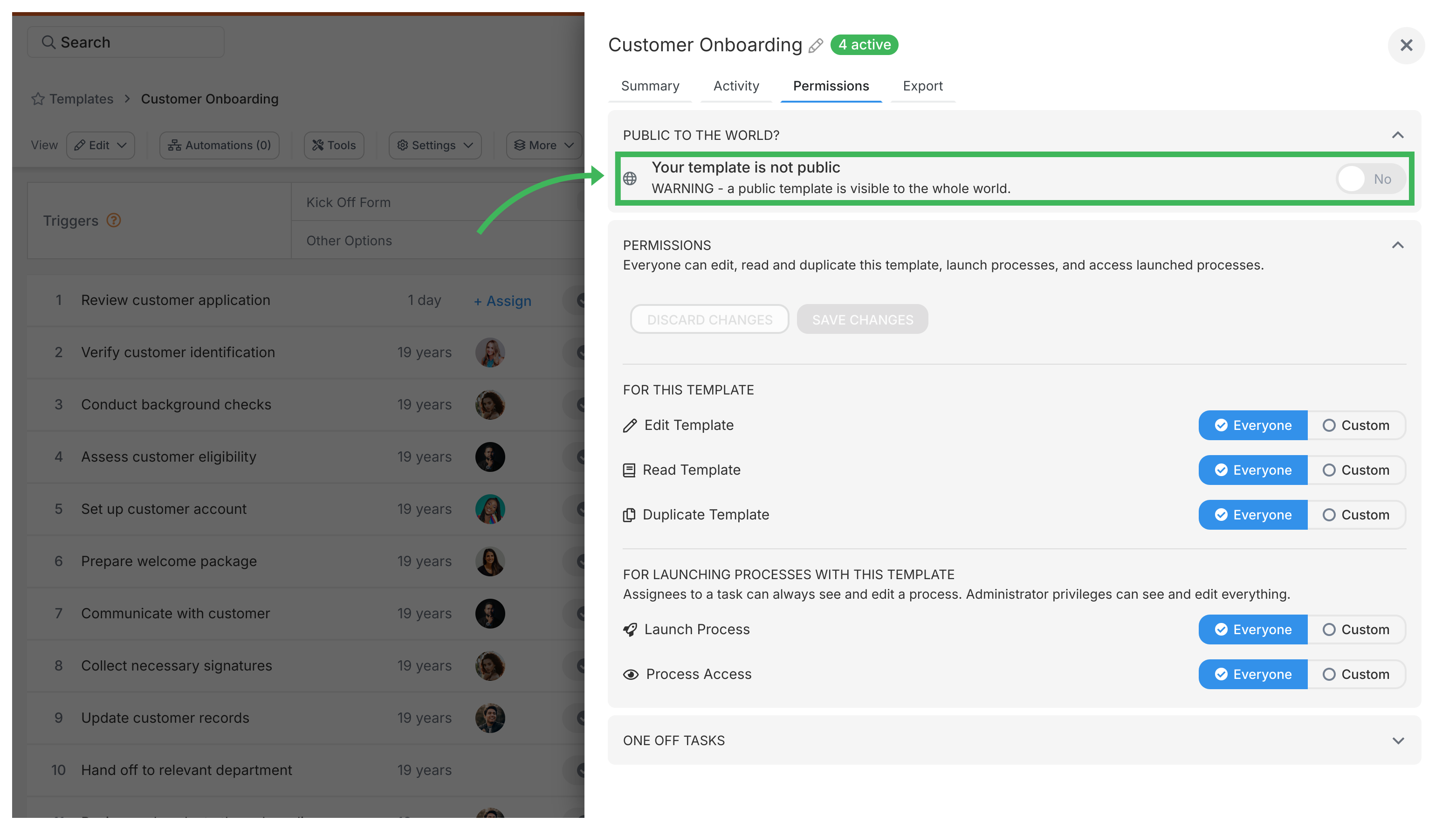
Section titled “Publishing templates publicly”To make a template public in Tallyfy, click Edit on your template, go to Settings, find Public to the world, and switch it to yes. Anyone can then view your template structure1 without logging in. You’ll get a shareable link to send to clients, partners, or vendors.
What you need
Section titled “What you need”- Administrator or Standard member permissions (Light members can’t edit templates)
- A template ready for public sharing
Why publish a template?
Section titled “Why publish a template?”- Share with anyone - give a direct link to view your process. No login or Tallyfy account needed
- Show examples - display your workflows to potential customers as proof of how you work
- Provide documentation - external teams can access process info instantly
- Help others learn - let people see how you’ve structured your processes
Publishing a template
Section titled “Publishing a template”- Go to the Library view where your templates are listed
- Find the template you want to publish
- Click Edit to open the template editor
- Click Settings (or Config) in the editor toolbar
- Go to the Permissions tab
- Find Public to the world and switch it to yes
- Click Save
After publishing
Section titled “After publishing”You’ll get a shareable URL in the template settings. You can:
- Share this link anywhere - email, chat, website, social media
- Let people view the template structure without logging in
Security and privacy
Section titled “Security and privacy”- What’s public? Only the template structure - steps, descriptions, summary, guidance, and kickoff fields. Think of it like sharing a recipe without showing what you cooked last Tuesday
- What’s private? Form field responses, task completions, internal comments, and assignment data don’t show up publicly
- How to unpublish? Go back to settings, switch Public to the world to no, and it’s instantly private again
Related articles
Section titled “Related articles”Templates > Configure your template
Tallyfy’s template settings let you control duplicating, archiving, summary details…
Tallyfy templates are reusable blueprints you create once and launch repeatedly. They assign…
Click the Edit icon on any template card in Tallyfy to open the Edit view. From there, you can…
Footnotes
Section titled “Footnotes”-
In Tallyfy’s API, templates are called ‘blueprints’ and include steps, fields, and routing logic ↩
About Tallyfy