Tallyfy’s document templates let you create locked-down policies and reference materials with…
Fill in the blanks
How can I stop cloning docs and use fill-in-the-blanks templates?
Section titled “How can I stop cloning docs and use fill-in-the-blanks templates?”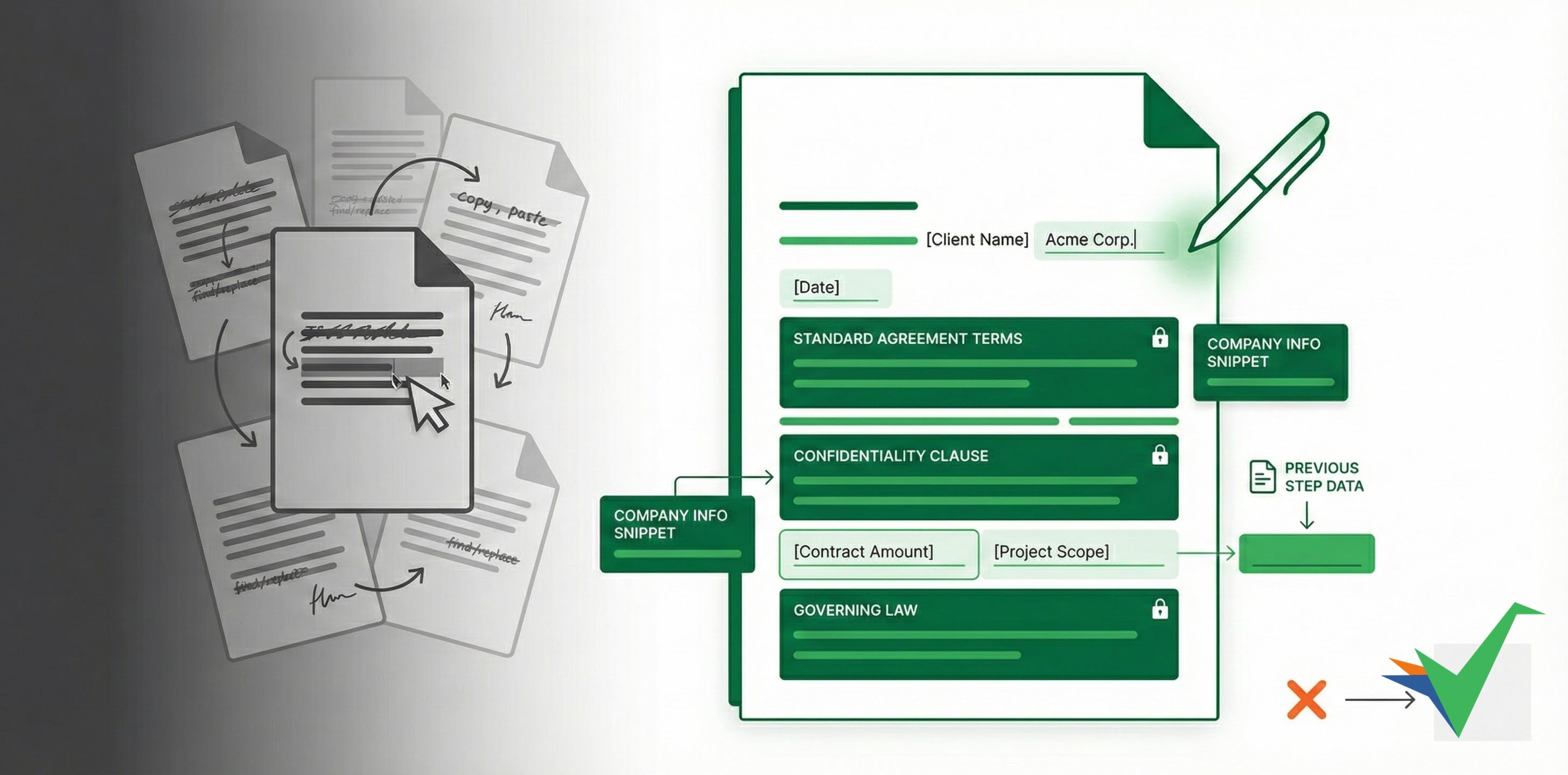
Instead of copying old documents (like contracts) and manually changing details, Tallyfy lets you create smart Document Templates.
How can I set what people can change?
Section titled “How can I set what people can change?”You define the standard text that shouldn’t change, then add specific editable fields (blanks) where users enter custom information (like a client name or date). When someone uses the template, they fill in those blanks - everything else stays consistent.
How can I reuse standard text blocks with snippets?
Section titled “How can I reuse standard text blocks with snippets?”If you have standard paragraphs (like legal text or company info) used across many documents, create a Snippet with that text. Insert it into multiple document templates - and when the text changes, edit the snippet once. The update appears everywhere it’s used.
How can I pull in data automatically using variables?
Section titled “How can I pull in data automatically using variables?”When you’ve collected information earlier in a process (like a customer name), use Variables to insert that data automatically into your document template. You enter data once but it can appear in multiple places - reducing errors and saving time, especially for contracts.
Related articles
Section titled “Related articles”Documents > Add fields to documents
Tallyfy’s document templates let you insert editable short text, long text, and date fields into…
Snippets in Tallyfy are reusable rich-text blocks that admins create once and any member can…
Tallyfy snippets let admins create reusable text blocks like disclaimers or contact info that…
About Tallyfy