Edit Processes > Delete a process
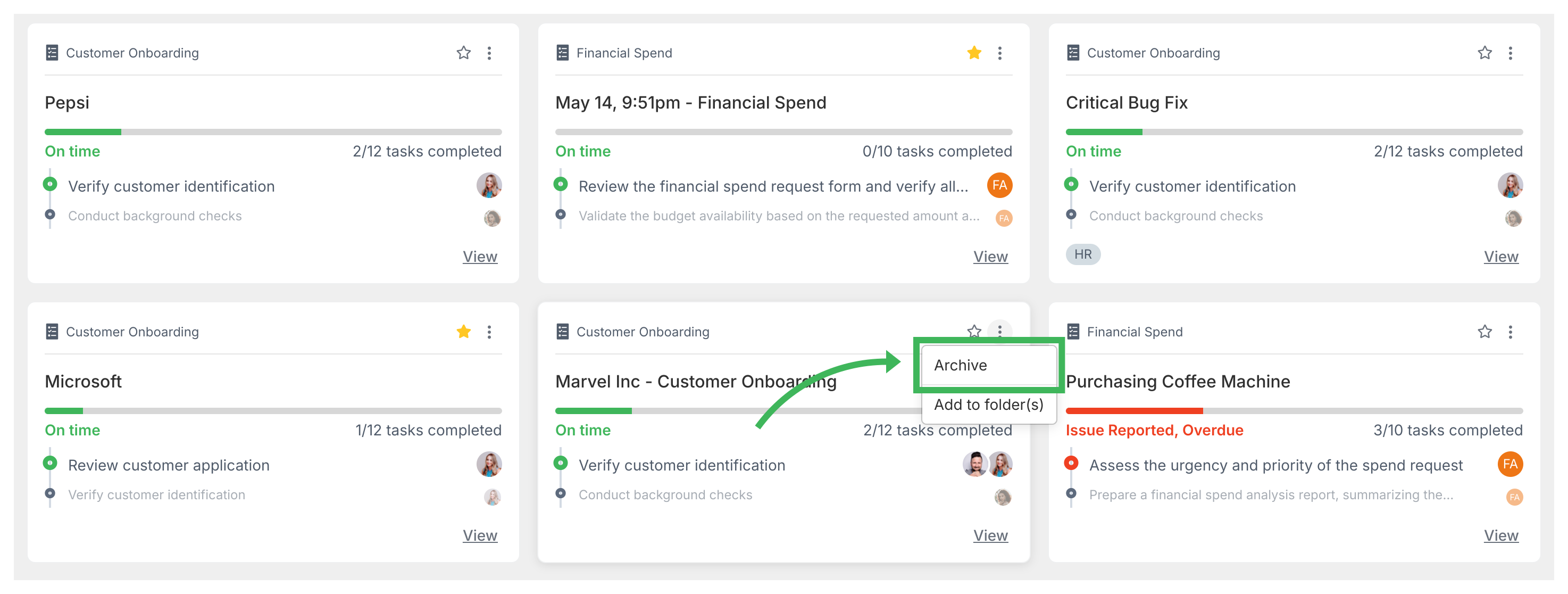
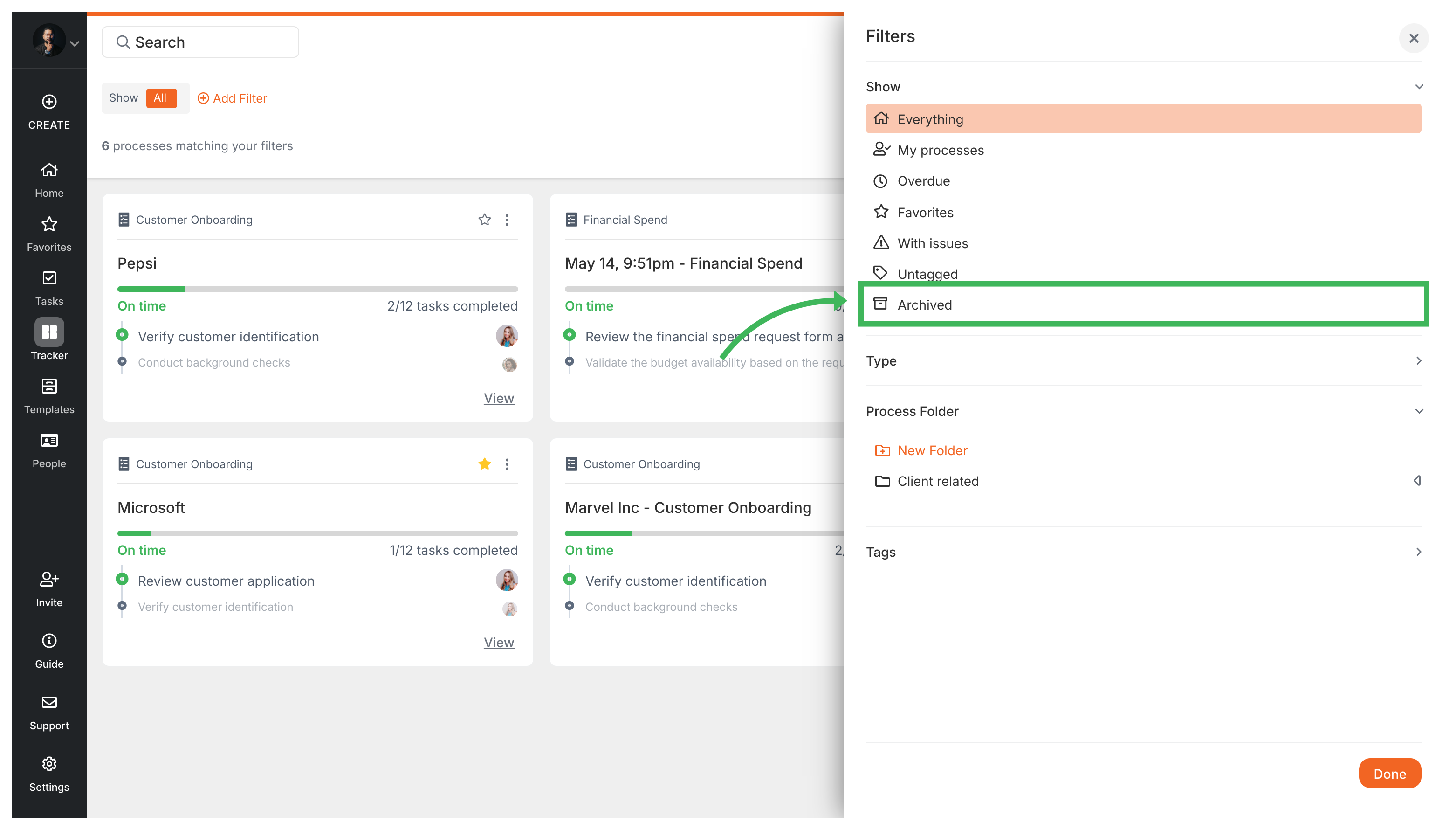
Tallyfy requires Admin users to first archive a process before the permanent delete option…
Archiving removes a process from your active Tracker view without deleting it. You can unarchive it later to bring it back.
Edit Processes > Delete a process
Tracker View > Organize processes
Tracking And Tasks > Processes
Tracking And Tasks > Tracker view