Triggers > Launch via middleware
Middleware platforms like Zapier and Make.com let you automatically launch Tallyfy processes…
The Zapier “Launch Process” action lets you automatically launch a Tallyfy process whenever a trigger fires - like a Google Forms submission, a CRM deal closing, or a support ticket arriving.
Create a new Zap and pick your trigger app (Google Forms in this example).
Choose ‘New or Updated Response in Spreadsheet’ as the trigger event.
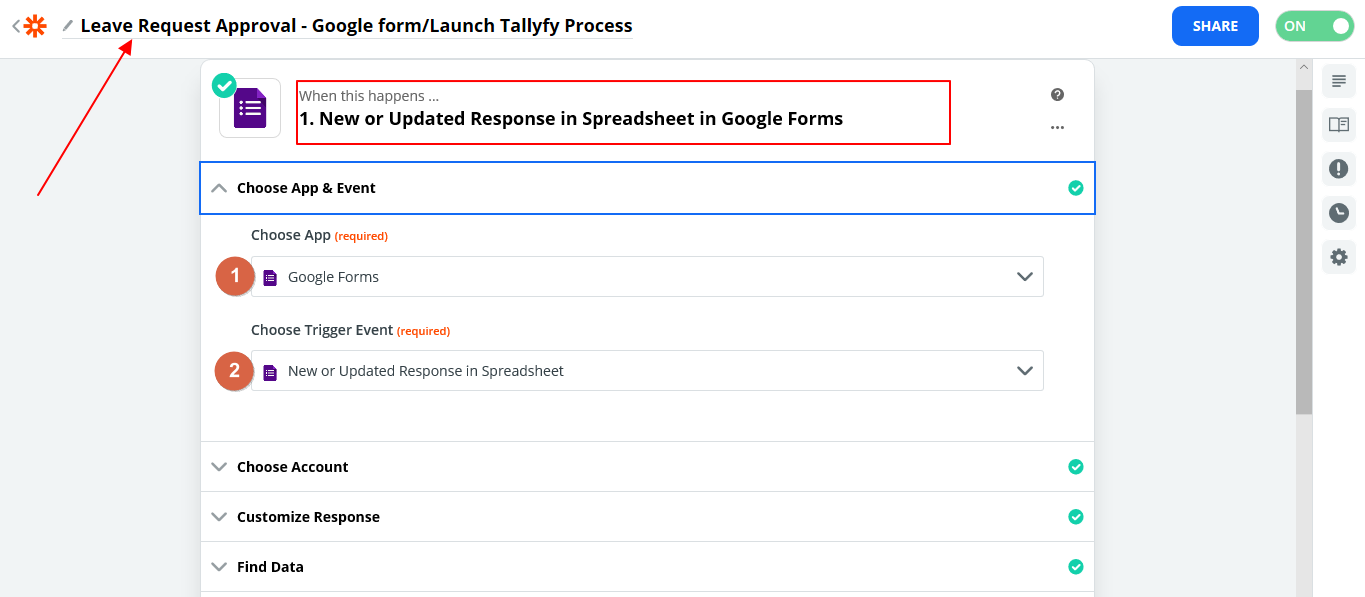
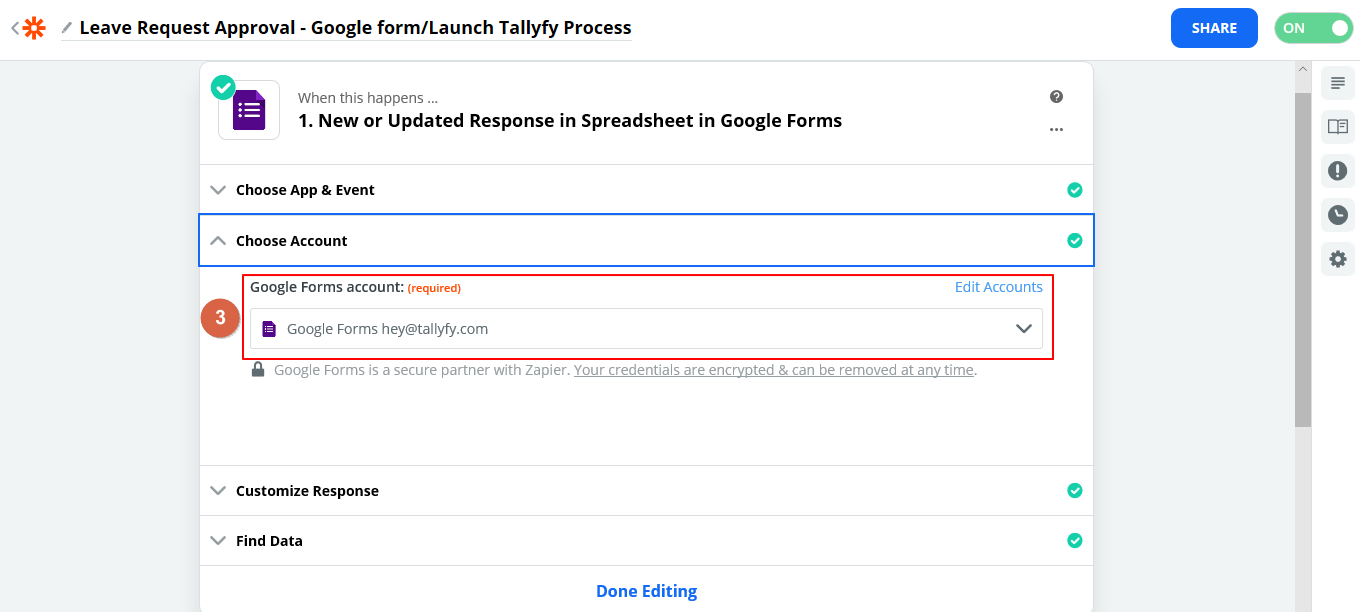
Connect your Google account and select the spreadsheet with your form data.
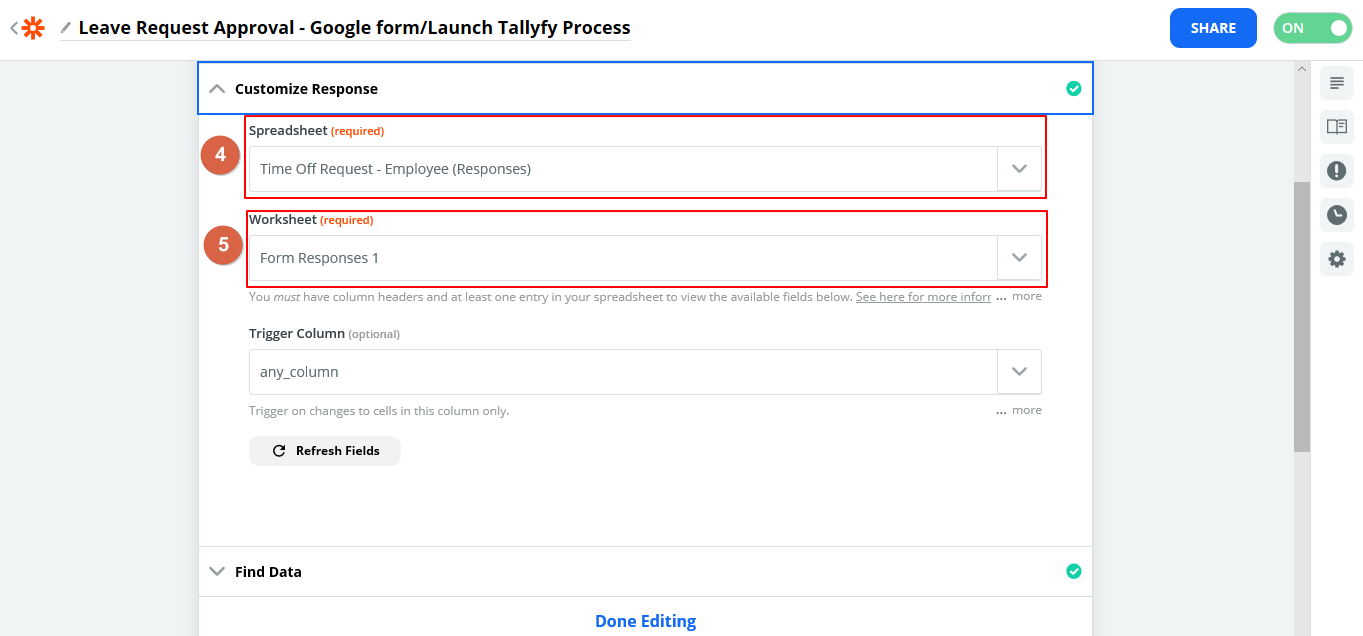
Pick the worksheet that holds the target data.
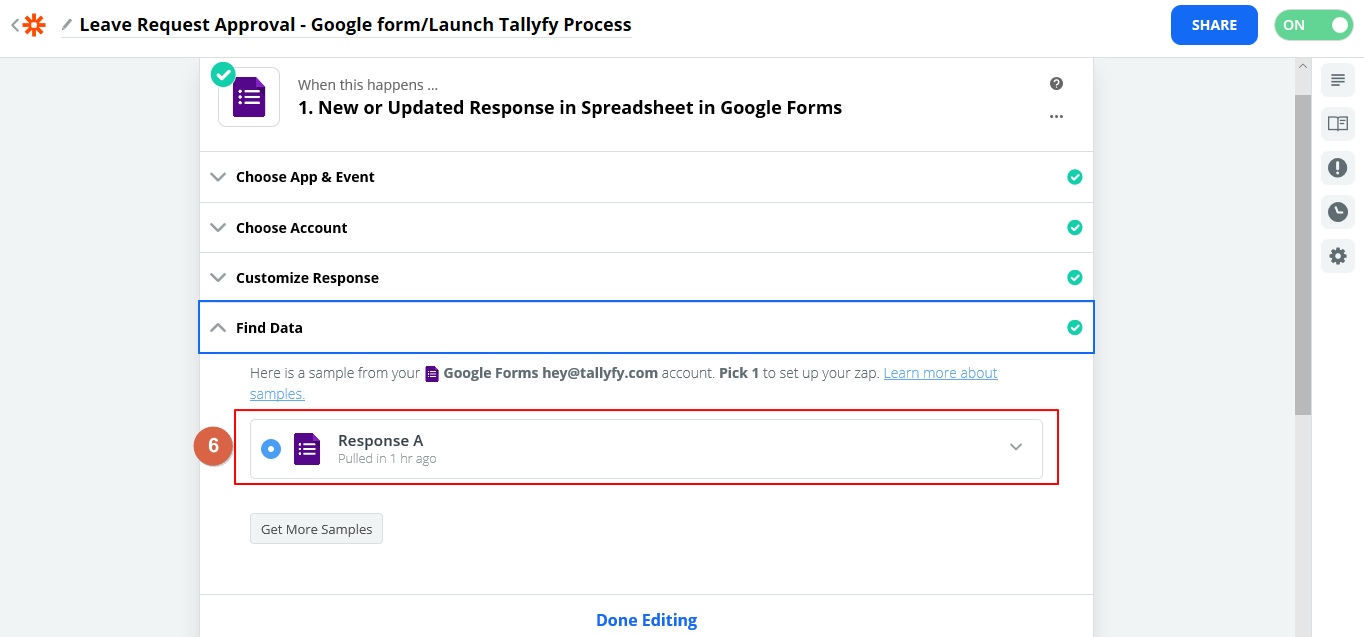
Select a sample response - Zapier uses this to auto-populate fields in later steps.
Add an action step and choose Tallyfy as the app.
Select Launch Process as the action event.
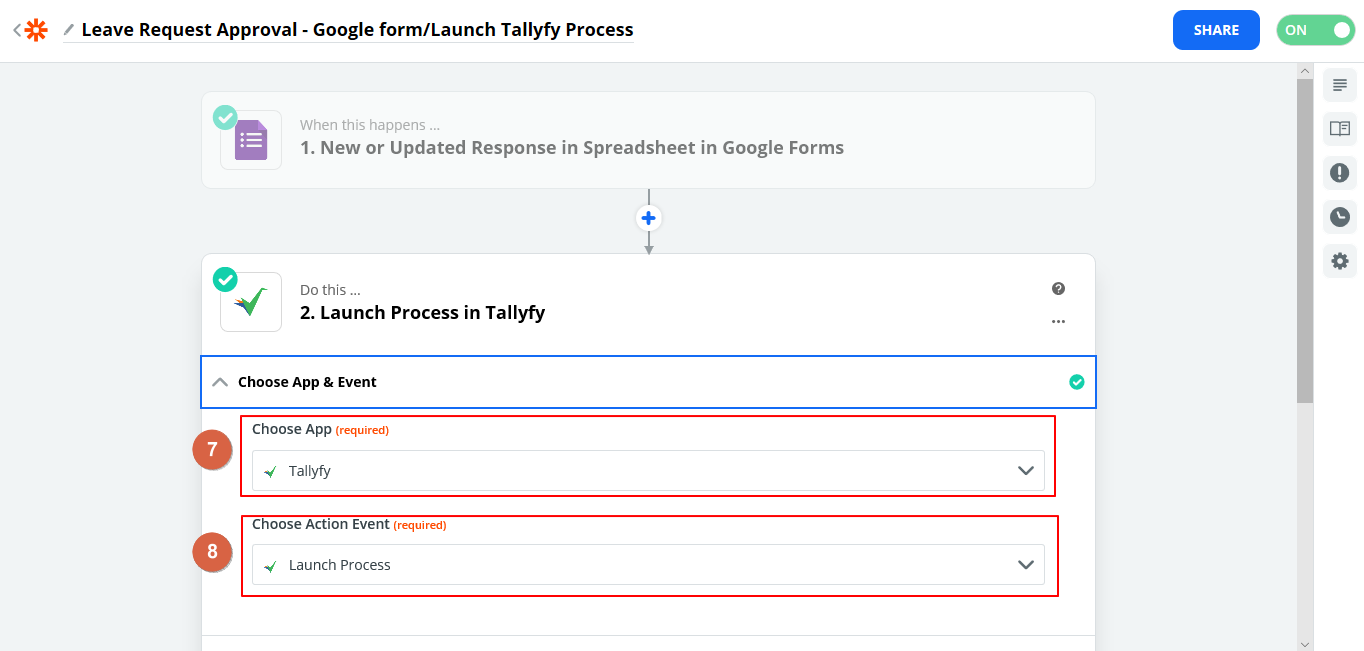
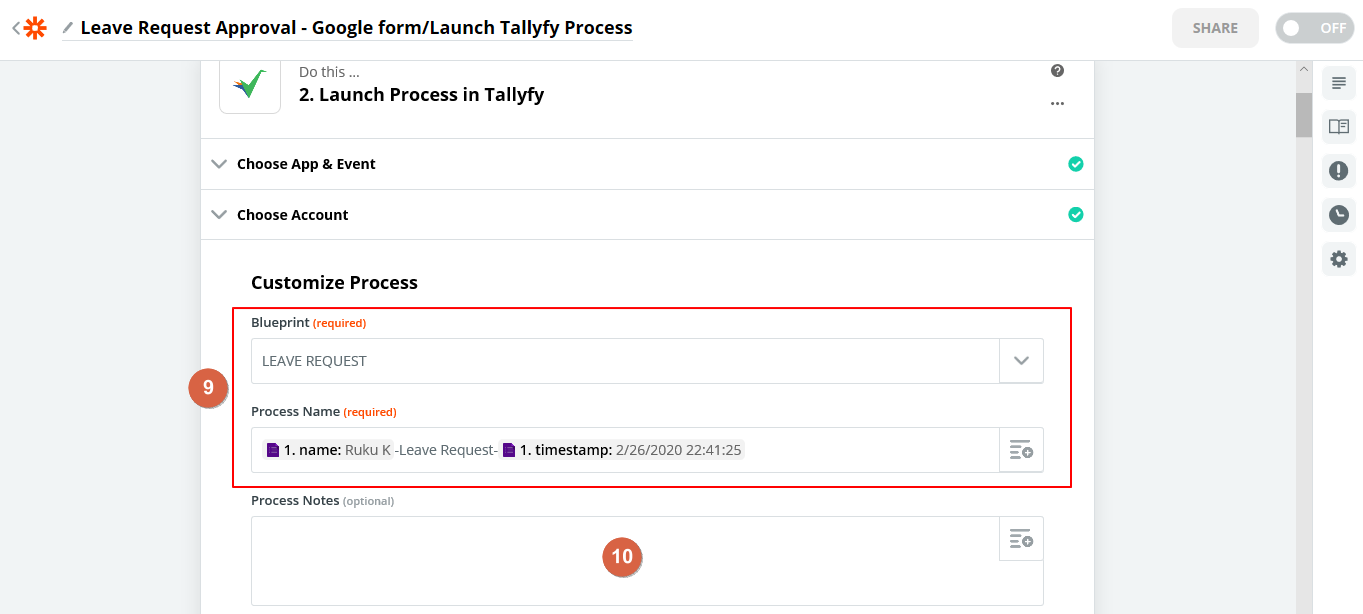
Pick your Tallyfy account and choose the template you want to launch. You can build a dynamic process name here - for example, combining the employee’s name and submission timestamp from the Google form.
Optionally add process notes.
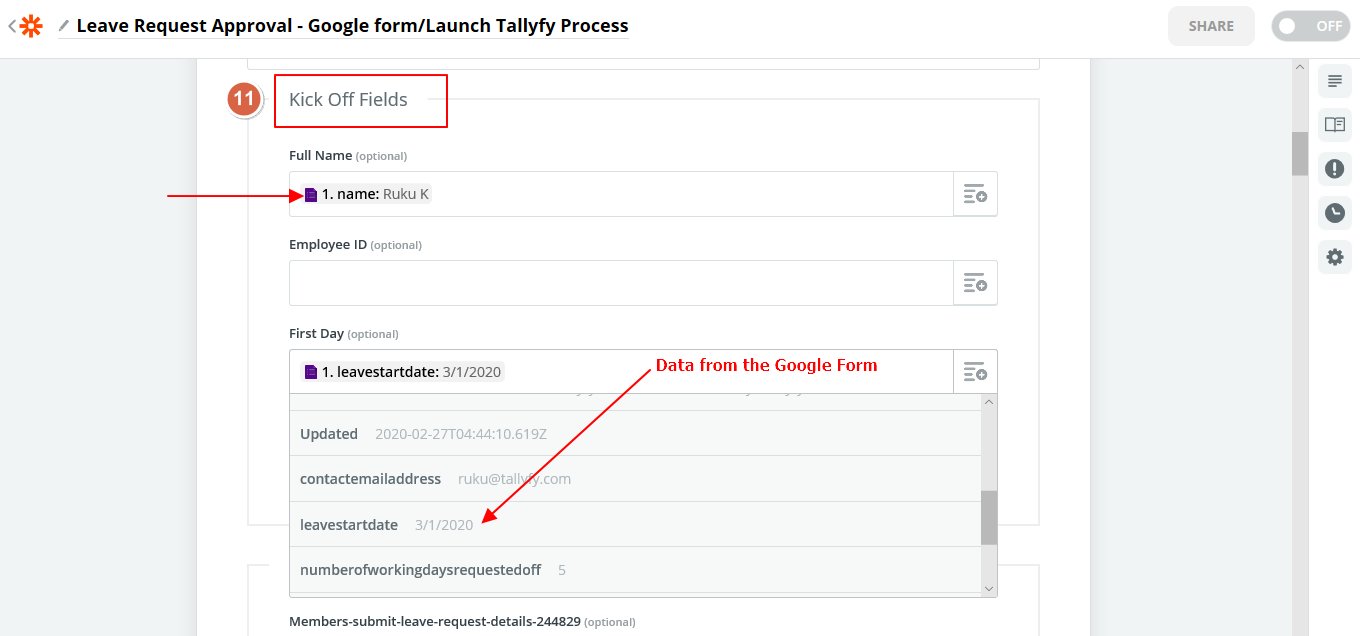
Map trigger data into the Tallyfy process kick-off form fields.
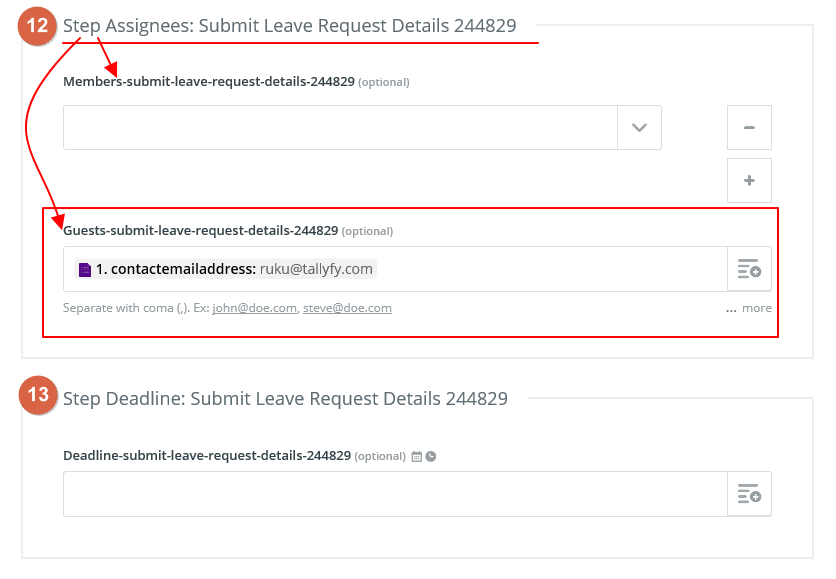
Set step assignees. These can be members of your org or guests (external email addresses). You can also search for and assign groups directly in Zapier.
Map any date fields from the trigger to set task deadlines.
Any value you set in the Zap overrides the corresponding template setting - including assignees, deadlines, and form field values.
Triggers > Launch via middleware
Zapier > Zapier actions and triggers