Tallyfy coordinates the micro-tasks, cross-team handoffs, and deadline-driven workflows between…
CRM and ERP integration
Connecting Tallyfy to your CRM or ERP
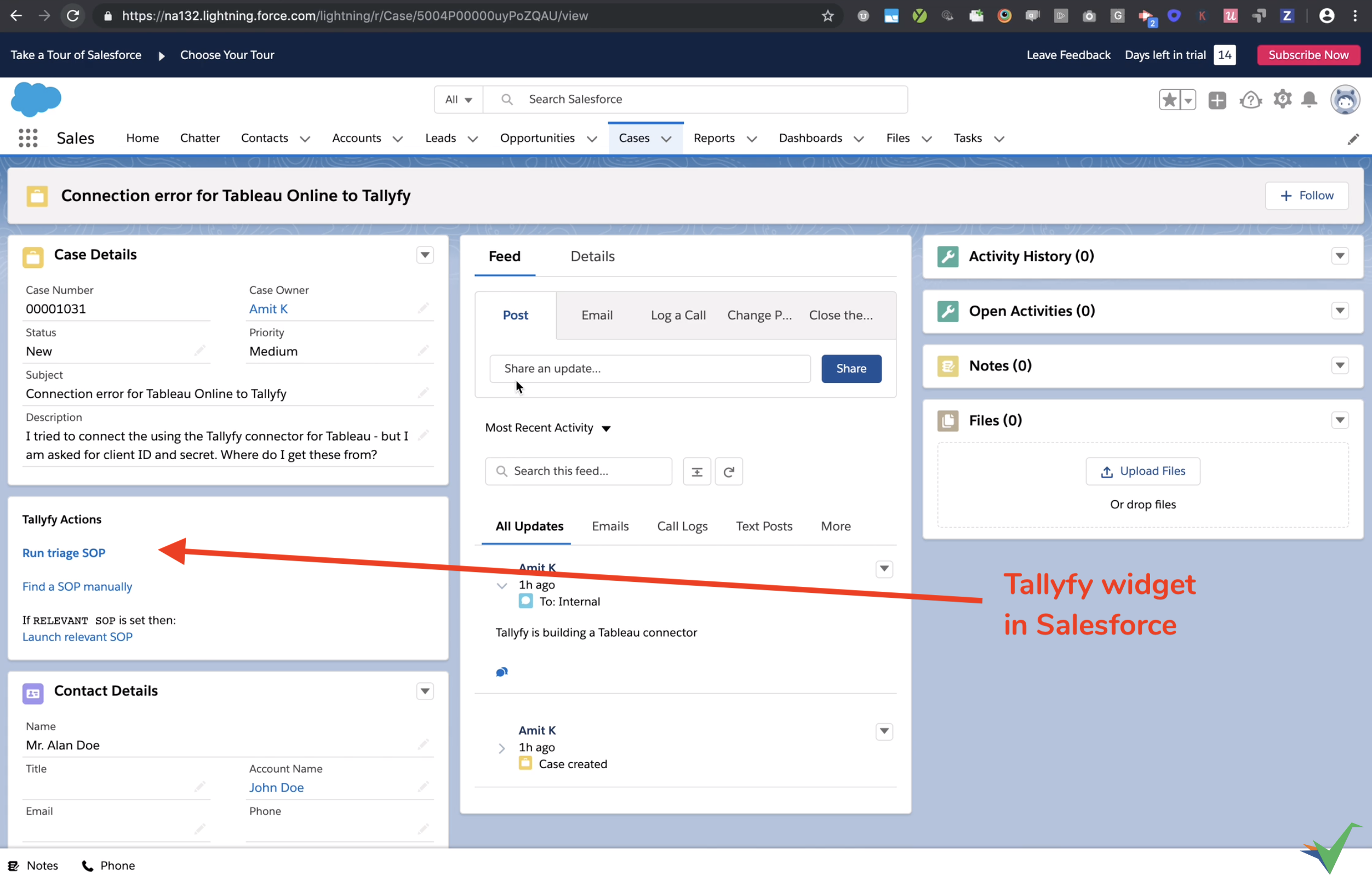
Section titled “Connecting Tallyfy to your CRM or ERP”Tallyfy connects to CRM systems (Salesforce, HubSpot, Dynamics 365, etc.) and ERP systems (NetSuite, SAP, etc.) so you can link sales or operational stages with detailed workflows that run in Tallyfy.
Why connect?
Section titled “Why connect?”- Save on licenses - run operational workflows in Tallyfy instead of buying CRM/ERP seats for everyone involved.
- Consistent processes - teams follow standard procedures even when people outside the CRM/ERP are involved.
- Smooth handoffs - transitions between teams (Sales to Operations) become trackable.
- Better client experience - clients get a consistent journey from first contact through delivery.
The gap between CRM stages
Section titled “The gap between CRM stages”CRMs track deals through stages - Lead, Qualified, Proposal, Negotiation, Closed Won. What they miss: the dozens of micro-tasks that must happen between each stage transition. These invisible tasks determine whether deals progress or stall.
When a deal moves from “Qualified” to “Proposal,” it’s not one click - it’s technical reviews, pricing approvals, legal checks, resource allocation, and demo preparation. Each involves multiple people, deadlines, and conditional logic based on deal characteristics.
Tallyfy makes these micro-tasks visible, trackable, and automatic. Your CRM shows the big picture; Tallyfy handles every critical step between stages.
What CRMs can’t do (but Tallyfy can)
Section titled “What CRMs can’t do (but Tallyfy can)”CRMs store customer data and track sales activities well, but they fall short for operational workflows.
Inflexible task sequences
Section titled “Inflexible task sequences”CRMs force rigid, linear task flows. Need different onboarding steps based on deal size or service type? You’re stuck with workarounds. Tallyfy’s conditional automations show or hide steps based on form answers automatically.
No auto-assignment or deadline tracking
Section titled “No auto-assignment or deadline tracking”Most CRMs require daily logins to check for pending tasks. Tallyfy auto-assigns tasks to the right people, sends deadline reminders, and escalates overdue items.
Fragmented collaboration
Section titled “Fragmented collaboration”CRMs work for sales teams, but what about Legal, Finance, or external partners? Tallyfy lets you involve internal members or external guests in the same workflow - everyone sees their tasks and deadlines.
Weak audit trails
Section titled “Weak audit trails”CRMs track data changes but don’t record who did what task, when, and in what order. Every Tallyfy process creates a complete audit trail automatically - who did what, when, and in what sequence.
Disconnected tools
Section titled “Disconnected tools”CRMs can’t coordinate workflows across multiple systems. Tallyfy connects tools through middleware for end-to-end processes.
Example micro-tasks between CRM stages
Section titled “Example micro-tasks between CRM stages”Lead to MQL
Section titled “Lead to MQL”Converting a lead to MQL involves tasks CRMs don’t track - researching company fit, verifying contact info, checking for existing customer conflicts, scoring engagement, and enriching data. Tallyfy launches this workflow automatically when a new lead enters your CRM. Each task has an owner and deadline, and the lead only advances when all tasks complete.
MQL to SQL
Section titled “MQL to SQL”Moving to sales-qualified triggers tasks like scheduling discovery calls, preparing talking points, identifying decision makers, and checking credit history. Without Tallyfy, these happen inconsistently or not at all.
SQL to opportunity
Section titled “SQL to opportunity”Creating an opportunity requires defining solution requirements, estimating timelines, calculating pricing, and assessing the competition. Tallyfy’s conditional logic adjusts the workflow based on deal size - enterprise deals automatically add security reviews and legal pre-approval.
Opportunity to closed won
Section titled “Opportunity to closed won”The most critical transition: generating contracts, obtaining pricing approval, coordinating signatures, creating implementation projects, scheduling kickoff calls, and provisioning access. Each task must complete in sequence with the right person. CRMs just show “Closed Won” while the real work happens elsewhere.
Common connection examples
Section titled “Common connection examples”Lead management
Section titled “Lead management”- New CRM lead? Auto-launch a lead qualification process in Tallyfy.
- Assign research and contact tasks in Tallyfy, then push updates back to the CRM record.
Sales stage changes
Section titled “Sales stage changes”- Deal moves to “Proposal Sent”? The matching Tallyfy process (e.g. “Contract Review”) starts automatically.
- Include people who don’t use the CRM (Legal, Finance) in the right steps.
Client onboarding
Section titled “Client onboarding”- Deal marked “Won”? A client onboarding process launches in Tallyfy instantly.
- Hand off to implementation or customer success teams, and invite the client as a guest for specific tasks.
Standardizing support
Section titled “Standardizing support”- Manage multi-step support procedures in Tallyfy so agents follow consistent steps every time.
Why micro-task visibility matters
Section titled “Why micro-task visibility matters”Two deals might both show “Proposal Stage” in your CRM, but their realities differ:
Without Tallyfy: Proposal sent without technical review. Pricing approved verbally. Implementation team not consulted. Legal review skipped.
With Tallyfy: Technical review completed. Pricing approved in writing. Implementation confirmed availability. Legal pre-approved terms.
Both deals look identical in the CRM, but the second one closes faster with fewer surprises because every micro-task between stages was tracked and completed.
How to connect using middleware or links
Section titled “How to connect using middleware or links”Most connections use middleware platforms (Zapier, Make, Power Automate). Direct links work too.
Integration flow visualization
Section titled “Integration flow visualization”This diagram shows how data flows between your CRM/ERP and Tallyfy through middleware connections.
What to notice
Section titled “What to notice”- Record ID preservation - the CRM record ID passes through the entire flow, from CRM to Tallyfy and back, so updates hit the correct record.
- Middleware as the bridge - middleware handles data transformation between Tallyfy’s webhook format and your CRM’s API.
- Two distinct flows - launching Tallyfy processes from your CRM vs. updating CRM records from Tallyfy. You can implement either or both.
Here’s how information flows between systems:
1. Start Tallyfy processes from your CRM/ERP
Section titled “1. Start Tallyfy processes from your CRM/ERP”Use a magic link to create a button or link inside your CRM/ERP.
- Create a magic link for the template you want to launch.
- Set up the link to pull information (contact name, company, deal ID) from the CRM/ERP record.
- Add this link as a button within your CRM/ERP interface - typically on the Opportunity page.
- When a user clicks, Tallyfy starts the process with all CRM/ERP data pre-filled.
Watch it in action:
2. Send Tallyfy form data to your CRM/ERP
Section titled “2. Send Tallyfy form data to your CRM/ERP”Update CRM/ERP records with information collected in Tallyfy forms:
- Set up a Tallyfy webhook to trigger when a specific task gets completed.
- Use a middleware tool to catch the webhook data.
- Configure middleware to find the correct CRM/ERP record (using an ID passed from the CRM initially) and update fields with Tallyfy form answers.
Important: To update the right record in your CRM/ERP, you need that record’s unique ID. Pass this ID from the CRM/ERP into Tallyfy when the process starts (using the magic link method above), then use it later to find the right record to update.
Related articles
Section titled “Related articles” Tallyfy coordinates cross-department approvals, handoffs, and post-sale onboarding between Zoho…
Tallyfy works alongside HubSpot by managing the hidden micro-tasks and cross-team handoffs that…
Tallyfy acts as a coordination layer that connects your existing HR, CRM, helpdesk, finance and…
About Tallyfy