Tallyfy’s API lets you create standalone one-off tasks outside any process. Send a POST request…
Create a one-off task
Create a one-off task
Section titled “Create a one-off task”Click + Create and choose Create task to make a standalone to-do with a deadline and assignee - no template needed.
One-off tasks in Tallyfy are independent action items. Use them for urgent work, follow-up actions, or anything that doesn’t fit a standard process.
When to use one-off tasks
Section titled “When to use one-off tasks”Got a quick request that doesn’t fit your standard processes? One-off tasks let you track it in Tallyfy without building a whole template. Follow-ups, document reviews, unexpected requests - they all work here alongside your process-based workflows.
-
Click the + Create button and choose Create task.
-
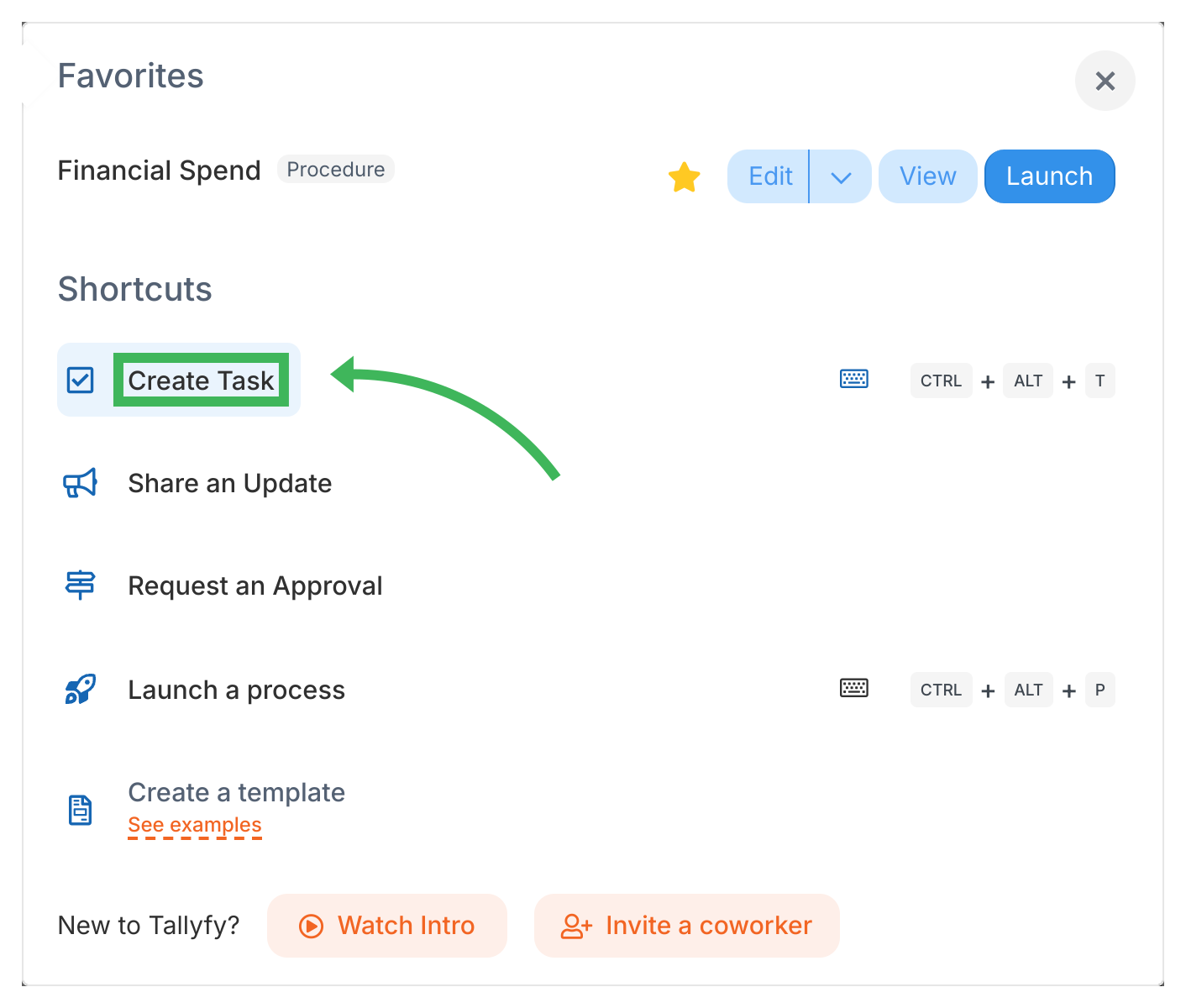
-
Fill in the task details:
- Name: A clear title for the task (up to 600 characters).
- Type: Pick a task type - Regular works for most things, but you’ve also got Approve/Reject, Expiring (auto-completes at deadline to prevent task debt), Email, and Auto-Send Email.
- Description: Instructions or context the assignee needs.
- Assignee: Who’s doing this? You can assign members, groups, or guests.
- Deadline: Required. When the task must be done.
- Start time: Optional. When work should begin.
- Form fields: Add form fields to collect data on completion.
- Advanced: Link this task to a running process or template, add tags, set a webhook, or toggle settings like “everyone must complete.”
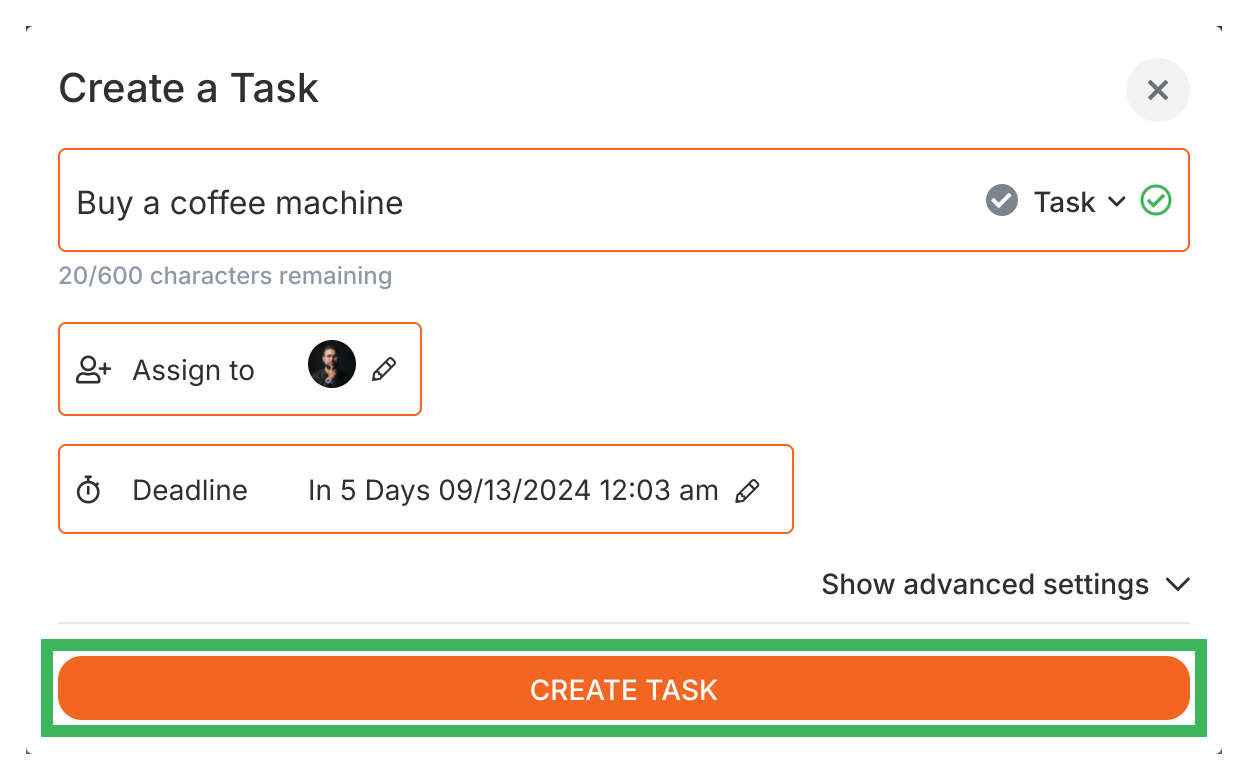
- Click Create Task.
- Assignees get a notification right away.
- When they complete it, you’ll get notified too.
What should I learn next?
Section titled “What should I learn next?”- Complete or reopen tasks when things need a second look
- Create subtasks to break work into smaller pieces
- Use the Tasks view to manage all your tasks in one place
Related articles
Section titled “Related articles” Tallyfy has two task categories and five step types. Process tasks are steps inside templates…
Tracking And Tasks > More about tasks
Tallyfy organizes all work into two types of tasks: process tasks that run inside repeatable…
Edit Processes > Add tasks to active processes
Tallyfy lets you insert new tasks into already-running processes without restarting or modifying…
About Tallyfy