Edit Task > Add videos to a task
Add videos to Tallyfy tasks by embedding YouTube or Vimeo links through Insert > Embed URL, or…
Click the Insert button in the editor toolbar to add images, videos, files, tables, and links directly into task descriptions in Tallyfy templates. This makes instructions clearer, especially for visual or complex steps.
| Media Type | What it does | Upload limit |
|---|---|---|
| Image | Displays inline (JPG, PNG, GIF) | 100MB |
| File | Shows a download link (Docs, PDFs, etc.) | 100MB |
| Video | Plays inline (uploaded or linked) | 100MB |
| Link | Clickable web link | N/A |
| Table | Rows and columns for structured data | N/A |
| Embed URL | Live preview of external content (YouTube, Twitter, etc.) | N/A |
| Page Break | Controls page breaks for printing/PDF | N/A |
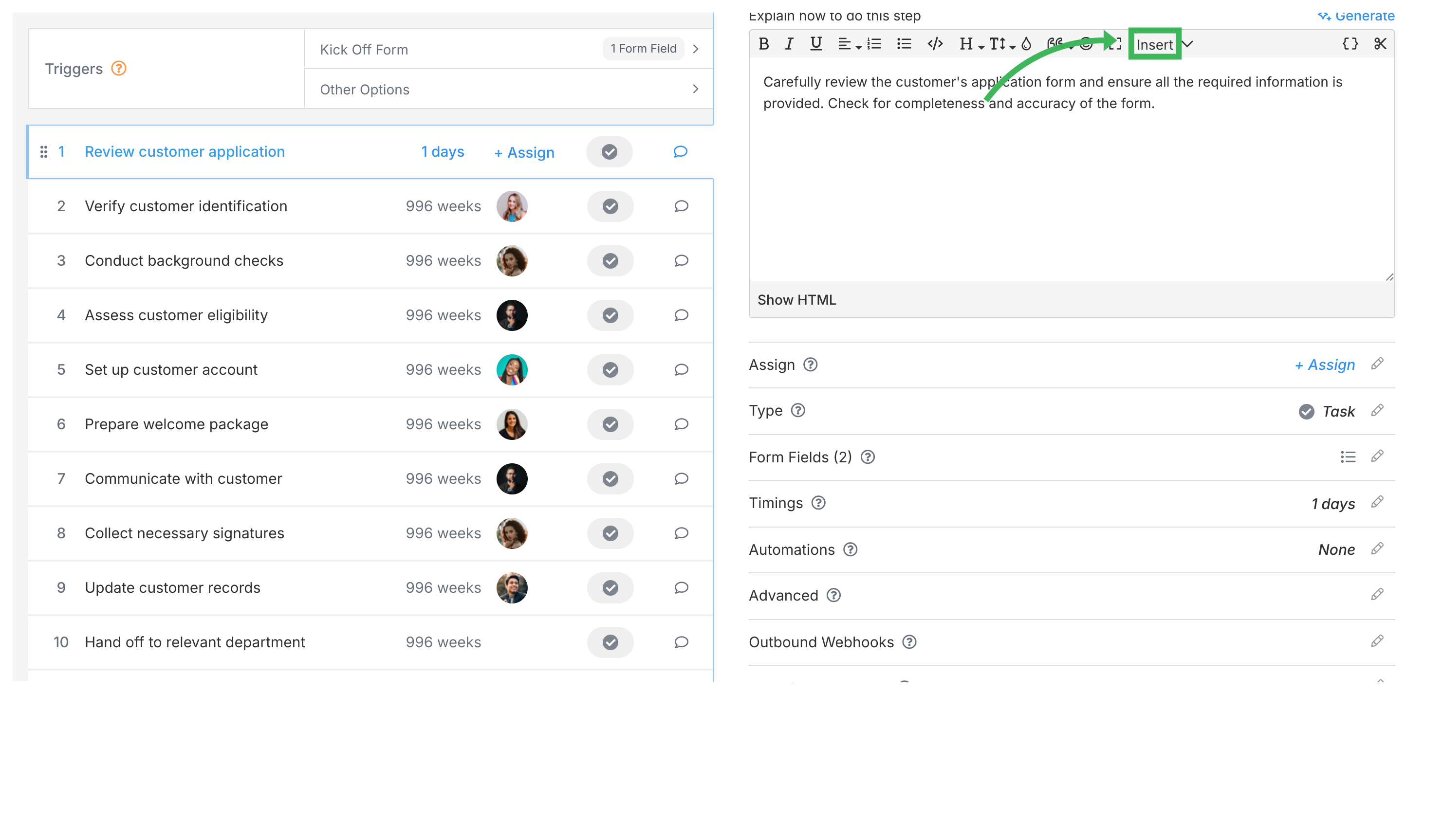
Add page breaks to control where new pages start when printing or saving as PDF.
Embed URL pulls in a live preview of external content instead of just showing a link.
Edit Task > Add videos to a task
Edit Task > The rich text editor
Document Management > File request links