Tallyfy lets you bring external clients and partners into your workflows as free guests who…
Get a guest's unique link
Finding and sharing guest task links
Section titled “Finding and sharing guest task links”Guest task links are URLs that let external people access specific tasks without a Tallyfy account. No login required.
These links stay active even after the guest completes their task, so you can reopen completed tasks when needed.
What you need
Section titled “What you need”- The task must already be assigned to a guest
- You’ll need Administrator or Standard member permissions
Method 1: From the task itself
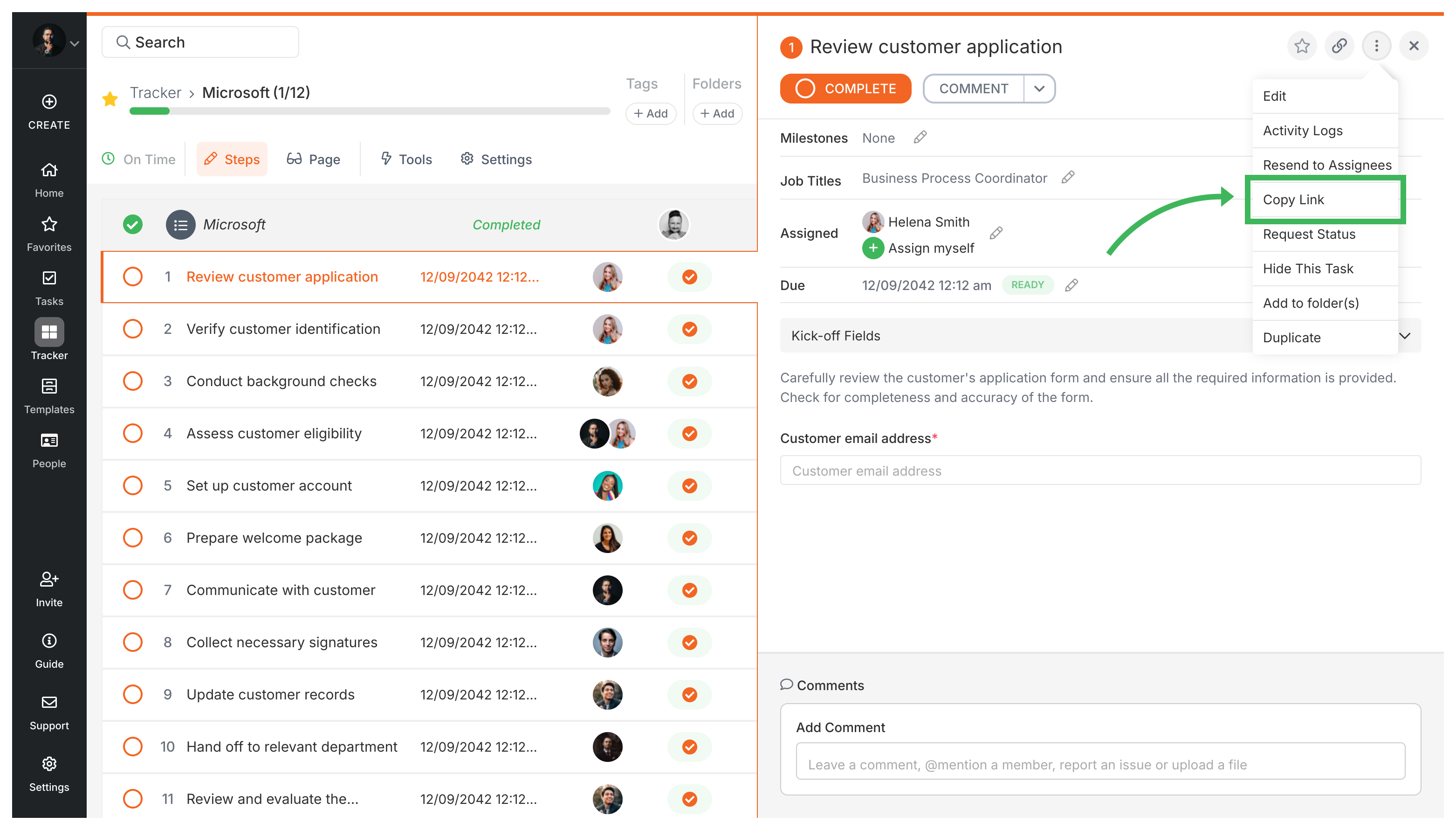
Section titled “Method 1: From the task itself”The quickest way when you’re already looking at the task:
- Go to the running process that contains the guest task.
- Find the specific task assigned to the guest.
- Click the menu icon (three dots) next to the task name.
- Select Copy Guest Link from the menu.
Method 2: From the guest list in Settings
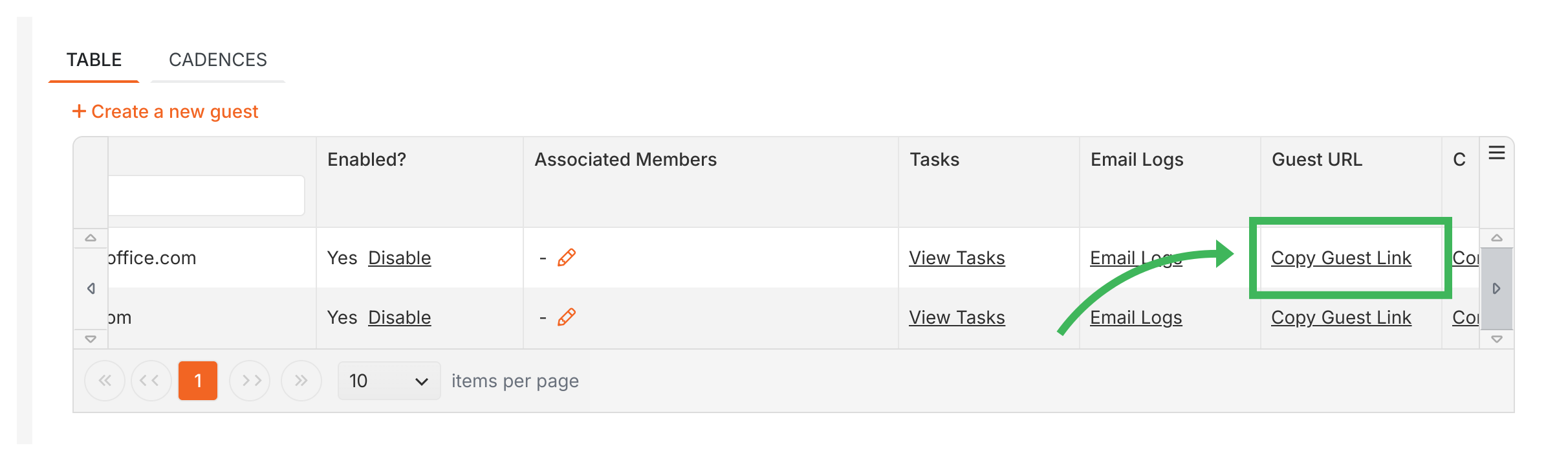
Section titled “Method 2: From the guest list in Settings”Use this when you need links for multiple guests or can’t remember which process contains their task:
- Go to Settings > Organization > Guests.
- Find the guest you need.
- Click Copy Guest Link in that guest’s row.
Sharing the link
Section titled “Sharing the link”Once you’ve copied the link:
- Paste it anywhere - email, Slack, text message
- When the guest clicks it, they’ll land directly on their assigned task - no login screens or password resets
- The link stays active as long as the task exists
Related articles
Section titled “Related articles”Guests > Assign tasks to guests
Assign tasks to external guests by entering their email address in a template or running…
Tallyfy guests are invited by email to complete a task, with no account or password needed. This…
Tallyfy lets you assign workflow tasks to external guests like clients and vendors via secure…
About Tallyfy