Tallyfy’s Activity tab shows who changed what and when on any template. Every content edit…
Check process activity
View the activity log for a process
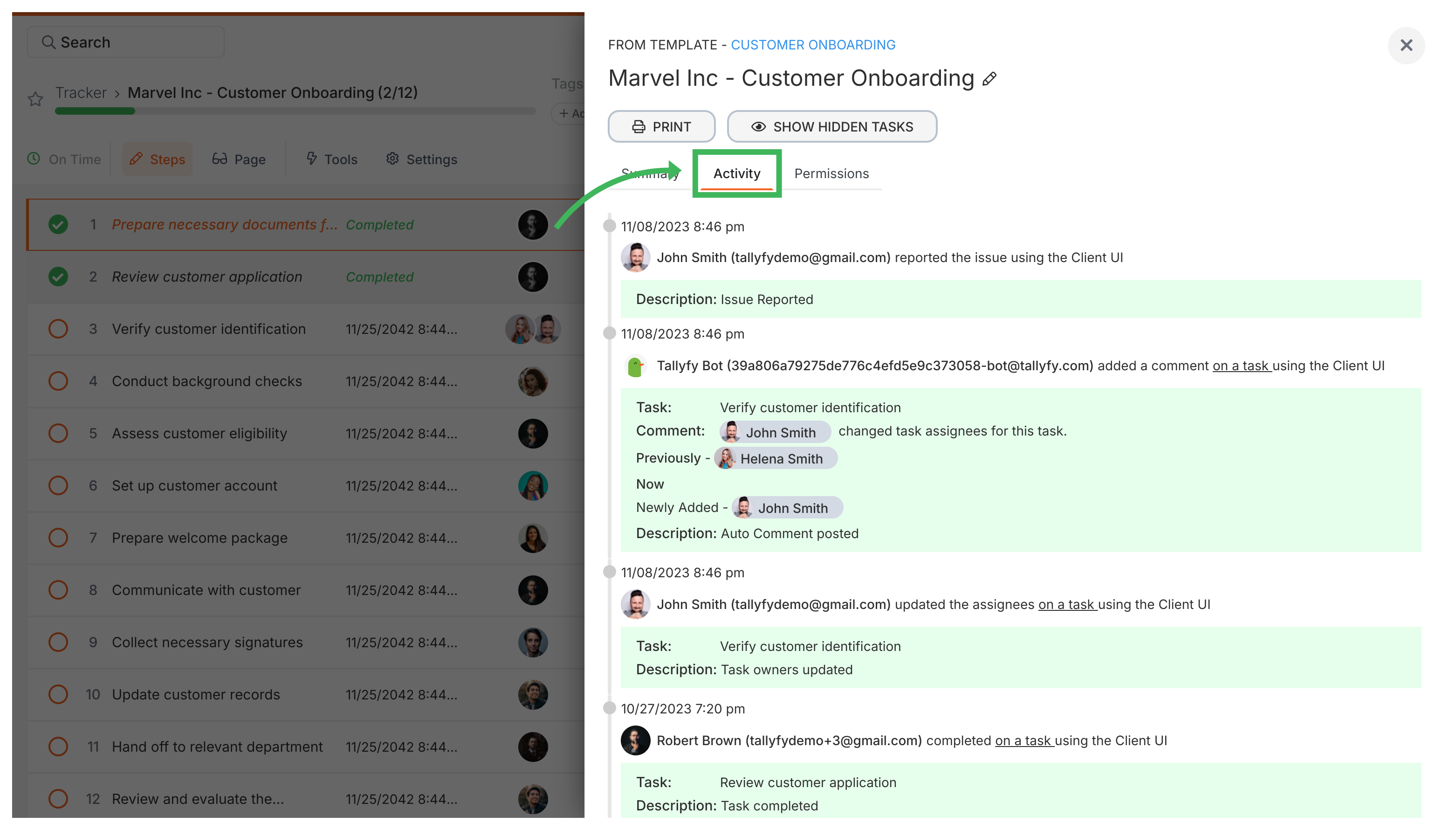
Section titled “View the activity log for a process”Every running Tallyfy process has an activity log showing what’s happened and who did it. It’s useful for tracking progress or troubleshooting issues.
The log records actions like:
- Task completions or re-opens
- Deadline changes
- Comments added
- Process archiving/unarchiving
- Assignment and ownership updates
How do I view the process activity log?
Section titled “How do I view the process activity log?”- Open the running process (e.g., from the Tracker view).
- Click the Settings button (gear icon) in the top right corner.
- Click the Activity tab in the panel that opens.
- The most recent events appear at the top.
Related articles
Section titled “Related articles”Tracker View > Track running processes
Tallyfy’s Tracker view gives you a dashboard of every running process in your workspace with…
Edit Processes > Edit tasks and process properties
Tallyfy lets you modify a running process without restarting it. Open the process from Tracker…
Tracker View > Organize processes
Tallyfy lets you organize active processes using folders, favorites, filters, and archiving…
About Tallyfy