Automations > Logic operations explained
Tallyfy automations pair an If with a Then instead of using flowcharts. They watch user inputs…
Use the AND operator in Tallyfy automations to make your process wait for several approvals before moving forward. When you connect conditions with AND, all of them must be true before anything happens.
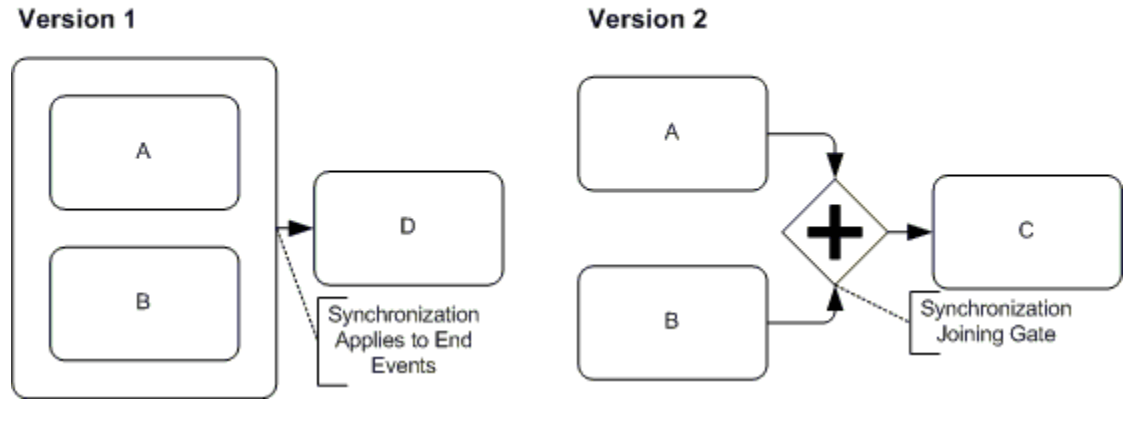
Think of it like needing two keys to open a vault - you can’t proceed with just one.
Say you’re setting up an Employee Onboarding process, and new hires can’t start until both HR and their direct manager approve. Create two Approve/Reject tasks - one assigned to HR, another to the manager.
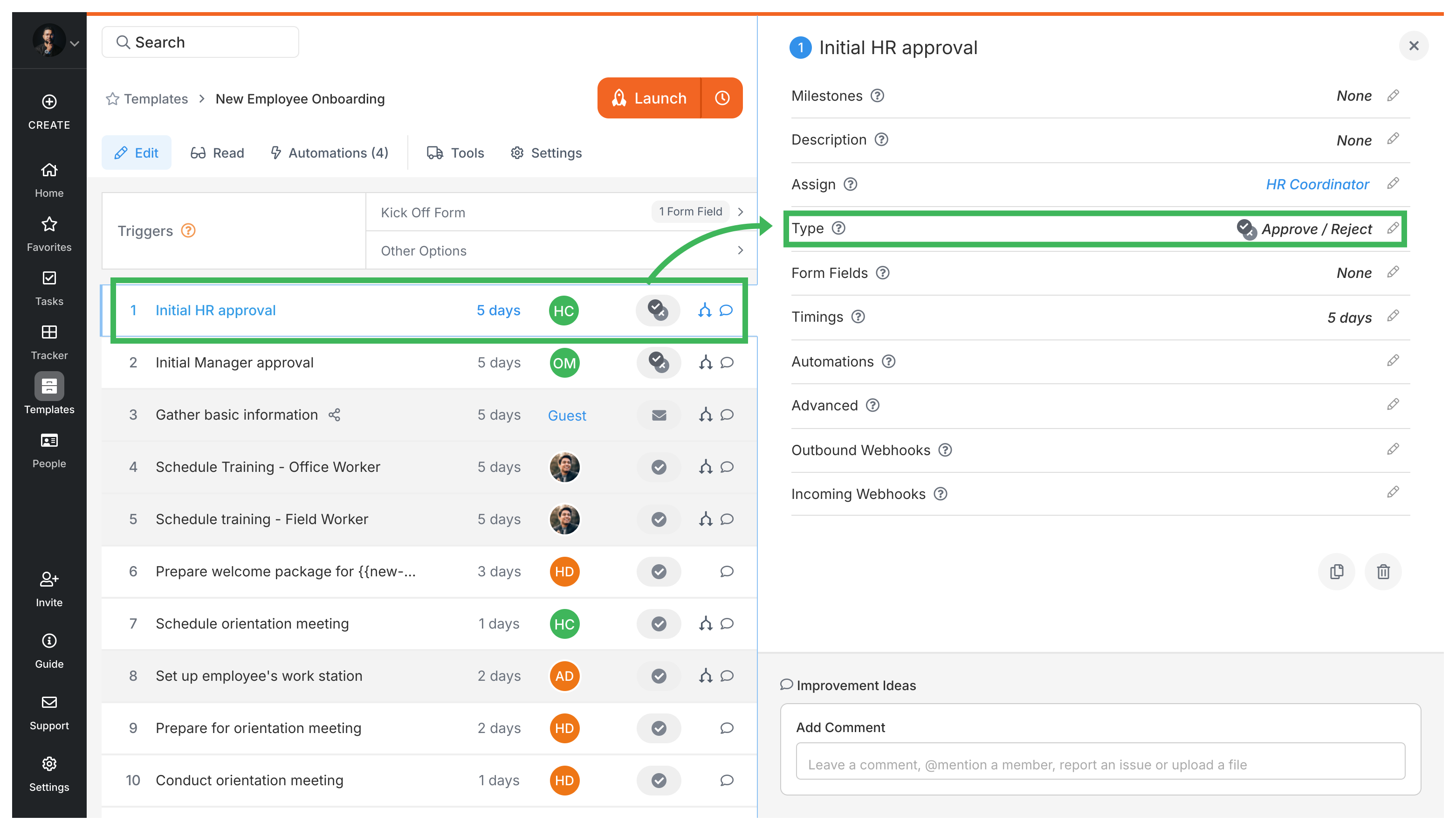
Then create a single automation that checks whether both tasks show “Approved”. In this example it reveals two steps, “Order equipment” and “Schedule orientation”:
Release onboarding after both approvals
If
Then
AUTOMATION Release onboarding after both approvals
IF step "HR approval" is approved
AND step "Manager approval" is approved
THEN show "Order equipment"
AND show "Schedule orientation"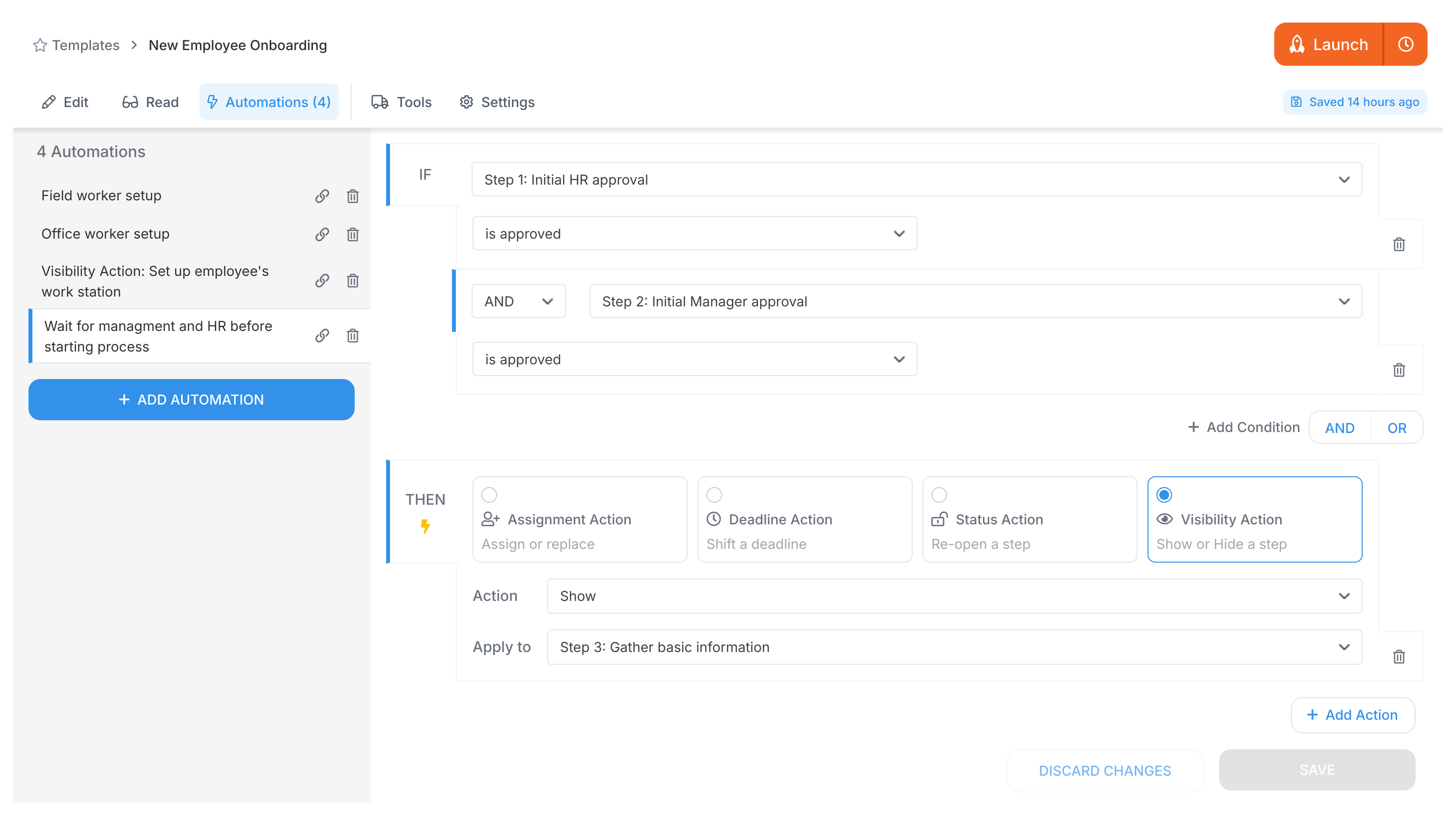
The AND between conditions is your synchronization point. Onboarding steps stay hidden until both approvals come through. No more chasing people or wondering who approved what.
Automations > Logic operations explained
Power Automate > Building approval workflows with Power Automate
Examples > Multi-level approval loops
Examples > Decision with waiting step