Templates > Publish a template
Tallyfy lets you publish any template publicly by toggling a single setting. Anyone with the…
You can generate a read-only public link to any running process. Anyone with the link can view progress in real-time - no Tallyfy account needed. They can’t change anything.
Open the running process from your Tracker view.
Click the Settings button (gear icon in the top-right corner).
Go to the Permissions tab.
Find Public to the world and toggle it to Yes.
Three visibility toggles appear - choose what’s shown on the public link:
Copy the generated public link from the same Permissions section.
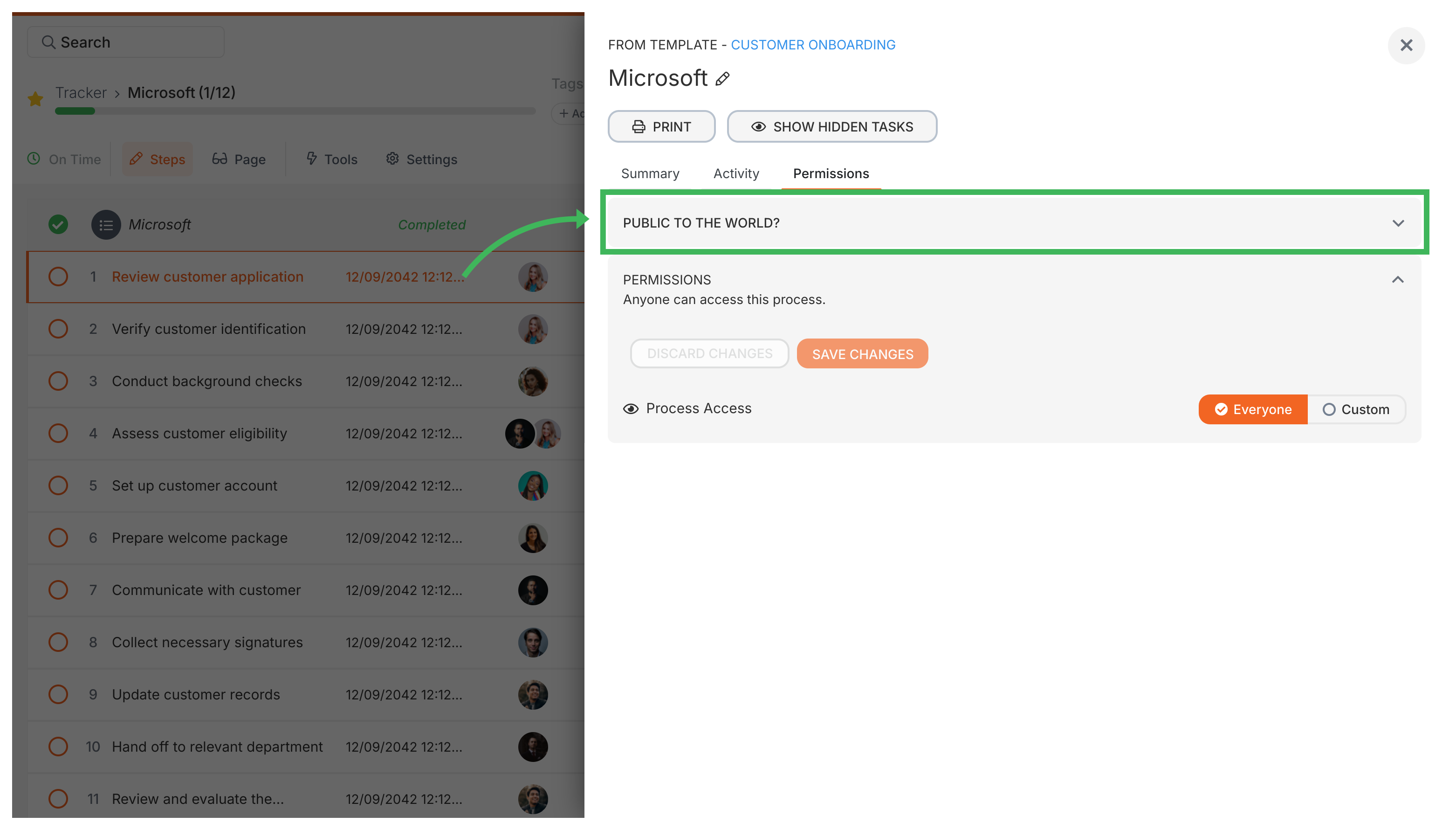
Making a process public also changes what your guests can see in the Tracker view:
Guest visibility when public
With a public process, every guest assigned to any task can see all tasks in the workflow:
If multiple external vendors work on different parts of a project, they’ll all see each other’s tasks and your internal work. That’s great for transparency - but not always what you want.
The Tasks view works differently. Guests still only see their own assigned tasks there, regardless of the public setting.
Guest privacy
If your process has tasks assigned to different external guests who shouldn’t see each other’s work, keep the process private.
Templates > Publish a template
Guests > Get a guest's unique link