Tallyfy lets you create reusable process templates in three ways—from scratch for full control or via AI-generated drafts from a typed description or an uploaded Word/PDF document—and also supports an exact HTML import method for compliance-critical SOPs that must preserve every word without AI interpretation.
Create your first template
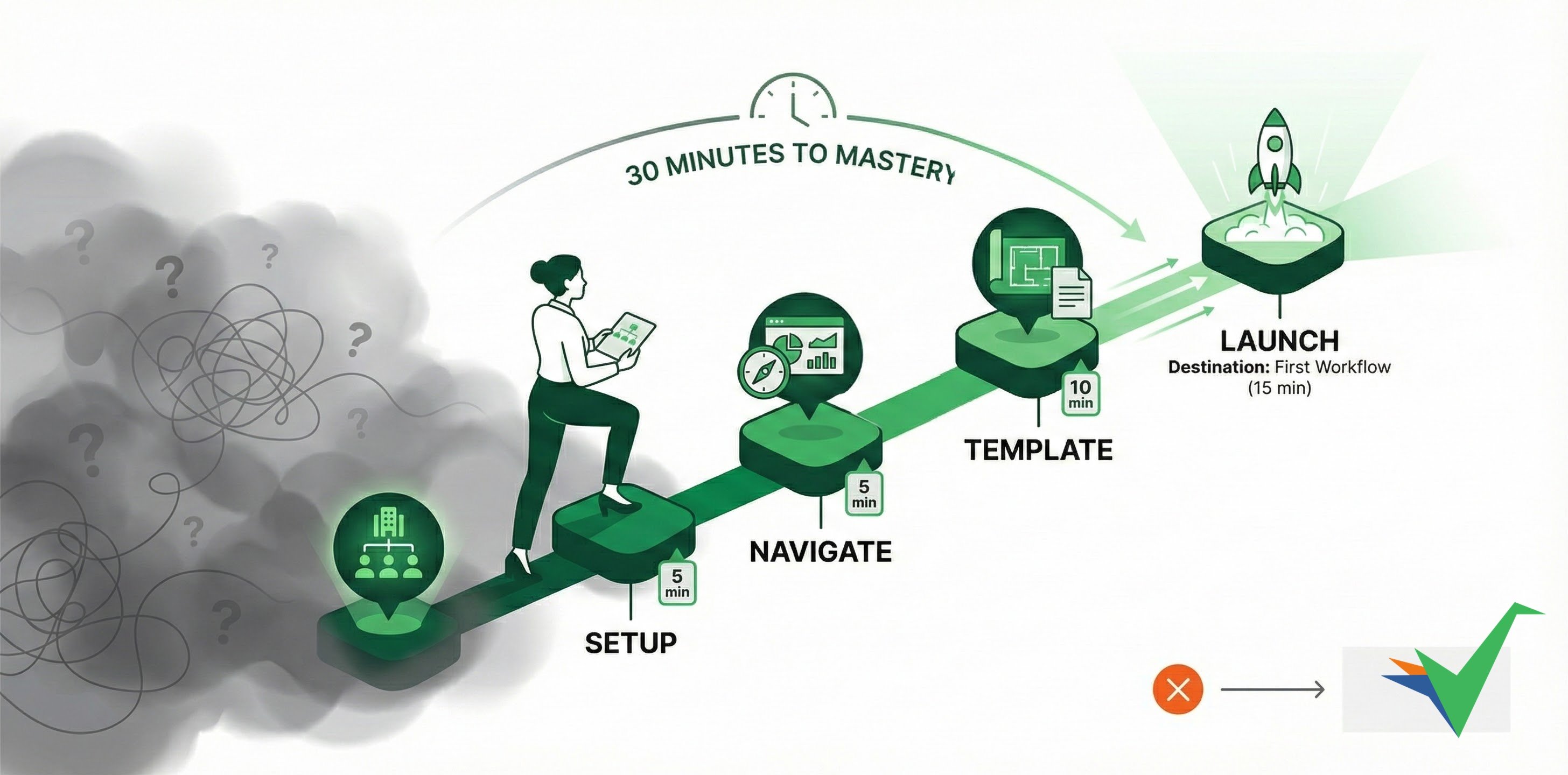
Templates are reusable blueprints for repeatable processes. Build one, then run it consistently every time.
The fastest way to build a template is with Tallyfy AI:
- Click + Create in the top left sidebar.
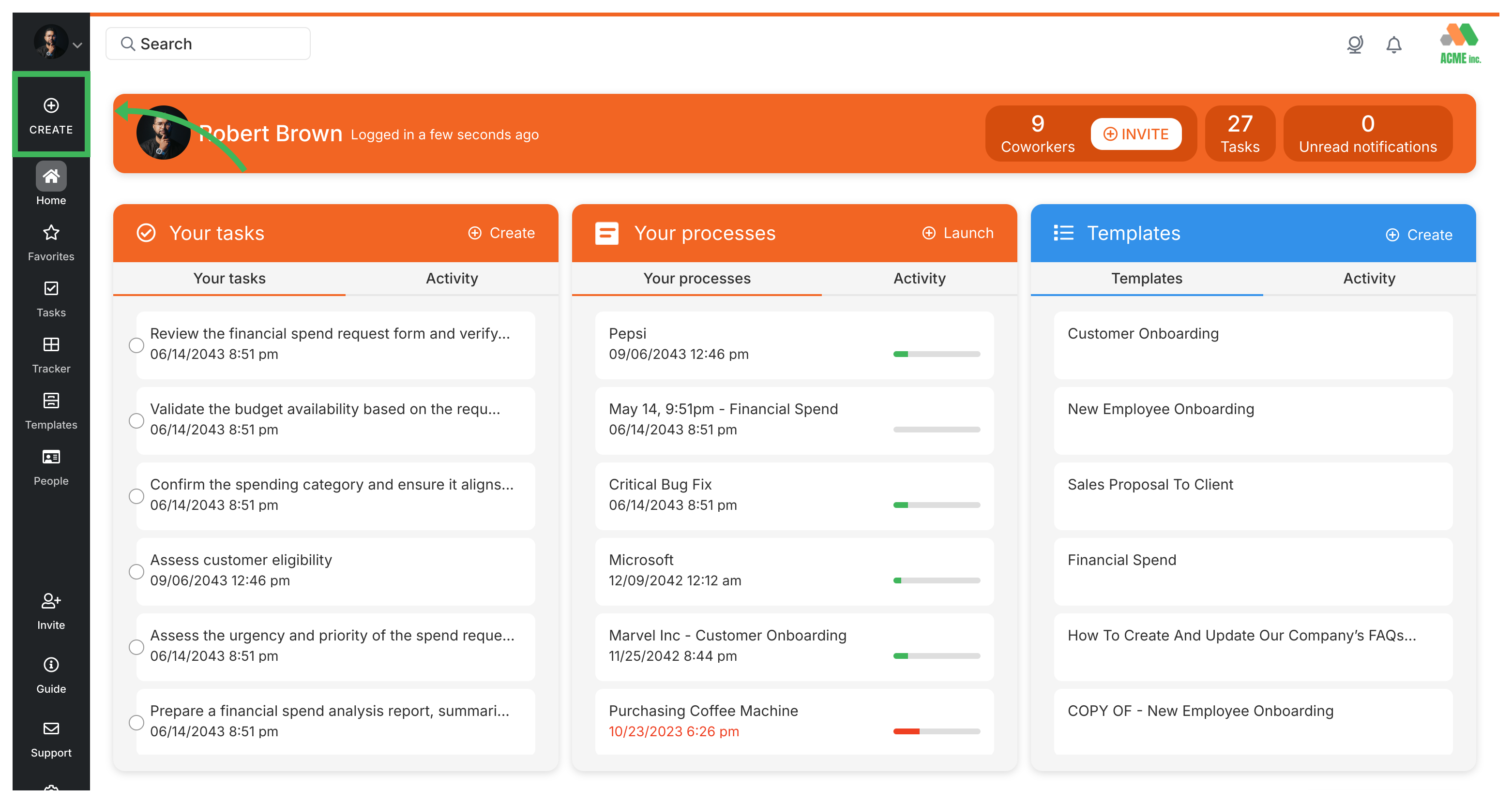
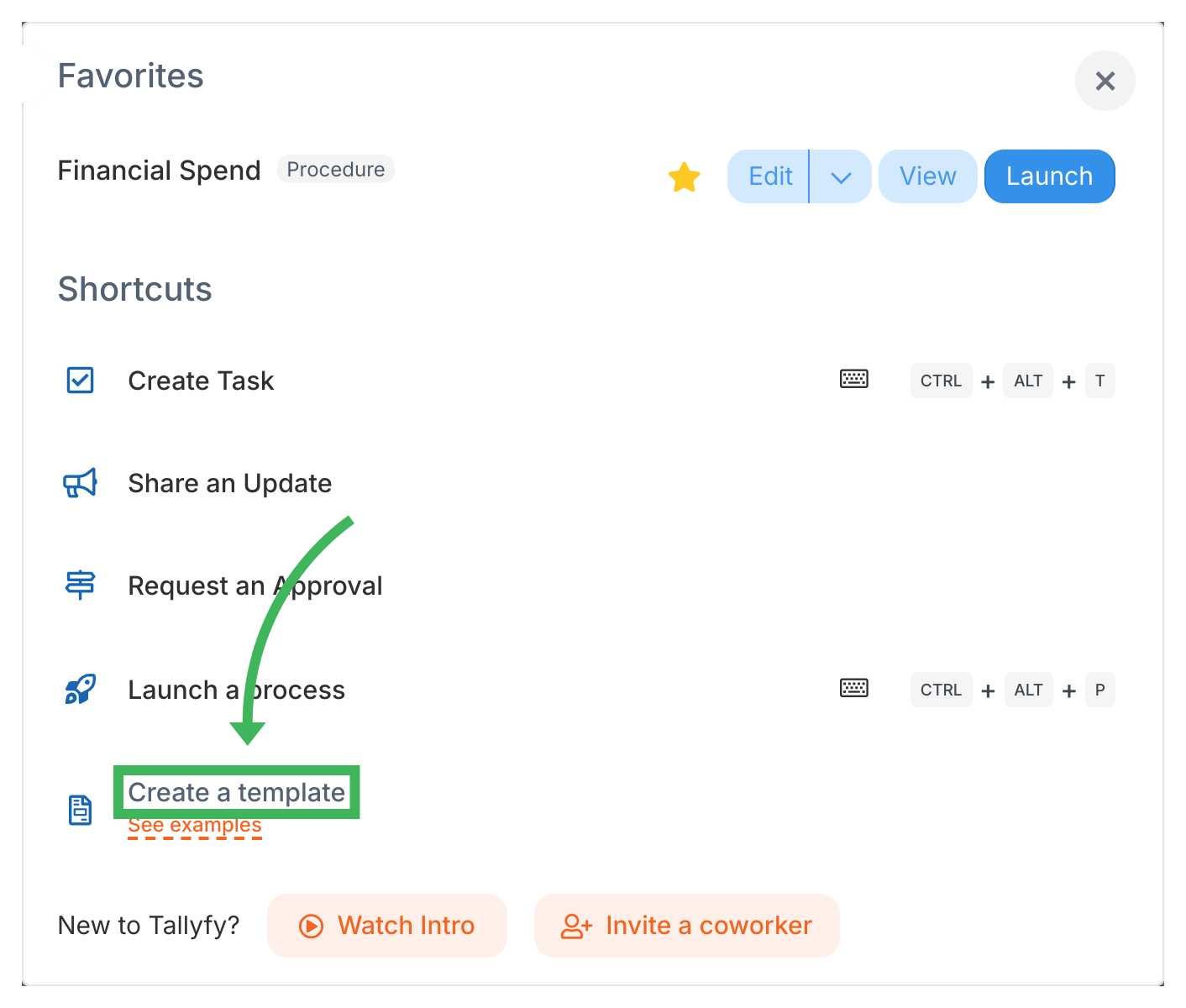
- Select Create Template.
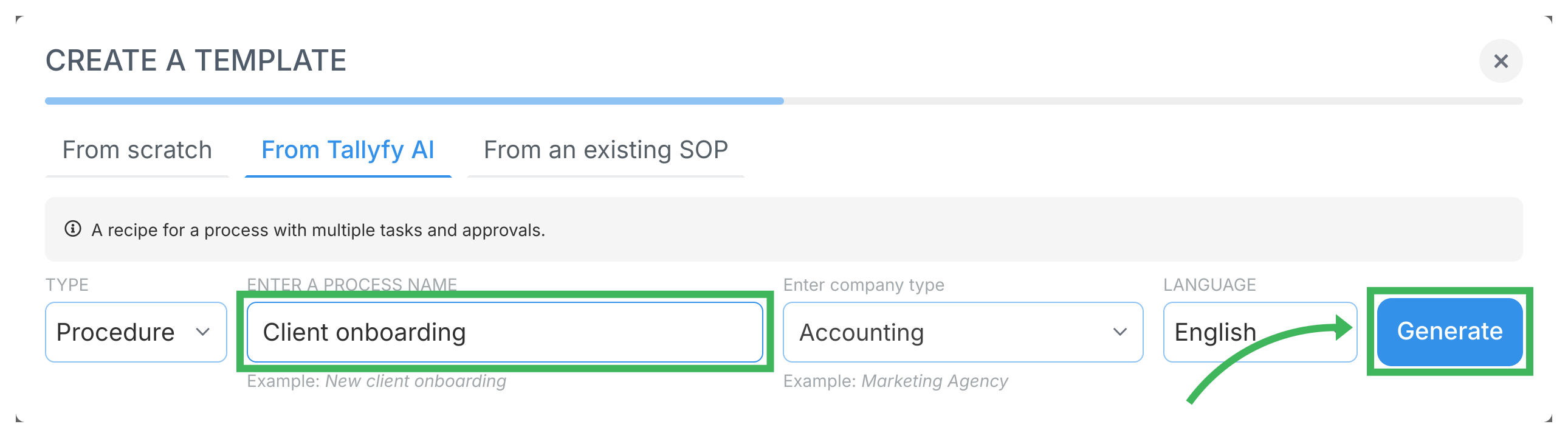
- Choose Tallyfy AI as the creation method. You’ll also see From scratch and From SOP document options.
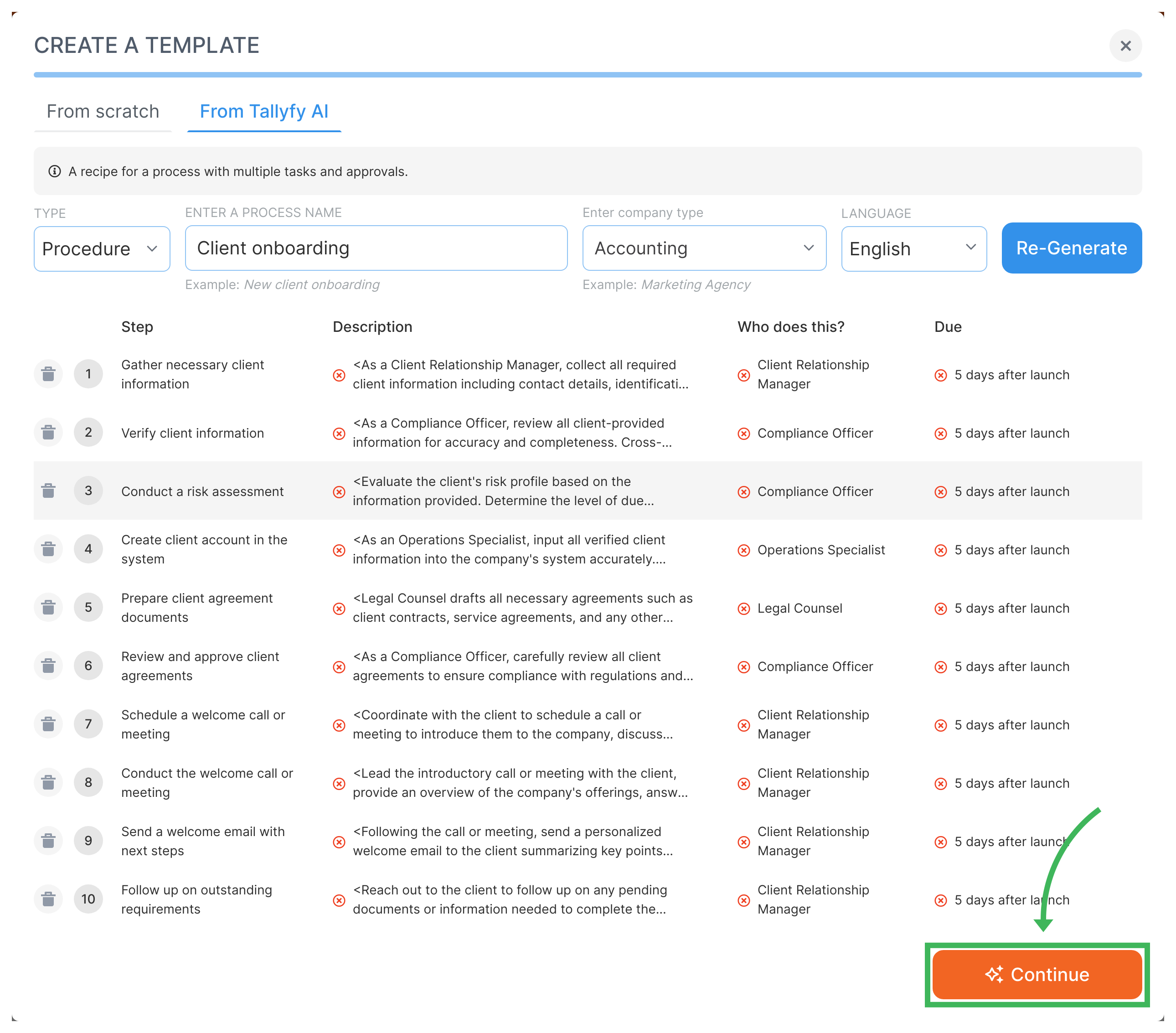
- Describe the process you want. For example, a “Client Onboarding” process for an accounting firm:
- Select Procedure as the template type.
- Enter a descriptive name, like “Client Onboarding for Accounting Firm”.
- (Optional) Specify your company type (e.g., Accounting) to give the AI more context.
- Click Create.
- Tallyfy AI generates suggested steps. Review them - you can edit them later - and click Continue.
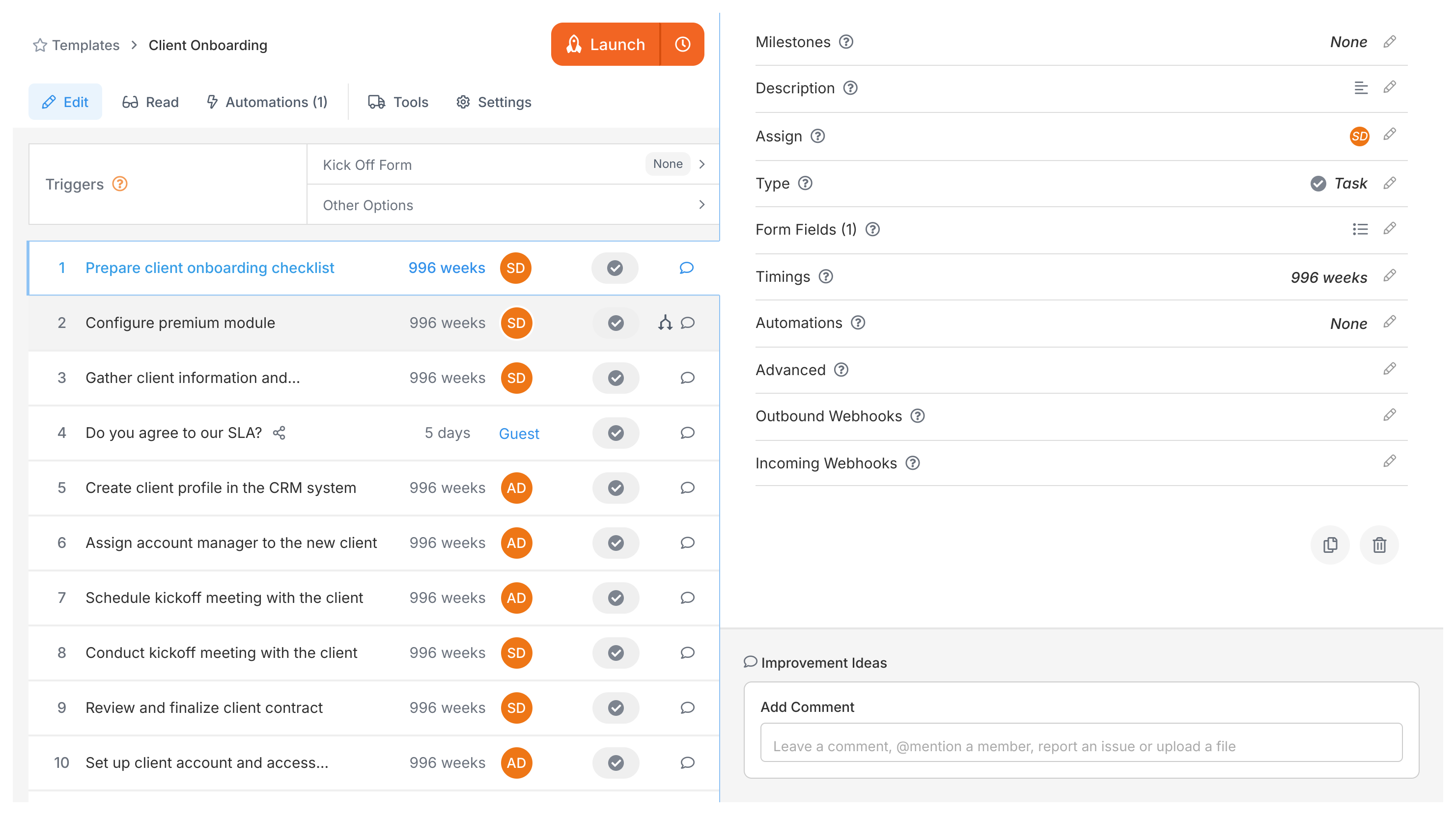
- Done! You’re now in the template editor. Refine steps or launch your first process.
- From scratch - Build steps manually for full control over every detail.
- From SOP document - Upload a Word doc, PDF, or flowchart. Tallyfy AI converts it into a structured template.
See Create a template for details on all methods.
Tallyfy lets new users go from zero to a fully working tracked business process in under 30 minutes through a four-step tutorial path covering organization setup and dashboard orientation and template creation and process launching while also providing guidance on team adoption strategies and trial evaluation and industry-specific use cases for emergency services and small businesses and client management.
Tallyfy templates are reusable process blueprints that you create once and launch repeatedly to assign tasks and track progress automatically while solving problems like inconsistent quality and lost knowledge through three types: procedure templates for multi-step workflows with conditional logic and document templates for reference materials and form templates for standalone data collection.
Tallyfy is a no-code workflow platform that lets non-technical users turn any business process into a self-driving workflow in minutes by documenting steps as reusable templates and then launching them as trackable processes with automatic task assignments and deadlines and conditional logic and real-time progress visibility for both internal teams and external clients — saving organizations roughly 2 hours per employee per day by eliminating status meetings and follow-up emails and forgotten handoffs.
Was this helpful?
About Tallyfy
- 2025 Tallyfy, Inc.
- Privacy Policy
- Terms of Use
- Report Issue
- Trademarks