Tallyfy lets you manually launch a process by clicking Launch Process on any template card and naming the instance with specific details before it begins running and notifying assignees of their first tasks while also allowing you to modify deadlines and assignees or add extra ad-hoc tasks to any running process after launch.
Launch a process
Here’s how to launch a process from a template you’ve already created. A process is a running instance of your template - think of the template as a blueprint and the process as a live, trackable copy.
- Go to Templates: Click Templates in the left sidebar to see your templates.
- Find your template: Locate the template you want to launch.
- Click Launch: Click the Launch Process button on the template card.
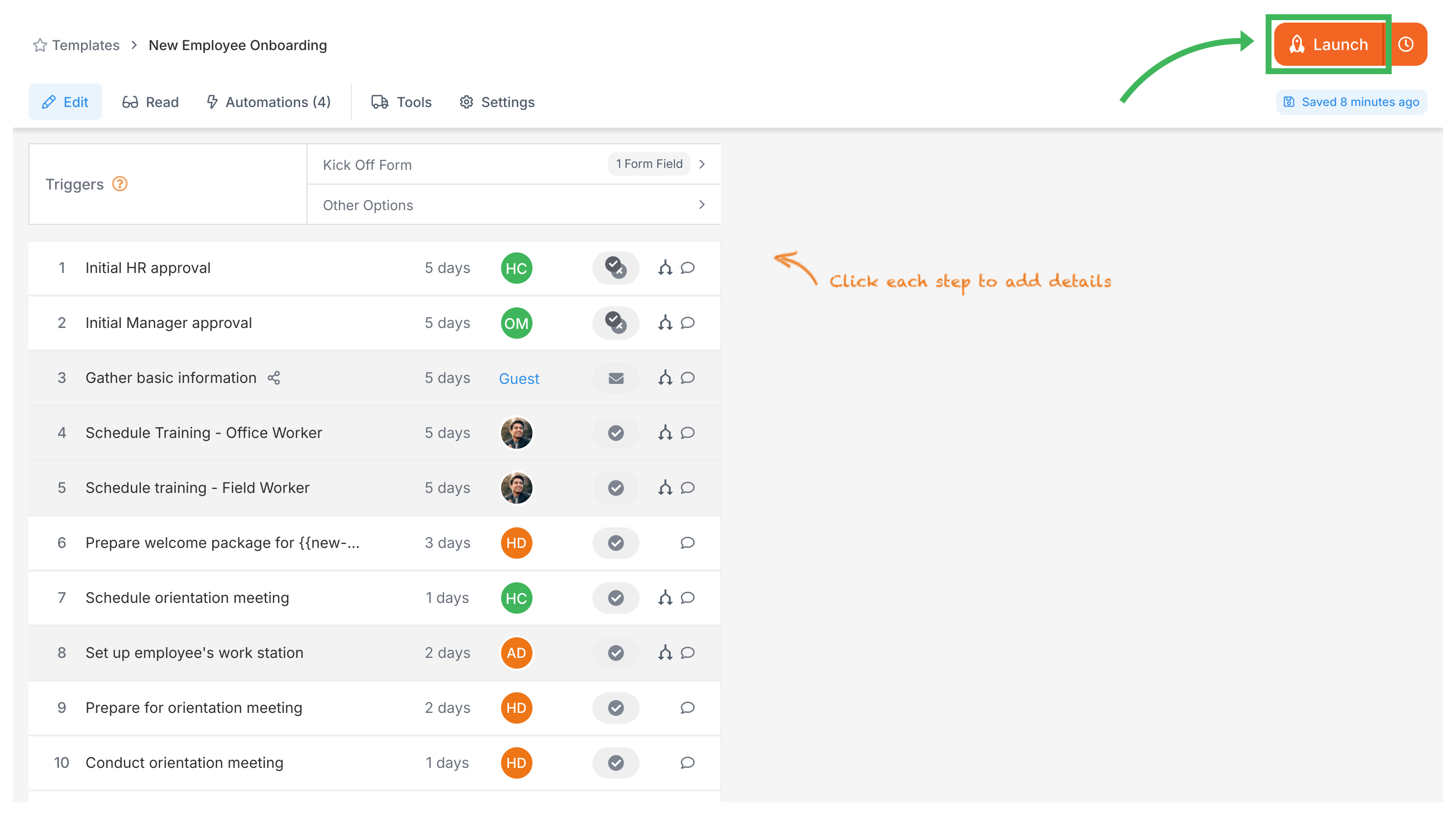
- Fill kick-off form (if applicable): If your template has a kick-off form, fill in the required starting information.
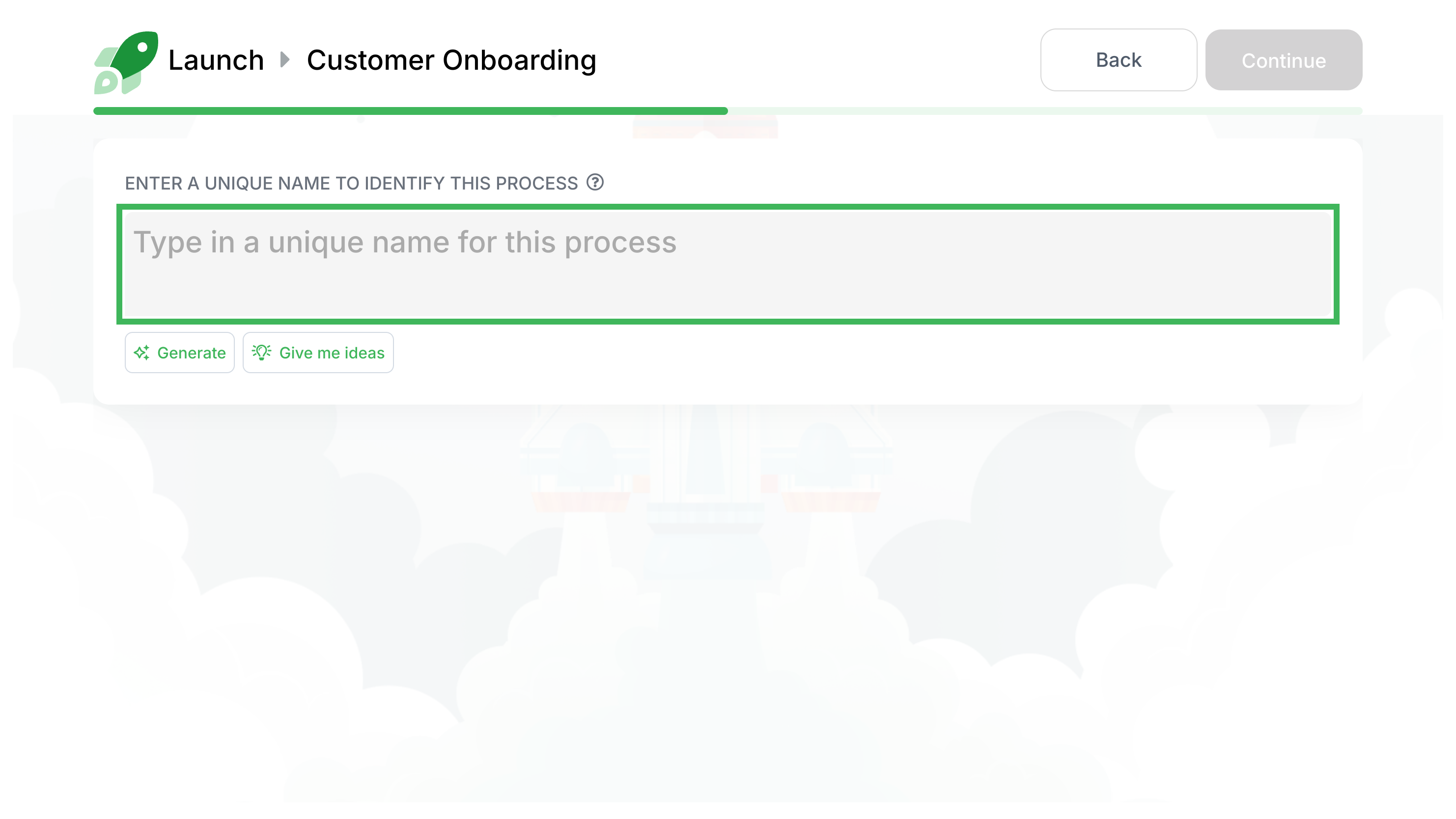
- Name your process: Give it a clear, unique name (e.g., “Onboarding - John Doe”). You can click Generate for automatic name suggestions.
- (Optional) Review and edit: Click Review & Edit to change assignees, deadlines, or remove optional steps before launching. See Edit before launch for details.
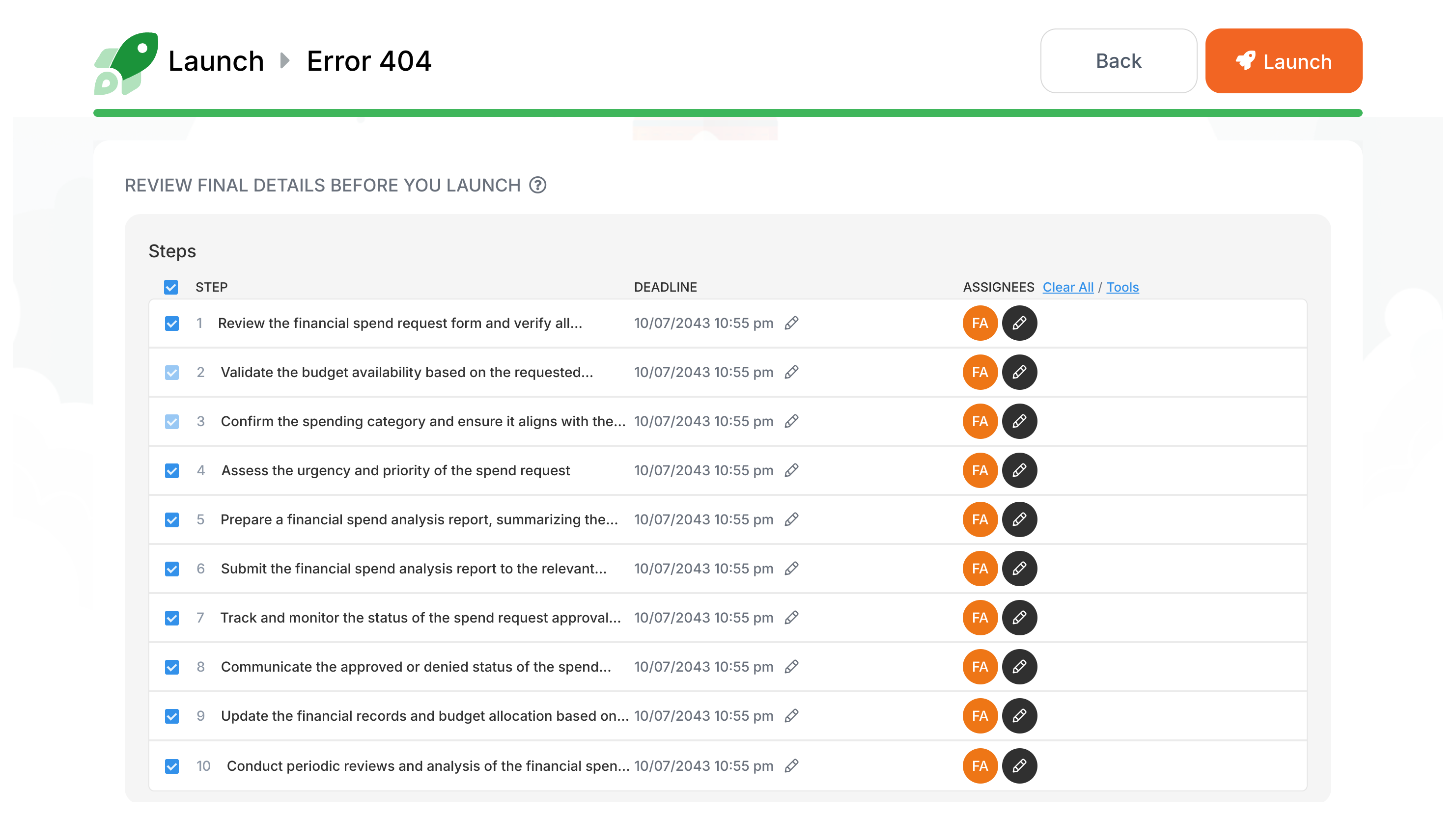
- Launch!: Click the final Launch button to start your process.
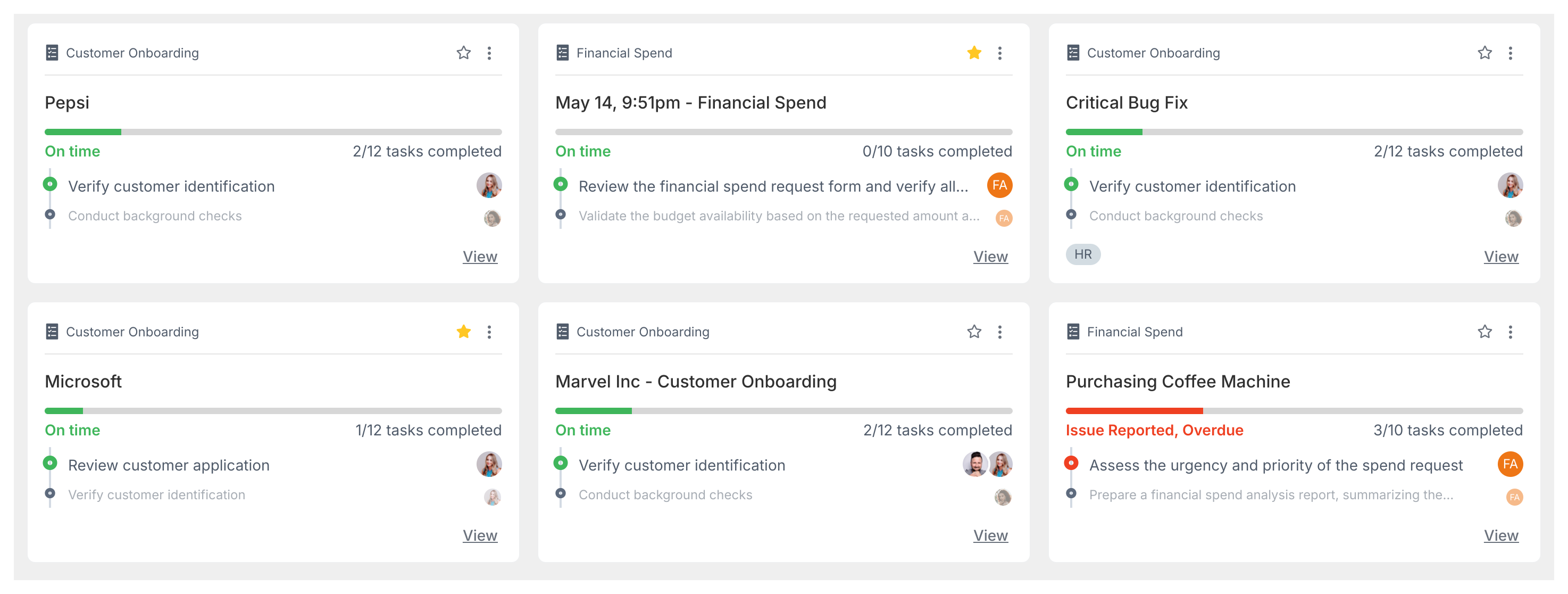
- Track progress: Your process is now active and assignees get automatic notifications. Monitor progress in the Tracker view.
Tallyfy lets you launch reusable templates into independent trackable processes — each with its own name and deadlines and assignments — through six different methods including manual clicks and API calls and email triggers and magic links while template edits only affect future launches and never alter already-running work.
Tracking And Tasks > An overview of processes
In Tallyfy a process is a live running instance of a template that you launch and track daily where each process captures a snapshot of its template at launch time and can be uniquely named or auto-named while allowing extra tasks to be added on the fly and then archived or restored after completion.
Processes > Process lifecycle management
Every process in Tallyfy moves through five distinct phases—create a template with steps and assignments then launch a named instance where assignees complete tasks while you monitor progress in the Tracker view and finally review captured data after completion to improve your template based on patterns found across multiple runs.
Was this helpful?
About Tallyfy
- 2025 Tallyfy, Inc.
- Privacy Policy
- Terms of Use
- Report Issue
- Trademarks