Tallyfy snippets let admins create reusable text blocks like disclaimers or contact info that any member can insert into template steps and task descriptions and comments through the References panel so you write standard content once and update it everywhere from a single source.
Welcome snippets
Tallyfy Snippets let you create personalized welcome messages and instructional content for new team members. You’ll configure them in Settings > Organization > Personalization under two options:
- MEMBERS - JUST JOINED: This snippet appears only the first time a new member logs in after accepting their invite. It’s ideal for one-time welcome messages, links to training videos, or key onboarding documents.
- MEMBERS - HOMEPAGE: This snippet always shows on the Tallyfy homepage for all members in your organization. Use it for ongoing announcements, links to company resources, or support information.
- First, create the content as a Snippet: Navigate to Settings > Organization > Snippets. Click Create Snippet. Enter a title (e.g., “New Hire Welcome Message”) and add your desired text, images, or videos. Click Save.
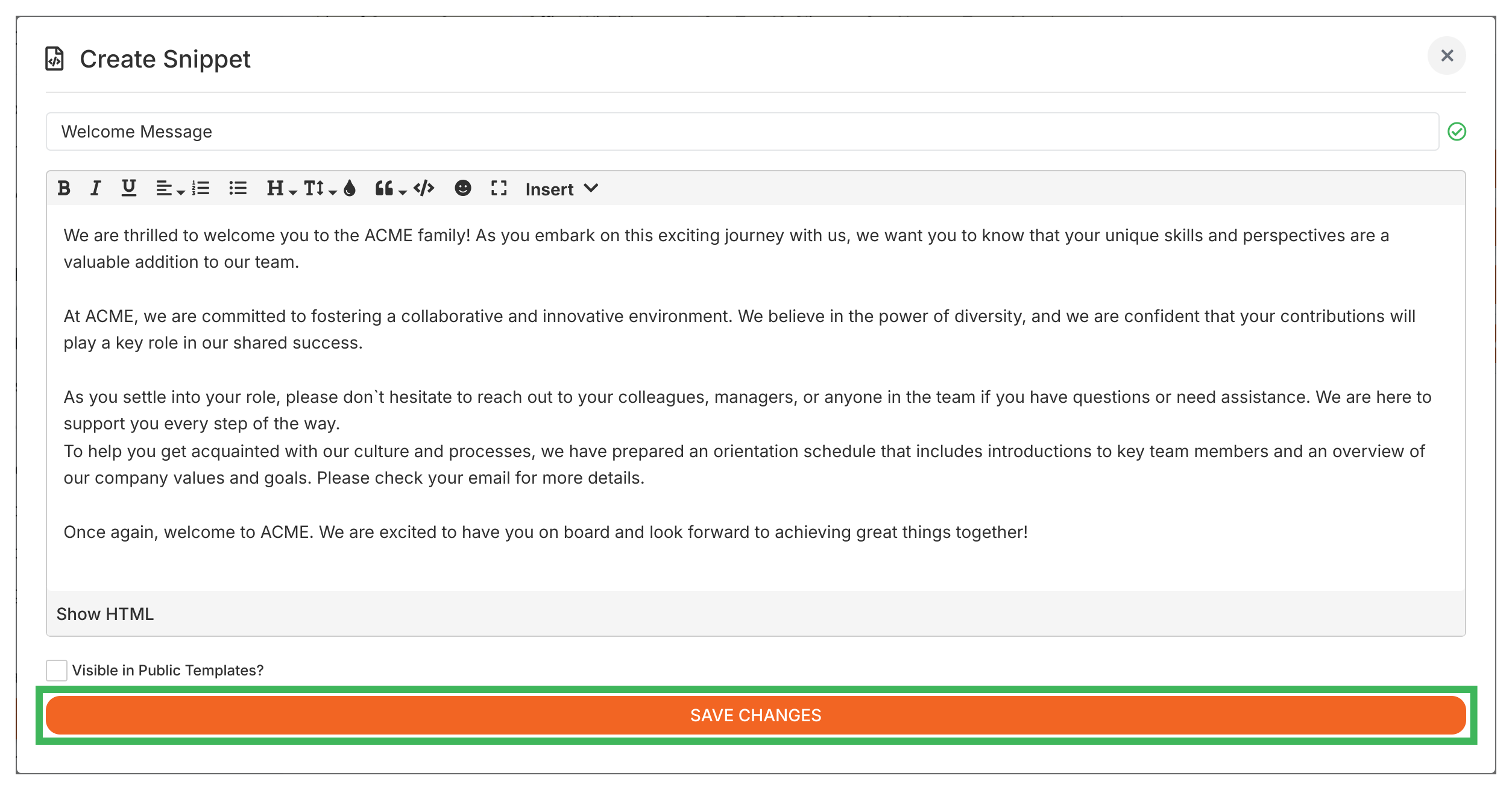
- Then, assign the Snippet: Go to Settings > Organization > Personalization.
- Locate the setting for either MEMBERS - JUST JOINED (for the one-time message) or MEMBERS - HOMEPAGE (for the permanent message).
- From the dropdown menu, select the Snippet you created in Step 1.
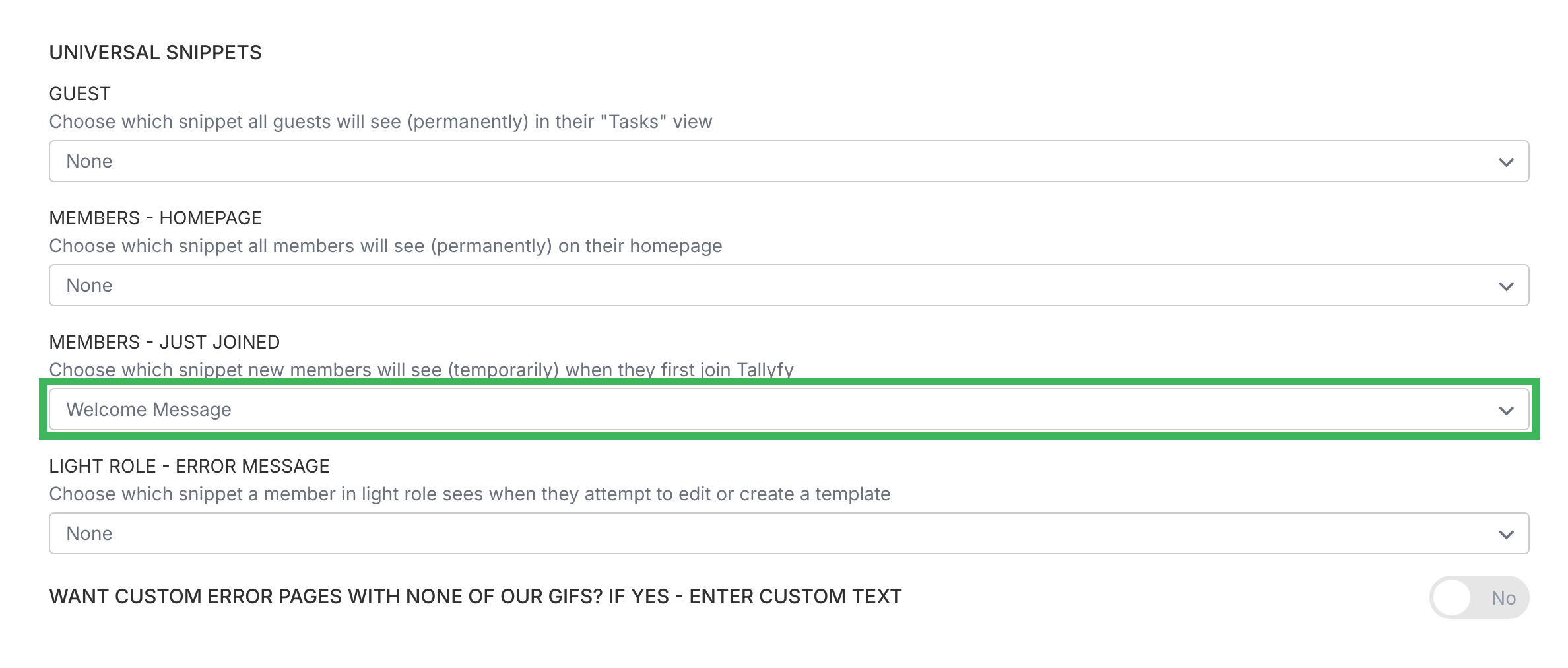
- Save your changes.
That’s it. Your chosen snippet will now appear in the right spot for your members.
Tallyfy drives team adoption through five key strategies—involving users early to build ownership and starting with high-impact processes—while offering built-in tools like auto-launch onboarding templates and universal snippets that guide new members through tasks in real time and reduce reliance on memory-based training.
Org Settings > Auto-launch templates
Tallyfy lets you automatically launch a specific onboarding template as a tracked process for every new member who joins your organization so everyone gets the same structured experience without any manual effort from administrators.
Snippets in Tallyfy are reusable rich-text blocks that admins create once and any member can insert anywhere in templates or tasks so that updating the snippet in one place automatically pushes the change everywhere it appears.
Was this helpful?
About Tallyfy
- 2025 Tallyfy, Inc.
- Privacy Policy
- Terms of Use
- Report Issue
- Trademarks