Tallyfy turns form submissions into the first step of a structured workflow so that data flows automatically into later steps and everyone involved gets real-time visibility from submission to completion without manual follow-ups.
Tickets vs. Processes
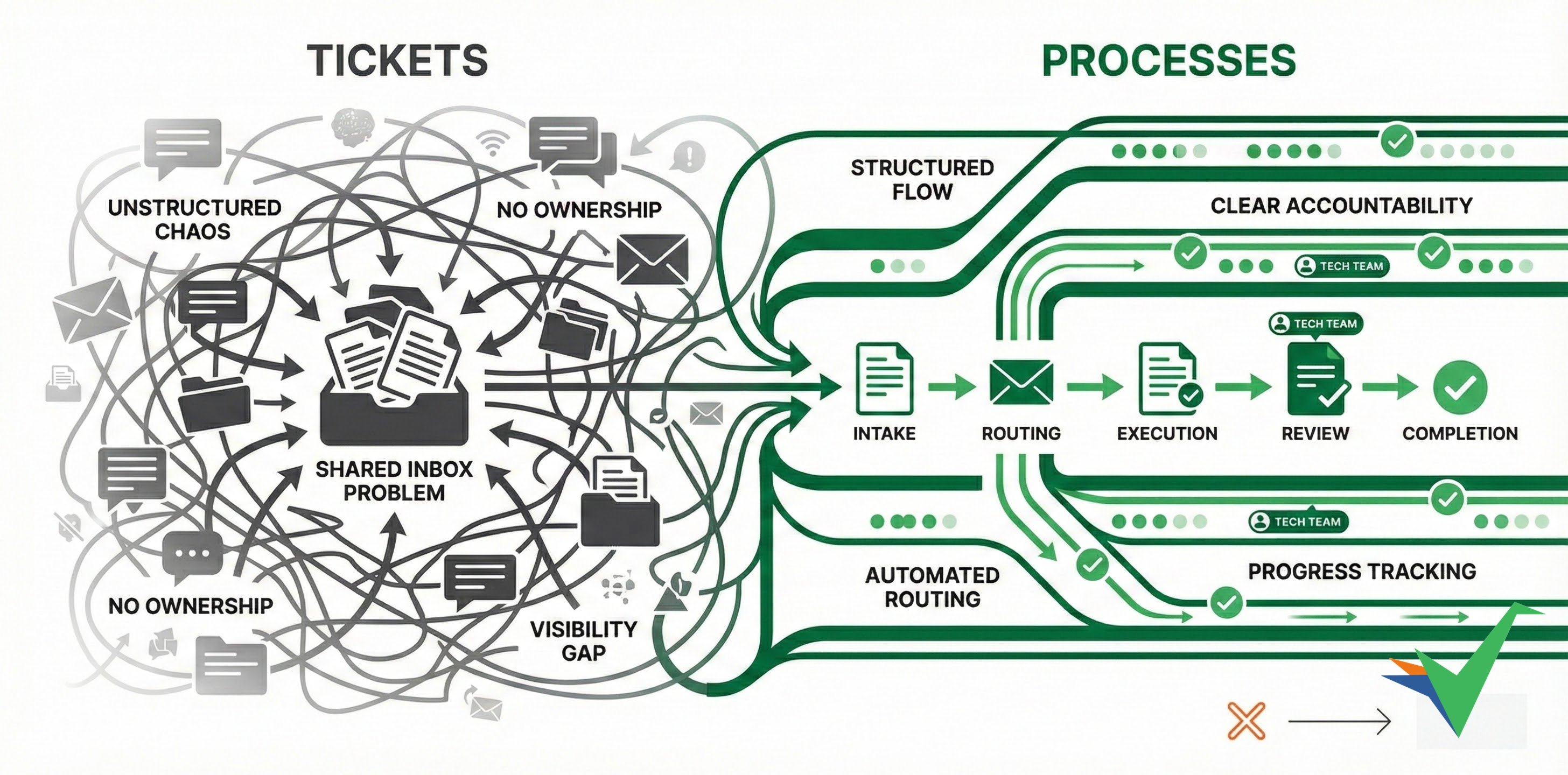
Ticket-driven workflows work like separate conversations started through different channels:
- Email to a specific address for formal requests
- Social media for public inquiries
- Phone calls for urgent matters
- Chat messages on a website or app for quick help
The shared inbox problem
Shared inboxes have the same flaws as ticket systems - they’re unstructured chaos pretending to be organization. Teams dump emails into a shared inbox hoping someone handles them, but you get:
- No structured data: Walls of text with information buried in email threads
- No accountability: “Someone” will handle it (but who? when?)
- No visibility: Is this being worked on? Who knows?
- No consistency: Each person handles requests their own way
- No improvement: Same problems repeat because there’s no process to improve
Both tickets and shared inboxes are about opening and closing something with minimal structure. They’re Band-Aids on broken processes.
The typical ticket workflow follows this sequence:
- Managing the queue: An incoming request waits to be processed in order.
- Initial check: An agent decides if they can handle it or if it needs a specialist.
- Gathering information: Collecting more details if the initial info isn’t enough.
- Solving the issue: Responding with a solution and closing the ticket.
- Optional root cause check: Looking into underlying problems that might need fixing.
- Optional feature consideration: Deciding if the issue suggests product improvements.
- Optional help docs update: Checking if documentation needs updating.
This model has real downsides:
- Steps 5-7 are often skipped due to time constraints or lack of enforcement.
- Customers can’t see ticket status or progress, creating uncertainty.
- Manual follow-up is needed if responses are slow.
- Service quality depends on whichever agent handles the ticket - creating inconsistency.
Tallyfy turns ticket handling into structured processes with clear steps and accountability. Here’s what that looks like:
- Structured intake: Standard forms collect request details and categorization up front.
- Routing before review: Requests go to the right teams automatically based on type.
- Using help docs automatically: Knowledge base info gets applied consistently to responses.
- Involving other teams: Clear rules define when other departments get involved.
- Linking to improvement processes: Issues connect directly to product improvement workflows.
- Consistent steps: Every interaction gets the same standard handling.
- Automatic follow-up: Automated reminders prevent missed steps.
- Processes that scale: Clear ownership and next steps make it easy to grow.
- Clear progress tracking: Visual status updates keep everyone informed.
- Customer visibility options: You can optionally show process status to external people.
- Regular improvement cycles: Structured review of recurring issues drives product improvement.
- Better help docs: Systematic reviews catch gaps in self-service documentation.
The result? More reliable, scalable, and customer-friendly support operations.
Process Improvement > What is process improvement?
Process improvement is the practice of analyzing existing workflows and making targeted changes to reduce waste and errors and increase efficiency — and Tallyfy supports this by making processes visible and trackable so teams can quickly identify bottlenecks and lock in better ways of working.
How To > Improve processes effectively
Tallyfy enables ongoing process improvement by letting teams capture feedback directly on tasks and using analytics to spot bottlenecks while instantly deploying template updates without version management or downtime.
Process Improvement > Understand process flow without flowcharts
Tallyfy replaces static flowcharts with live sequential templates where each step has clear assignments and deadlines so you can track real-time progress through the Tracker view and analytics to spot bottlenecks and then fix flow issues by reordering steps adding conditional logic or running parallel tasks.
Was this helpful?
About Tallyfy
- 2025 Tallyfy, Inc.
- Privacy Policy
- Terms of Use
- Report Issue
- Trademarks