Auto-naming creates a consistent naming pattern for every process launched from a template. It pulls values directly from your kick-off form fields and builds the process name automatically - so you don’t end up with “Untitled” or inconsistent names across your team.
Without auto-naming
With auto-naming
Onboarding Client
Onboarding - Coca Cola - Memphis
Acme Corp
Onboarding - Pepsi - New York
New Hire
New Hire - Jane Smith - Marketing
John Doe Start
New Hire - Bob Johnson - Engineering
Ticket #123
Support - TKT-456 - Beta Inc - Login
Urgent Fix
Support - TKT-457 - Gamma LLC - Billing
How do I set it up?
Configure auto-naming once in your template. Every process launched from it gets a properly structured name.
Open the template in Edit mode.
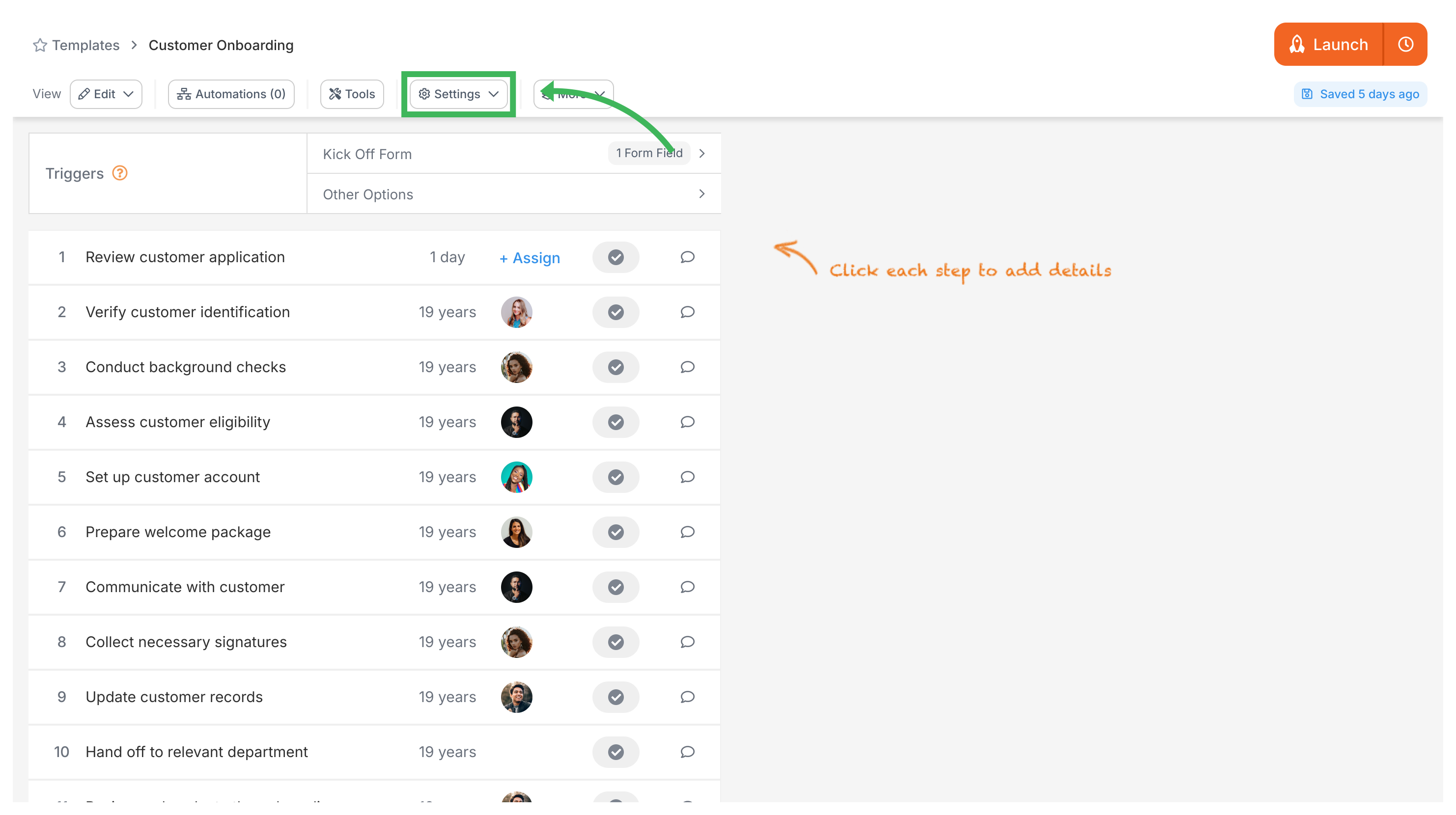
Click the Settings (or Config) button in the top toolbar.
Go to the Summary tab.
Find Auto-name Process? and switch it to Yes.
A text box appears where you define your naming pattern.
Type static text (like “Onboarding -”) and insert variables using the button. You can also insert a built-in Date or Template Name variable. Field variables pull from your required kick-off form fields.
Save your settings.
When someone launches a process, Tallyfy fills in the variable values from the kick-off form and generates the name. No manual typing needed.
In Tallyfy a process is a live running instance of a template that you launch and track daily where each process captures a snapshot of its template at launch time and can be uniquely named or auto-named while allowing extra tasks to be added on the fly and then archived or restored after completion.
Tallyfy lets you rename any running process at any time by clicking its name at the top of the process view and typing a new name up to 300 characters long.
Tallyfy lets you launch reusable templates into independent trackable processes — each with its own name and deadlines and assignments — through six different methods including manual clicks and API calls and email triggers and magic links while template edits only affect future launches and never alter already-running work.
Variables in Tallyfy are placeholders that automatically carry data entered in one process step (like a customer name or order number) to every other step that needs it — eliminating copy-paste errors and enabling personalized task titles and dynamic automation triggers based on form field values.