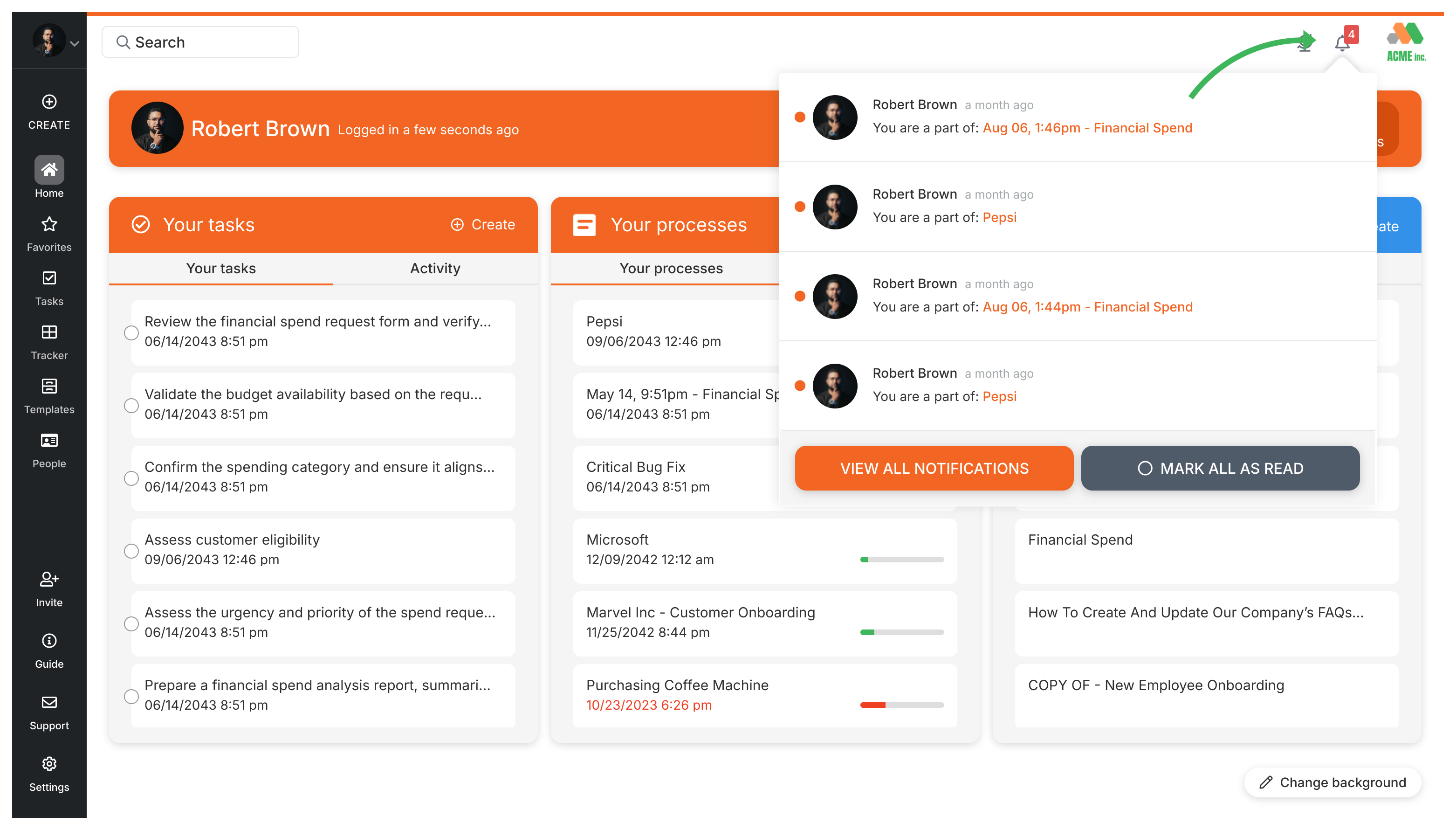
Click the bell icon in the top right corner of Tallyfy to open your notifications dropdown. It shows recent alerts, with a link to your full notification history.
Tallyfy notifies you when someone assigns you a task, comments on your work, completes a task you’re involved in, reports or resolves an issue, updates a deadline, or mentions you. If you’ve got unread notifications, a count badge appears on the bell icon.
How to view all notifications
Click the bell icon in the top right corner.
In the dropdown, click VIEW ALL NOTIFICATIONS.
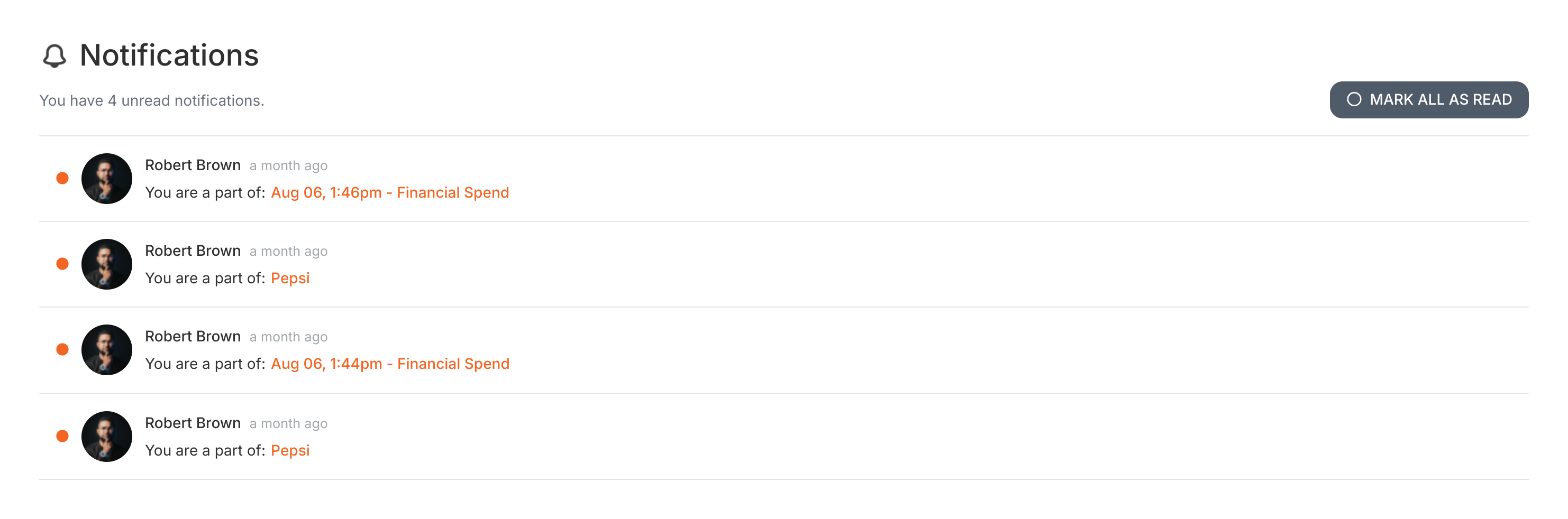
This takes you to your complete notification history - every alert, update, and message in one place. You can also click MARK ALL AS READ to clear your unread count.
Tallyfy ensures tasks and approvals get done on time through automated reminders and escalation paths while also helping teams reduce overload by bundling related work and setting clear deadlines with built-in commenting and @mentions for direct follow-up.
Tallyfy lets you check the latest product updates either by clicking your name in the top-right corner and selecting “Latest Updates” or by visiting the changelog page at tallyfy.com/changelog for detailed release notes and feature announcements.
Every running process in Tallyfy includes a built-in activity log that records task completions and re-opens along with deadline changes and comments and assignment updates so you can open any process and click the Settings gear icon then the Activity tab to see a chronological record of who did what and when.
Tallyfy’s Tasks view acts as a unified personal to-do list in the left sidebar that pulls together every task from all running processes and standalone one-off tasks while offering powerful filters by assignee and status and tags to quickly find and manage your work.