Tallyfy’s personal settings let you customize your individual experience — including profile info password email notifications language time zone and date format — without affecting anyone else in your organization.
Personalization settings
Your personal Tallyfy settings live under Settings > My Account. Two tabs are available here.
- Click Settings (bottom left).
- Go to My Account.
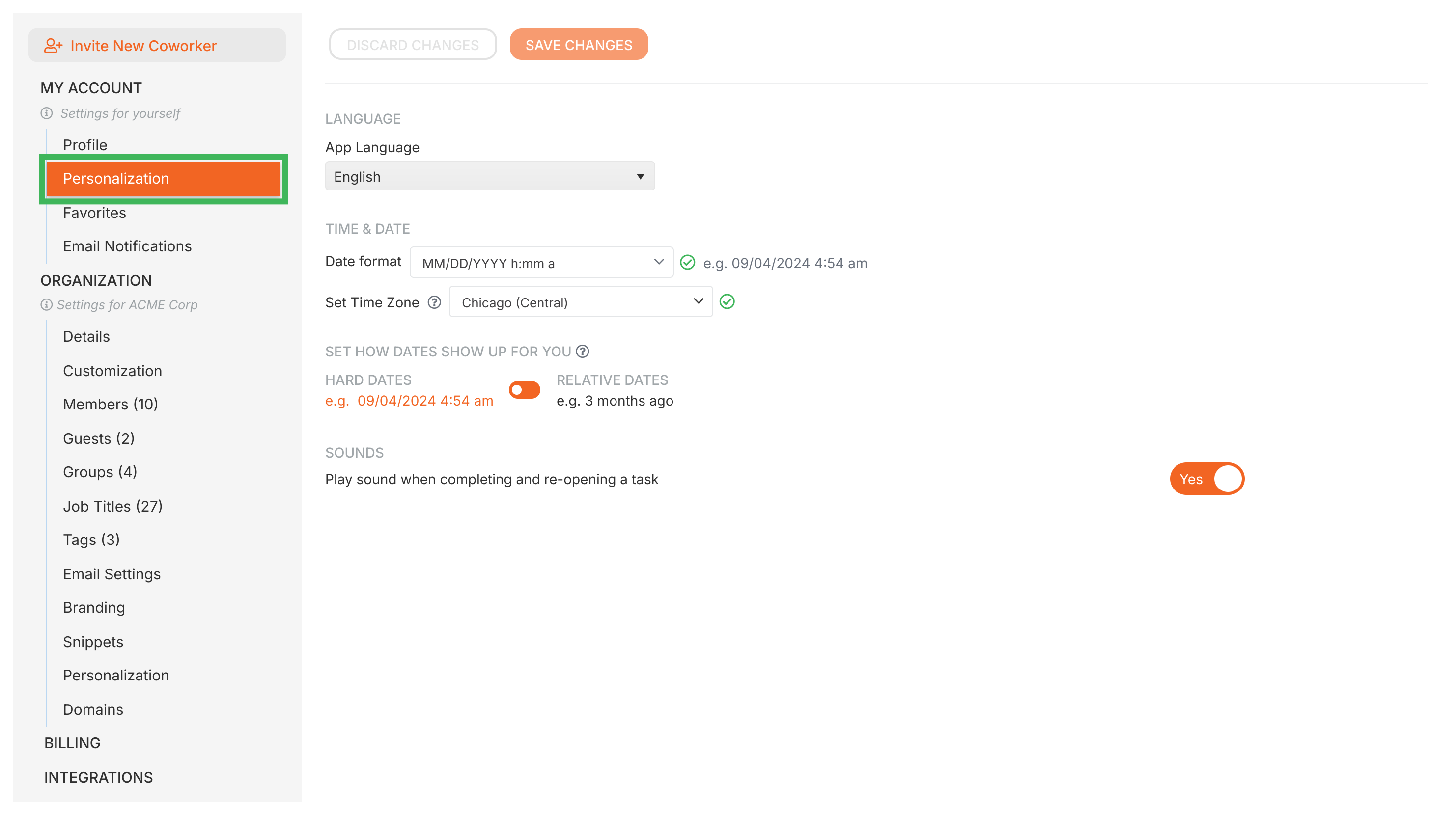
Control how Tallyfy displays information for you:
- UI Language - pick the display language for menus and buttons (this won’t translate task or template content)
- Time zone - set your local time zone so deadlines and timestamps show correctly
- Date format - choose your preferred format (e.g., MM/DD/YYYY or DD/MM/YYYY)
- Date display - toggle between Relative dates (e.g., “Tomorrow”, “In 2 days”) and Hard Dates (e.g., “2023-10-27”)
- Sounds - turn task completion sounds on or off
Update your personal information here:
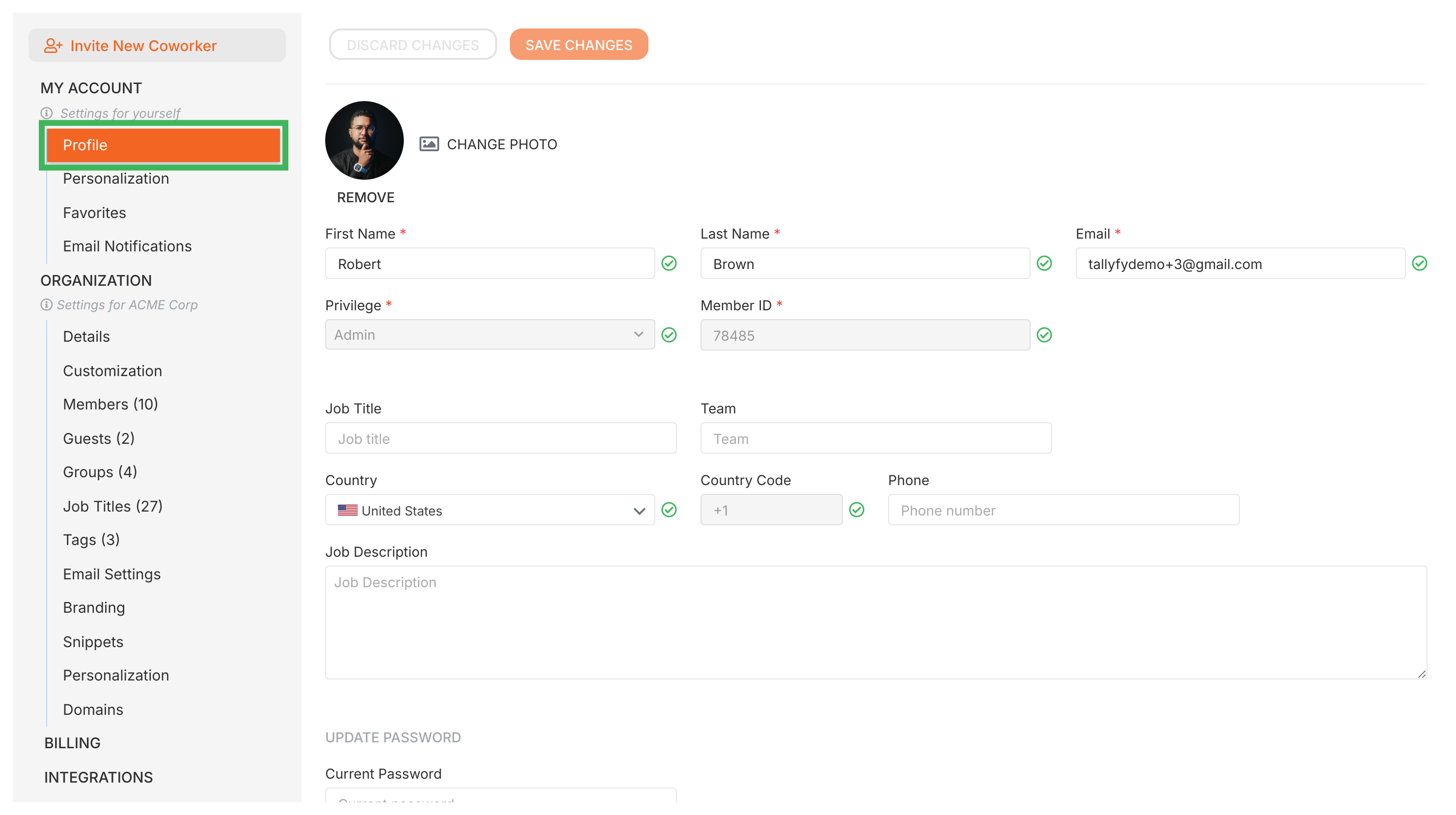
- Profile Picture - upload or change your photo
- Name - edit your first and last name
- Email - change your login email
- Job Title - set your current job title
- Phone Number - add or update your phone number
- Country - select your country
- Team - a text field for your team’s name (doesn’t link to Tallyfy groups)
- Password - change your password (you’ll need your current password)
Click Save Changes after updating any profile field.
Tallyfy organizes settings into Personal Settings that individual members control (like profile and notifications) and Organization Settings that only administrators can change (like billing and branding and integrations) so each role accesses only what they need.
Personal Settings > Update your profile picture
Tallyfy lets you upload or update your profile picture by going to Settings > My Account > Profile and clicking CHANGE PHOTO to select and crop a JPG PNG or GIF image (max 2 MB) that instantly appears across the platform.
Personal Settings > Manage email notifications
Tallyfy lets you toggle individual email notifications on or off for task assignments and comments and deadlines and process completions through your profile settings and also offers digest emails sent at 6 AM on chosen days to summarize upcoming or overdue tasks.
Was this helpful?
About Tallyfy
- 2025 Tallyfy, Inc.
- Privacy Policy
- Terms of Use
- Report Issue
- Trademarks