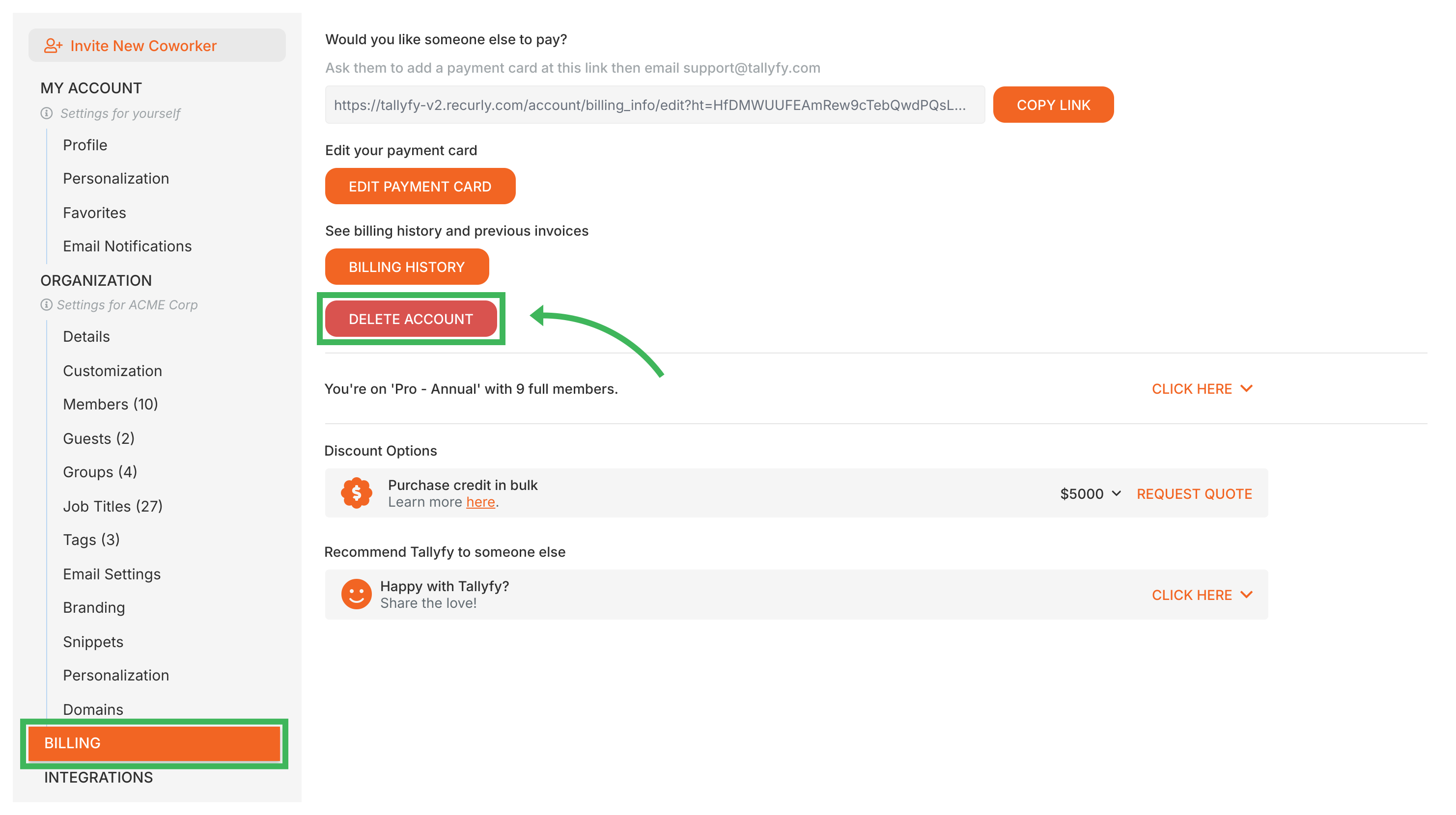
Only an Administrator can delete a Tallyfy organization. This action is irreversible - all data is permanently removed.
Log in to Tallyfy as an Administrator for the organization you want to delete.
Go to Settings > Billing.
Click the DELETE ACCOUNT button.
You’ll be taken to an official account closure form. Complete and submit it.
Make sure the correct Organization ID is on the form for the account you want to close.
Deletion is permanent and irreversible!
Once deleted, all organizational data, processes, templates, and user information are permanently removed. Nothing can be restored.
You must use the official closure form. Informal requests like support emails won’t be processed due to privacy and security policies.
Data retention after deletion
30-day export window - export any data you need before final deletion
90-day backup retention - recovery may be possible via support
Permanent deletion - after 90 days, all data is irreversibly removed
After you submit the form, a Tallyfy team member will review your request and confirm when deletion is complete. All billing stops permanently at that point.
Administrators in Tallyfy can instantly remove a member by deactivating their account under Settings > Organization > Members and then choosing to either reassign that person’s open tasks to other team members or leave them unassigned for later handling.
Tallyfy requires Admin users to first archive a process before the permanent delete option becomes available in the Tracker view — enforcing a deliberate two-step safeguard against accidental and irreversible data loss.
Tallyfy requires admins to deactivate a member before deleting them and prompts reassignment of all pending tasks and template steps to another active member during removal while also protecting against accidental deletion of the last admin or default administrator account.
Administrators can manage their Tallyfy subscription and payment details through Settings > Billing where they can view plans and credit balances and update payment cards and apply coupon codes and change billing contacts through support and handle cancellations with a 30-day data export window after termination.