Tallyfy offers support through an in-app help bubble with searchable articles and messaging plus email at support@tallyfy.com and unlimited free 25-minute screen-sharing calls along with professional services like process mapping and custom template development for deeper needs.
In-app user guide
Tallyfy has a built-in user guide so you can find answers and step-by-step guides without leaving the app. There are two ways to access it:
-
Sidebar Help button - Click the ? icon near the bottom of the left sidebar.
- This opens a support panel. Use the
Answerstab to search help articles, or theAsktab to message our support team directly.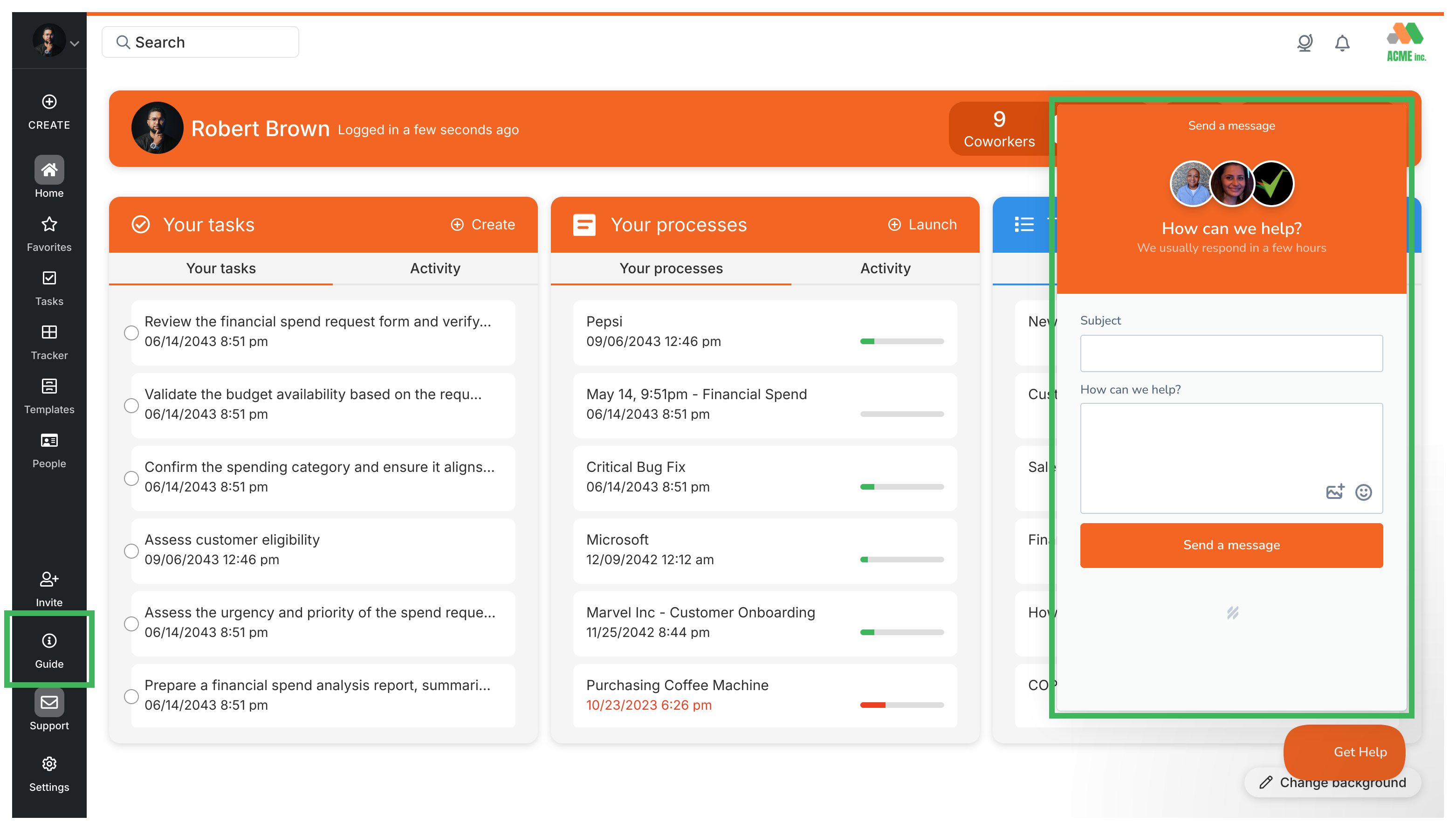
- This opens a support panel. Use the
-
Profile menu - Click your name or profile picture in the top right corner, then select Help and FAQs.
- This opens the full help documentation site in a new browser tab.
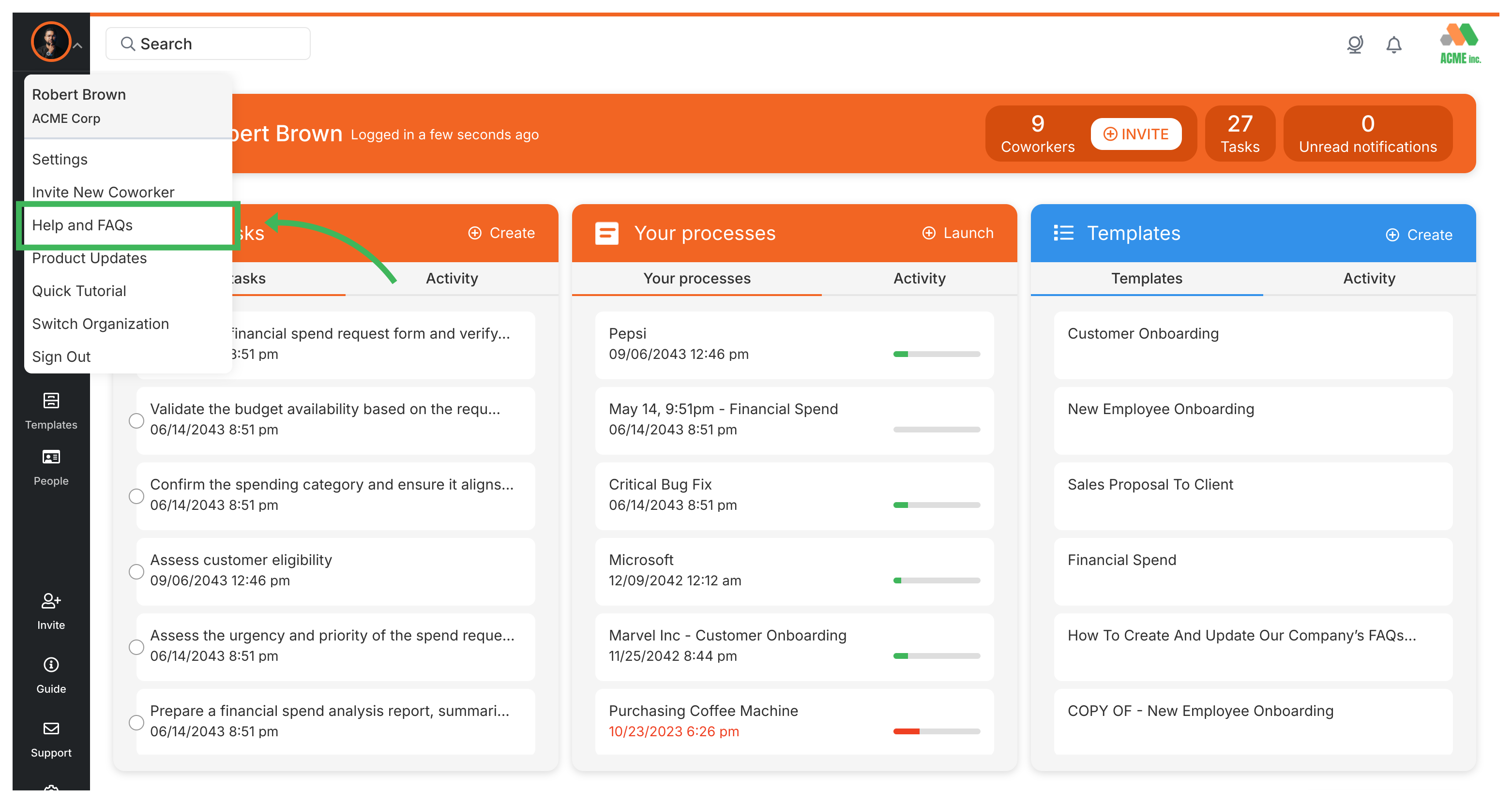
- This opens the full help documentation site in a new browser tab.
Tallyfy’s interface is built around a left sidebar menu with quick access to creating processes and templates along with sections for tasks and tracking and people management plus a universal search bar at the top that finds anything across your account and top bar icons for language selection and notifications.
Tallyfy’s how-to guides provide task-focused step-by-step instructions that show you how to combine platform features to solve real-world workflow challenges and help your team work more productively.
Miscellaneous > See product updates
Tallyfy lets you check the latest product updates either by clicking your name in the top-right corner and selecting “Latest Updates” or by visiting the changelog page at tallyfy.com/changelog for detailed release notes and feature announcements.
Was this helpful?
About Tallyfy
- 2025 Tallyfy, Inc.
- Privacy Policy
- Terms of Use
- Report Issue
- Trademarks