Tallyfy includes a built-in user guide accessible either by clicking the ? icon in the left sidebar to search help articles and message support or by selecting Help and FAQs from your profile menu to open the full documentation site in a new tab.
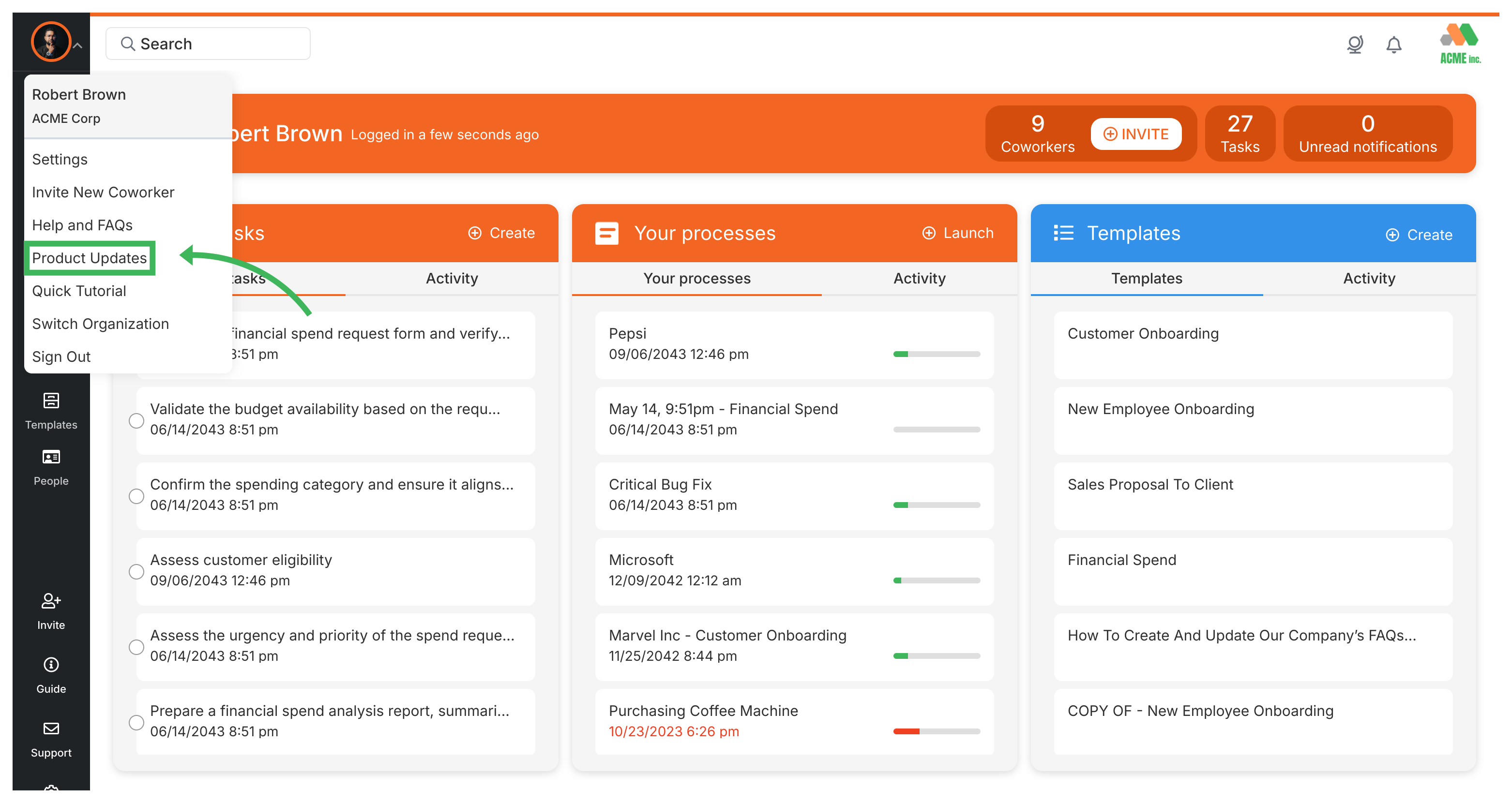
See product updates
There are two ways to check what’s changed:
Click your name in the top-right corner, then select Latest Updates from the dropdown. You’ll see recent improvements and new features.
Visit tallyfy.com/changelog ↗ for detailed release notes and feature announcements.
Tracking And Tasks > Check notifications
Clicking the bell icon in Tallyfy’s top right corner reveals a dropdown of recent alerts for task assignments and comments and deadline changes and mentions and you can click “View All Notifications” to see your full history or “Mark All As Read” to clear unread counts.
Tallyfy offers a range of resources beyond its core workflow tools including company background and trust information along with support and troubleshooting guides and details on browser compatibility and system features like file storage and search and translation and legal documentation.
Tallyfy transforms static process documentation into dynamic and trackable workflows with real-time status tracking and conditional logic automation plus external guest collaboration and built-in process optimization tools.
Was this helpful?
About Tallyfy
- 2025 Tallyfy, Inc.
- Privacy Policy
- Terms of Use
- Report Issue
- Trademarks