You can auto-launch Tallyfy processes on a recurring schedule using middleware tools like Zapier, Make, or Power Automate. Connect a schedule trigger to Tallyfy’s Launch Process action, and your processes run hands-free.
This guide uses Zapier as an example - the steps are similar in other middleware platforms.
What you’ll need
A Tallyfy account with the template you want to schedule
An account with a middleware service (Zapier, Make, or Power Automate)
Your Tallyfy account connected to that middleware service
Setting it up in Zapier
1. Pick the schedule trigger
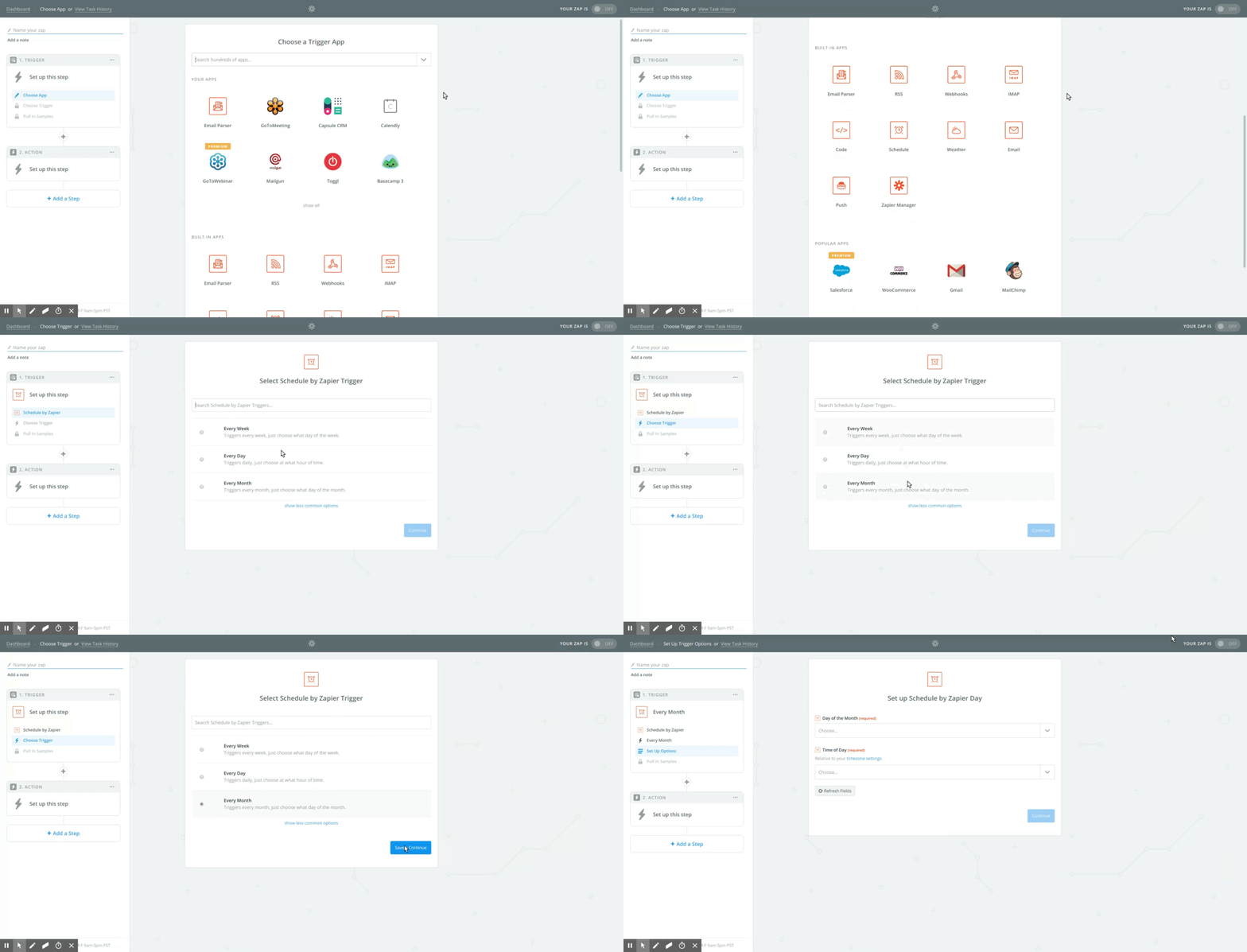
Create a new Zap. For the trigger, search for and select Schedule by Zapier.
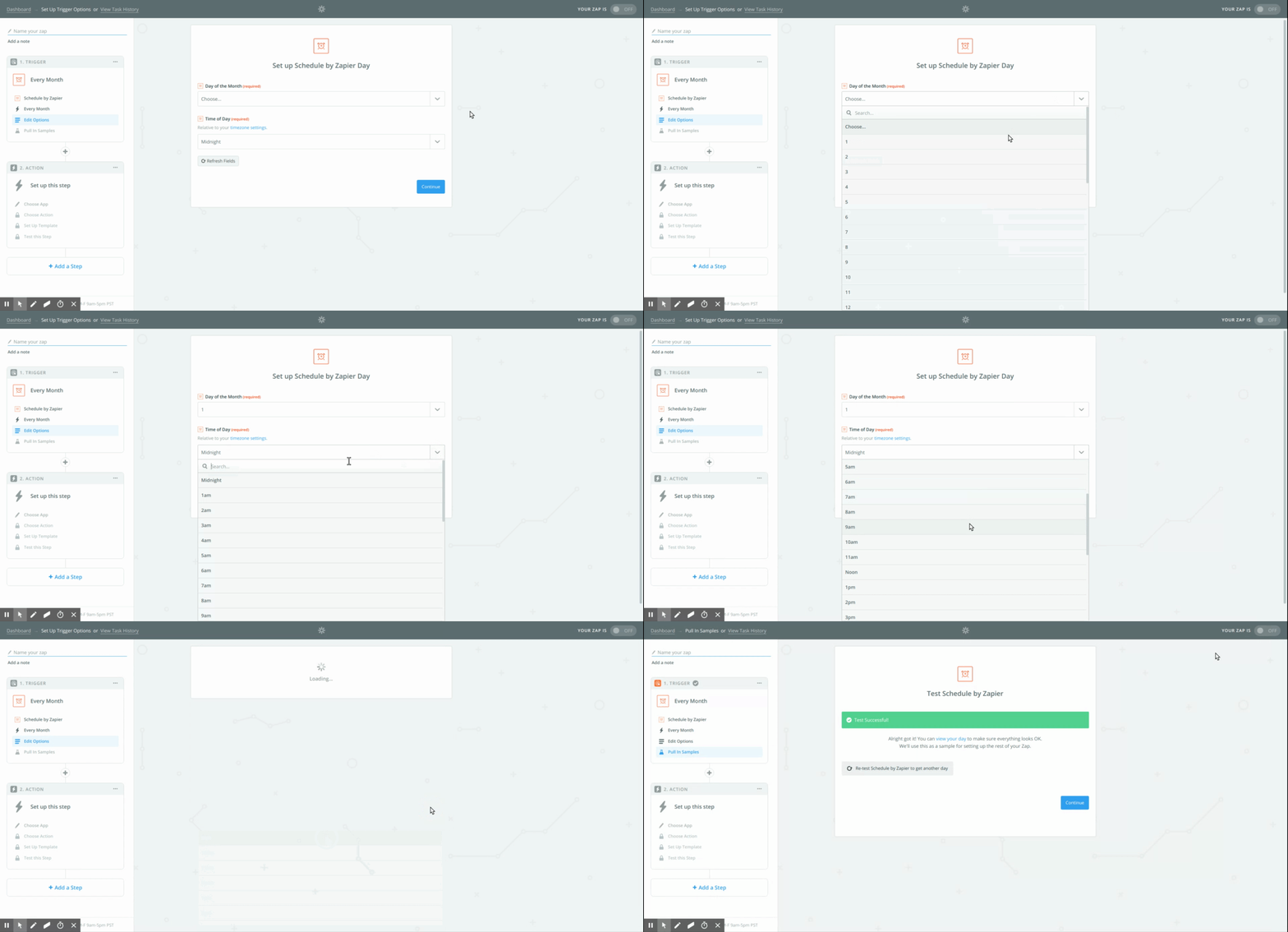
2. Set your schedule
Configure when the process should launch:
Frequency - Every Day, Every Week, or Every Month
Specific day (e.g., Monday) or date (e.g., 1st of the month)
Time of day
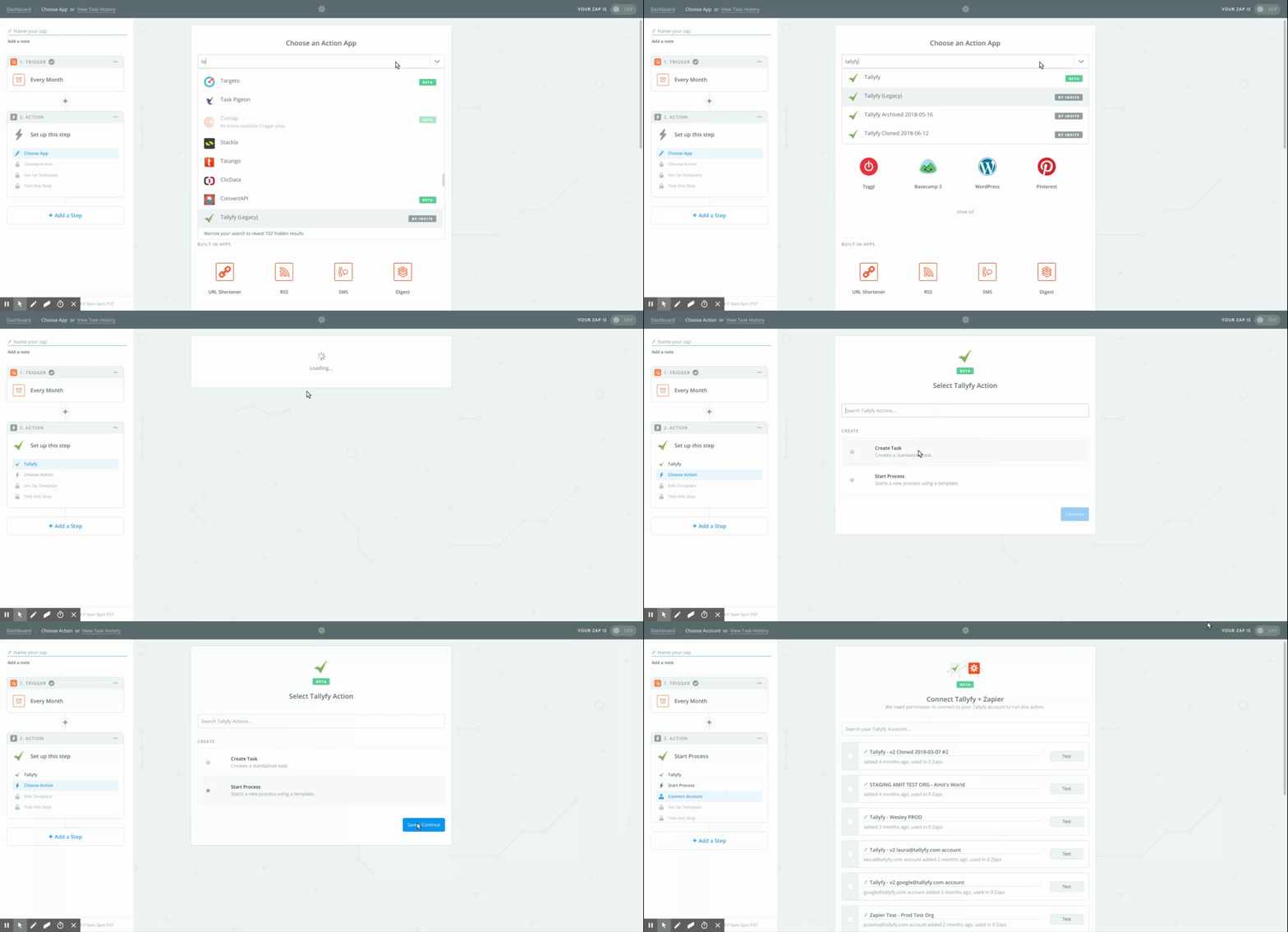
3. Add the Tallyfy action
For the action step, pick the Tallyfy app and choose Launch Process.
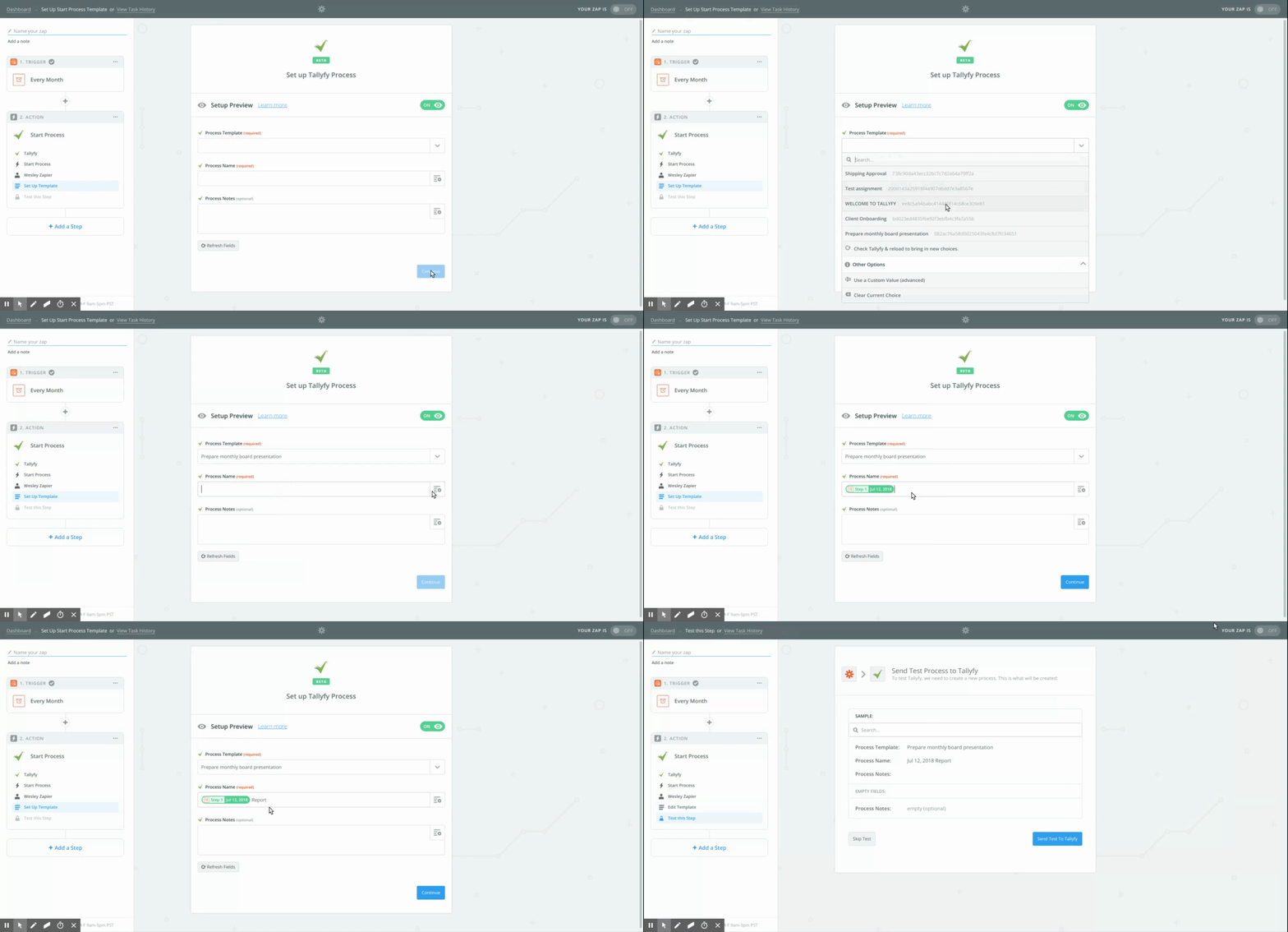
4. Configure launch details
Set which process to launch and how:
Select the Tallyfy Template to use
Name the process instance - include the date so each run is unique (e.g., “Weekly Report - {{zap_meta_human_now}}”). Zapier’s {{zap_meta_human_now}} variable inserts the current date/time.
Fill in any kick-off form fields the template requires
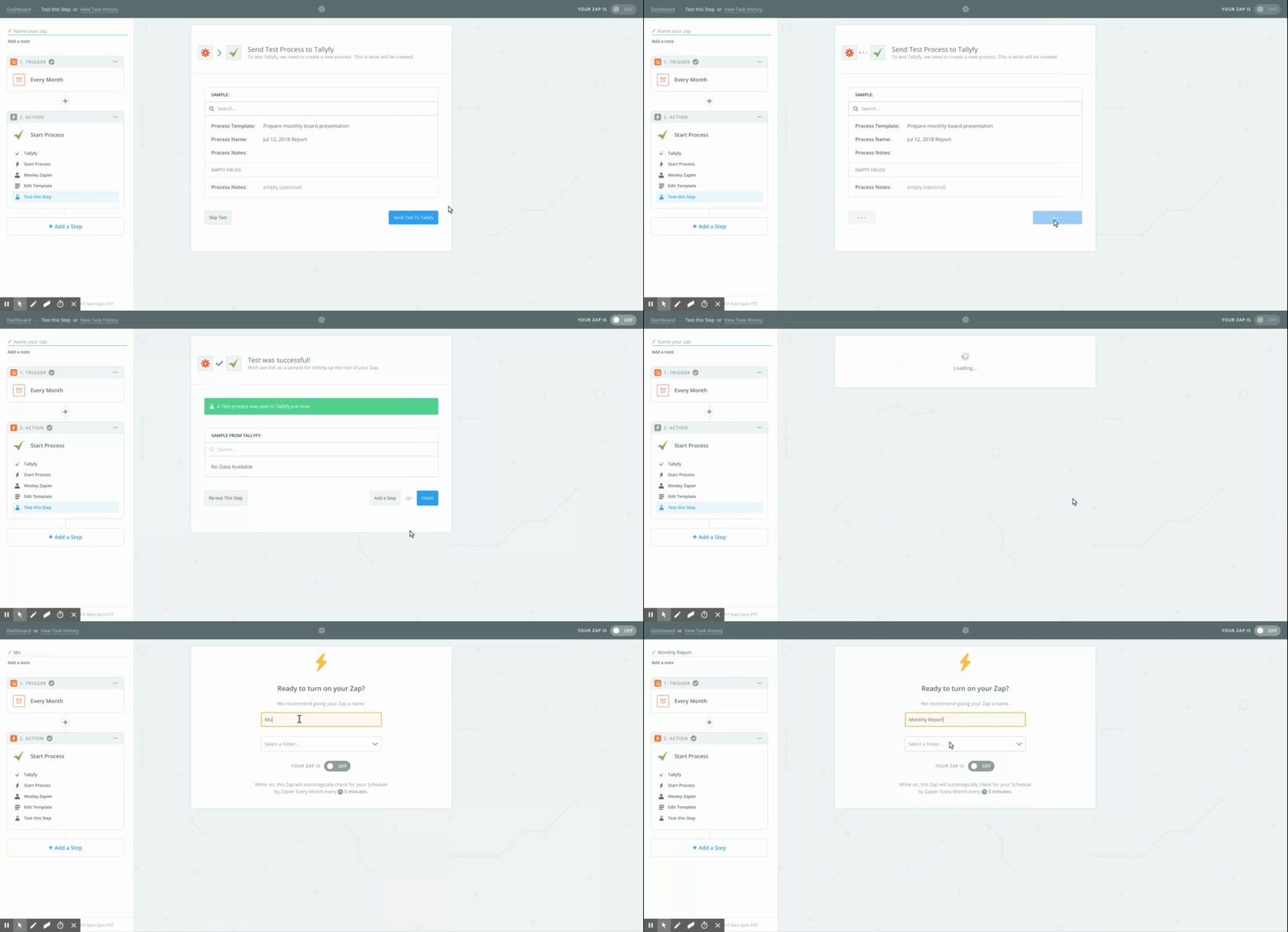
5. Test and turn on
Test your Zap to confirm it launches the process correctly in Tallyfy. Name your Zap and turn it on.
Tallyfy lets you auto-launch processes on recurring schedules using middleware platforms like Zapier or Make.com without coding or by writing custom scripts that call the Tallyfy API on a cron schedule for use cases like daily checklists and monthly compliance audits.
Tallyfy integrates with Zapier’s schedule trigger to automatically launch recurring monthly processes like reports or reviews in about five minutes by selecting a date and time and linking it to a template.
Middleware platforms like Zapier and Make.com let you automatically launch Tallyfy processes from events in other apps—such as form submissions or new CRM records—by watching for triggers and passing mapped data into Tallyfy kick-off forms without any custom coding.
Tallyfy paired with Zapier lets your team handle the human side of work like judgment and decisions while automating repetitive tasks across apps — from CRM-triggered onboarding and scheduled process launches to turning emails and form submissions into tracked workflows with clear ownership.