Tallyfy’s webhooks automatically send data to external systems when specific events happen in your workflows. Three main events can trigger a webhook:
Trigger: process launched
Set up a webhook at the template level. It fires immediately when someone launches a new process from that template - even before any tasks are done.
Use case: Track new process starts in real time (e.g., log every new client onboarding in a spreadsheet or database).
Trigger: task completed
Set up a webhook on a specific step within a template. It fires only when that particular task is completed.
Use case: Trigger follow-up actions in other systems when a key milestone is reached (e.g., when “Contract Signed” is completed, send data to your finance system).
Trigger: process completed
A template-level webhook also fires when all tasks in a process are completed. This lets you trigger external actions when an entire workflow finishes - not just individual tasks.
Use case: Mark a deal as “closed” in your CRM or archive records when a full process wraps up.
Video examples
These videos show practical ways to use webhooks, often with a middleware tool like Zapier:
Send task data to a spreadsheet
Shows how to automatically add form answers from a Tallyfy task to rows in a spreadsheet.
Start a new process when a task finishes
Shows how completing one task in Tallyfy can automatically launch a different process.
Send form data from multiple steps
Shows sending data collected across several steps to another service.
Send an email when a task finishes
Shows how to trigger a custom email notification upon task completion.
Webhook payload data
Webhooks send detailed JSON data. You can see an example of the structure here:
The JSON payload contains detailed event information. Key sections for task completion webhooks include:
this_task: The task that triggered the webhook - includes id, title, alias, status, summary, deadline, position, captures (form field values), owners (assigned users and guests), completed_at, completed_by, and assets (attached files with download links).
next_task: The first incomplete task that isn’t auto-skipped, ordered by position. Includes the same fields as this_task (minus assets). Returns an empty object if all tasks are done.
process: The overall process instance - includes id, organization_id, name, summary, status, progress, created_at, ClientURL, prerun (kick-off form values), process_forms (all form field values across all tasks), and tags.
template: The source template - includes id, title, alias, and summary.
form-fields: A flat map of all form field values across all tasks and the kick-off form, keyed by alias.
process-tasks: A map of task aliases to task IDs for the entire process.
guest-links: URLs for each guest assignee to access their tasks.
launcher and completer: Info about who launched the process and who completed the task.
For process launch/completion webhooks, the payload includes process data, process-tasks, ko-form-fields (kick-off values), guest-links, and launcher.
Refer to the sample JSON file linked above for the full structure.
Date formats
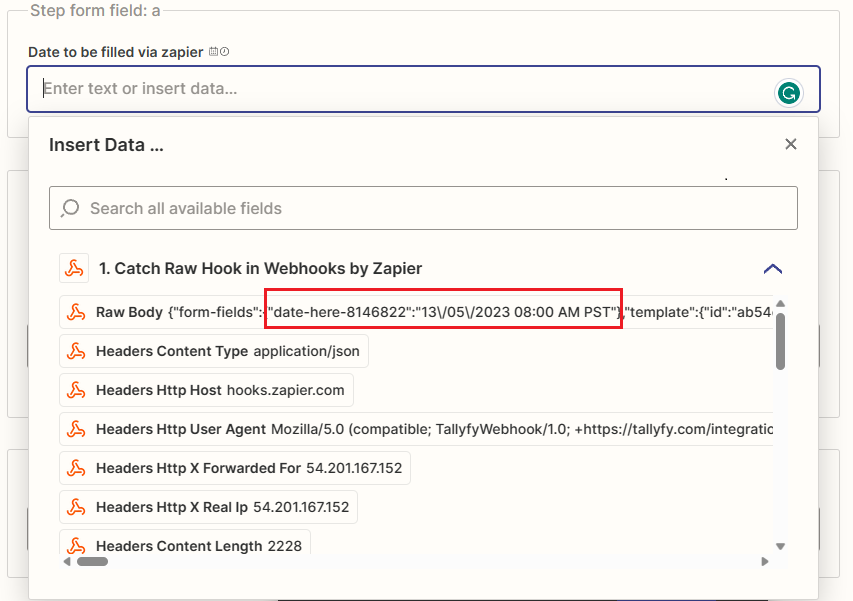
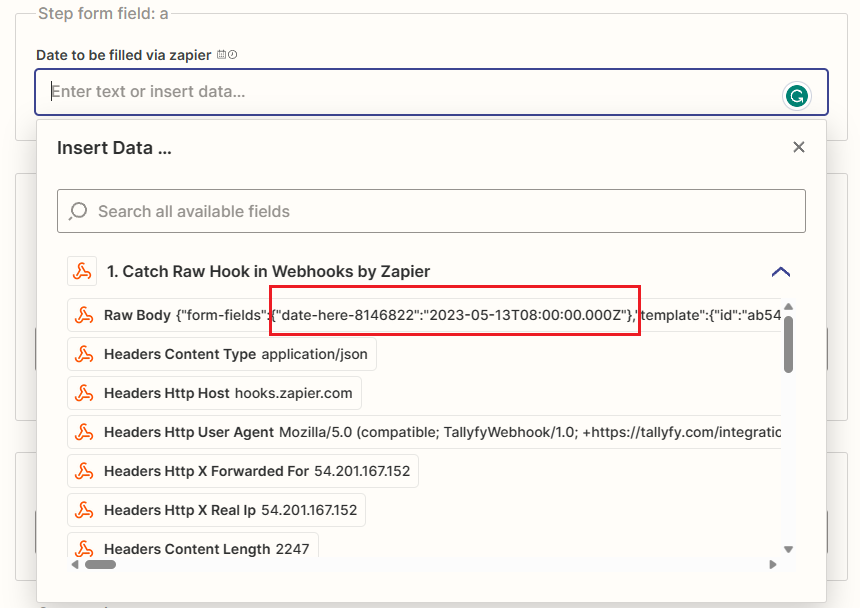
Tallyfy lets you choose between two date formats for webhook data. You select this in your organization settings:
ISO format (default): yyyy-MM-ddTHH:mm:ssZ
Human-readable format: d/m/Y h:i A T - dates are converted to your organization’s timezone
Security header
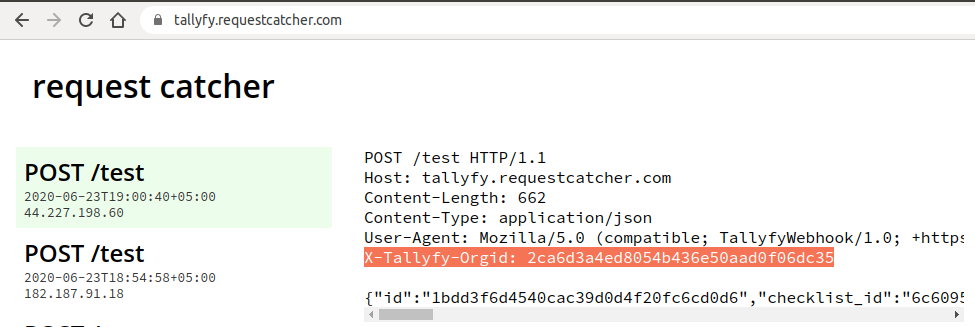
Tallyfy webhooks include an X-Tallyfy-orgID header containing your unique organization ID. Your receiving system can check this header to validate that the request genuinely came from your Tallyfy account.
Tallyfy webhooks automatically POST JSON data to external URLs you define whenever workflow events like step completions or process launches occur and can be configured at either the template level for broad monitoring or the step level for targeted triggers with built-in security through the X-Tallyfy-orgID header.
Tallyfy webhooks automatically send structured JSON data to any external system via HTTP POST requests whenever workflow events like task completions or process launches occur — eliminating the need for constant polling and enabling instant real-time integrations with middleware platforms or custom APIs and serverless functions.
Tallyfy webhooks can be connected to middleware tools like Zapier or Make to automatically send custom emails with full process context whenever specific workflow events like task completions occur.
Tallyfy webhook payloads deliver JSON data in two formats — process-level payloads containing full process state and kick-off form data when processes launch or complete and task-level payloads containing the completed task details along with all accumulated form fields and a next_task reference pointing to the first visible incomplete task plus guest-links that provide direct access URLs for external collaborators.