Skip to content

Automate monthly process launch with Zapier

Automate monthly process launches with Zapier

Tallyfy can automatically launch processes every month through Zapier’s schedule trigger. It takes about 5 minutes to set up, and you won’t have to remember to kick off monthly reporting, reviews, or any other recurring workflow again.

  1. Pick the Schedule trigger in Zapier.

    Zapier schedule trigger selection

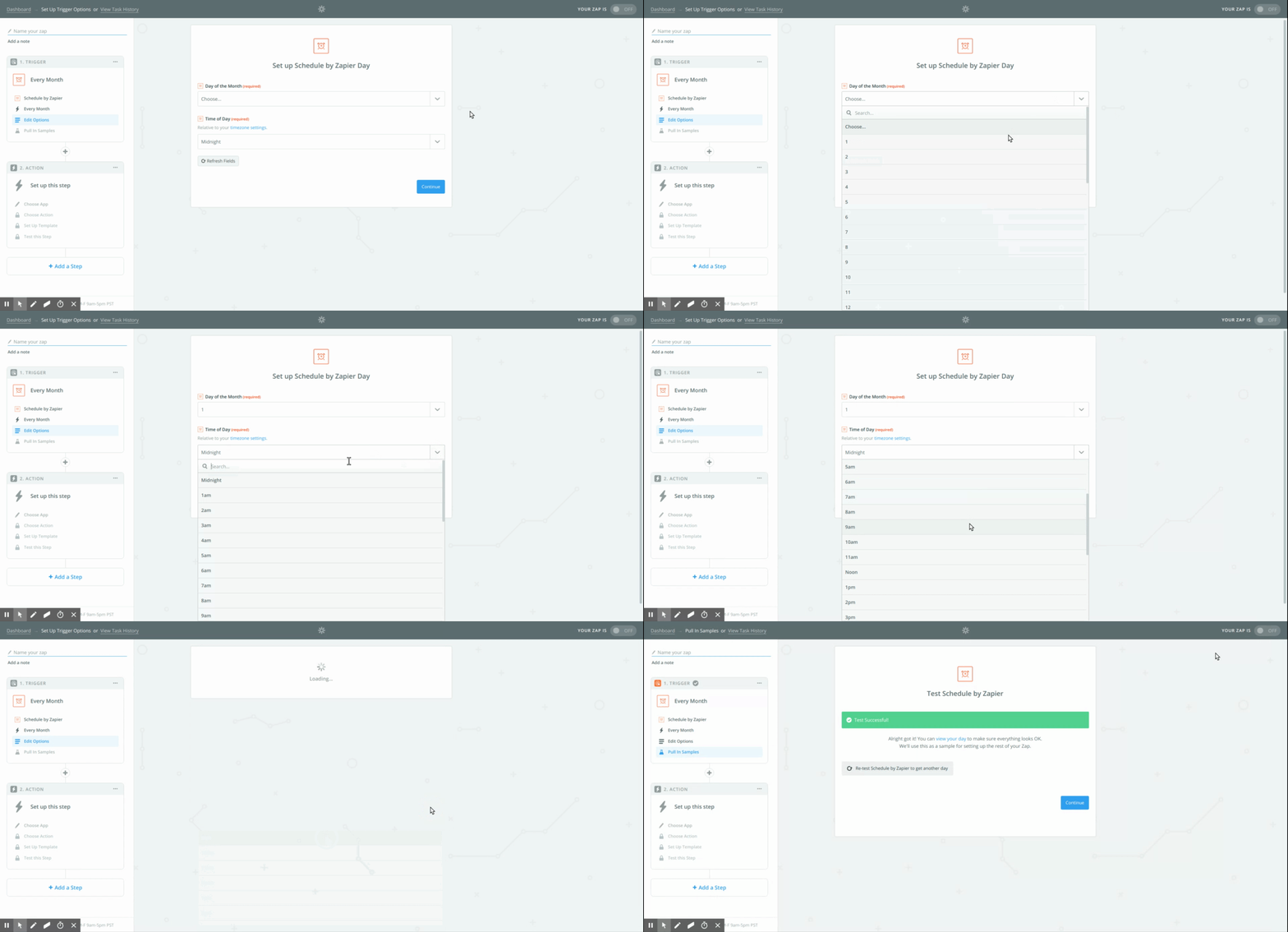
  2. Set the day of the month and time of day you want.

    Zapier schedule day and time configuration

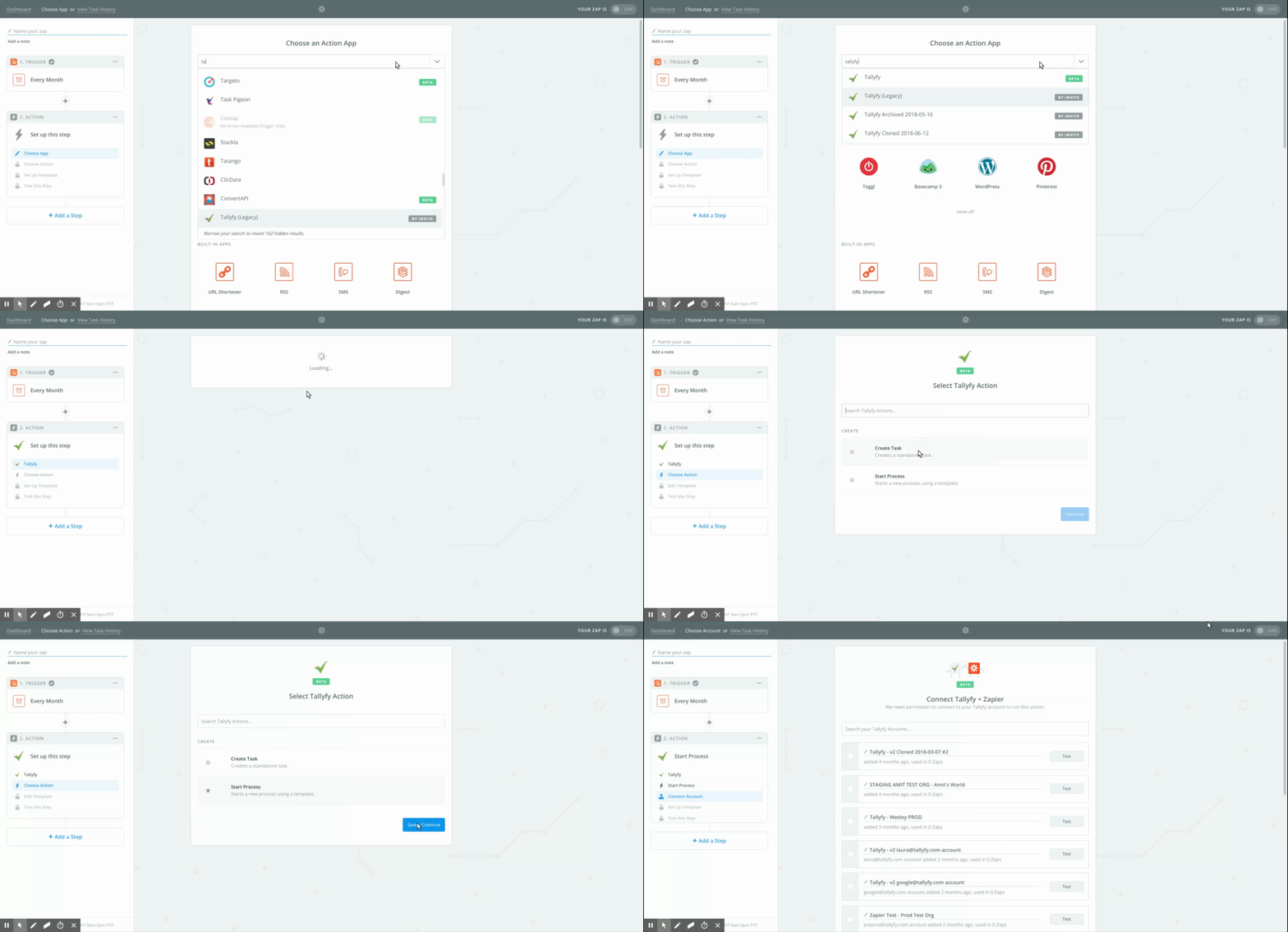
  3. Choose the Tallyfy Launch Process action.

    Tallyfy Launch Process action in Zapier

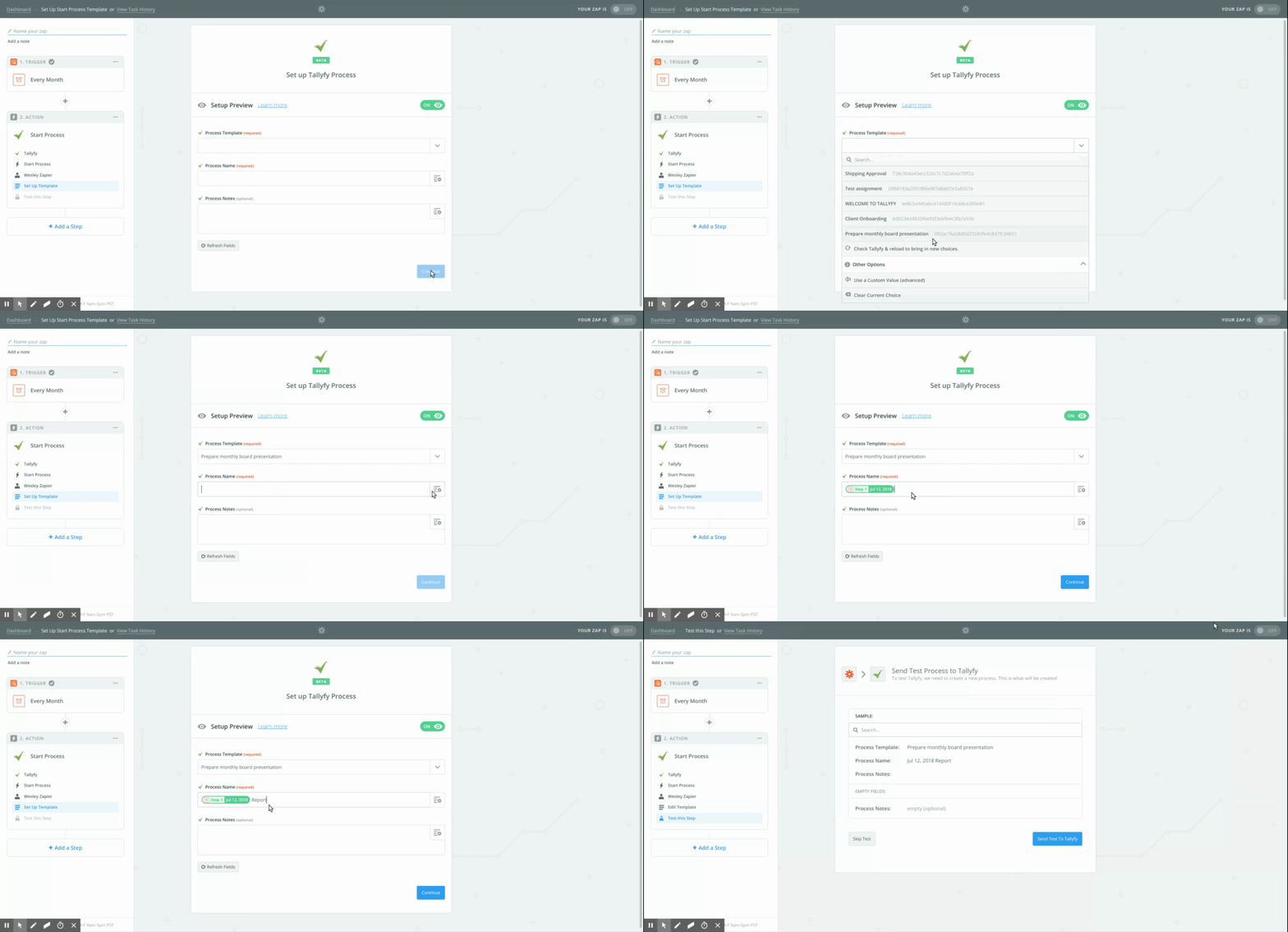
  4. Select the template and give the process a name.

    Choosing template name for scheduled process

  5. Test the Zap, name it, and turn it on.

    Testing and enabling the Zap

Launching > Launch on a schedule

Tallyfy processes can be automatically launched on a daily weekly or monthly schedule by connecting a time-based trigger in middleware tools like Zapier or Make to the Launch Process action without any manual effort.

Triggers > Launch via a schedule

Tallyfy lets you auto-launch processes on recurring schedules using middleware platforms like Zapier or Make.com without coding or by writing custom scripts that call the Tallyfy API on a cron schedule for use cases like daily checklists and monthly compliance audits.

Zapier > Tallyfy and Zapier

Tallyfy paired with Zapier lets your team handle the human side of work like judgment and decisions while automating repetitive tasks across apps — from CRM-triggered onboarding and scheduled process launches to turning emails and form submissions into tracked workflows with clear ownership.

Middleware > Zapier

Tallyfy’s Zapier integration lets you automatically launch processes and complete tasks and sync form data across thousands of business apps without coding by creating trigger-action workflows called Zaps that connect Tallyfy to tools like CRMs and HR systems and helpdesks.