Tallyfy bridges the gap between Salesforce pipeline stages by coordinating the invisible micro-tasks and cross-team handoffs and deadline-driven workflows that actually determine whether deals succeed after each stage transition in your CRM.
Integrate to your CRM or ERP
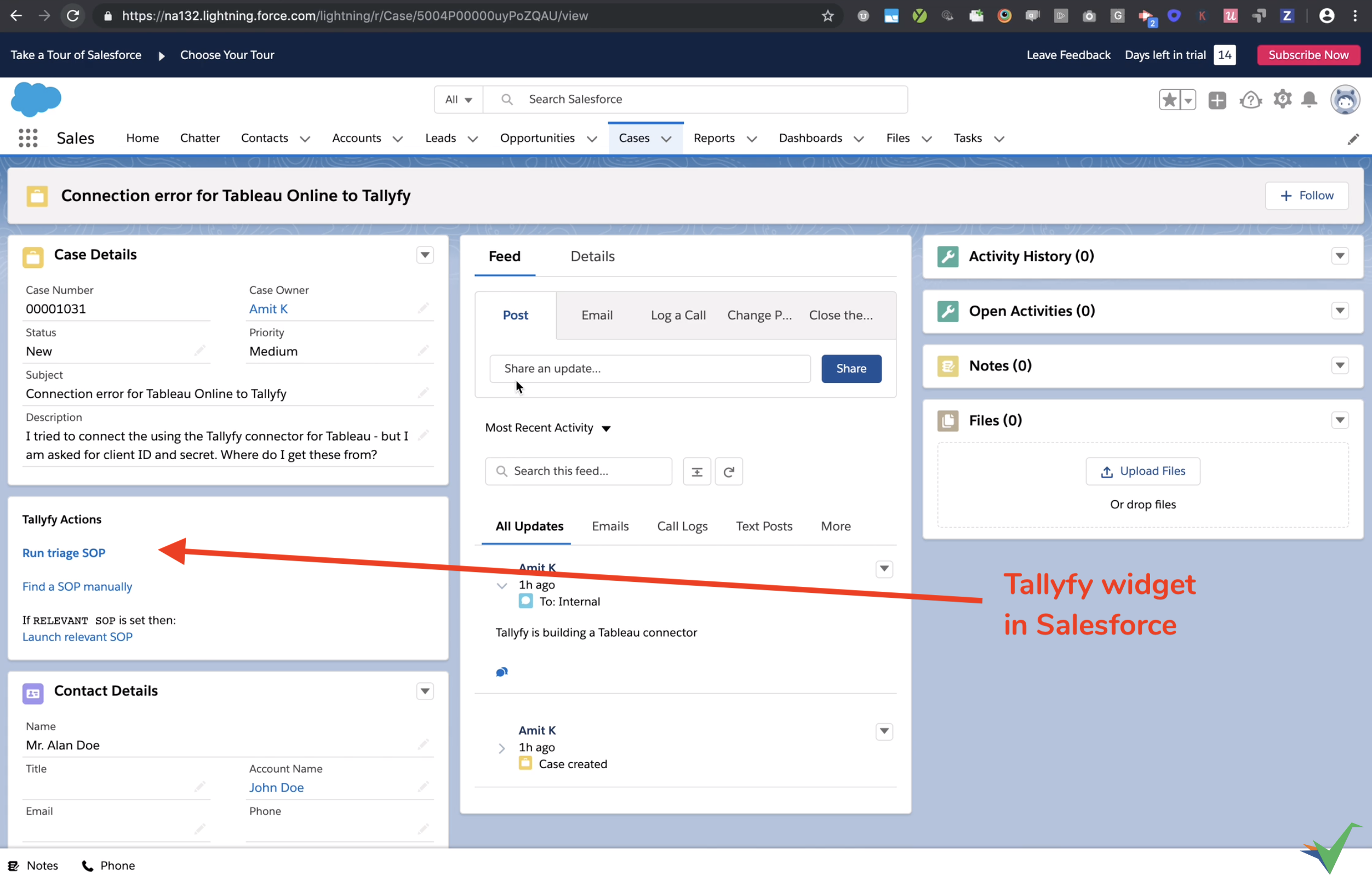
Tallyfy connects to CRM systems (Salesforce, HubSpot, Dynamics 365, etc.) and ERP systems (NetSuite, SAP, etc.) so you can link sales or operational stages with detailed workflows that run in Tallyfy.
- Save on licenses - run operational workflows in Tallyfy instead of buying CRM/ERP seats for everyone involved.
- Consistent processes - standard procedures get followed even when teams outside the CRM/ERP are involved.
- Smooth handoffs - transitions between teams (Sales to Operations) become trackable.
- Better client experience - clients get a consistent journey from first contact through delivery.
CRMs track deals through stages - Lead, Qualified, Proposal, Negotiation, Closed Won. What they miss: the dozens of micro-tasks that must happen between each stage transition. These invisible tasks determine whether deals progress or stall.
When a deal moves from “Qualified” to “Proposal,” it’s not one click - it’s technical reviews, pricing approvals, legal checks, resource allocation, and demo preparation. Each involves multiple people, deadlines, and conditional logic based on deal characteristics.
Tallyfy makes these micro-tasks visible, trackable, and automatic. Your CRM shows the big picture; Tallyfy handles every critical step between stages.
CRMs store customer data and track sales activities well, but they fall short for operational workflows.
CRMs force rigid, linear task flows. Need different onboarding steps based on deal size or service type? You’re stuck with workarounds. Tallyfy’s conditional automations show or hide steps based on form answers automatically.
Most CRMs require daily logins to check for pending tasks. Tallyfy auto-assigns tasks to the right people, sends deadline reminders, and escalates overdue items.
CRMs work for sales teams, but what about Legal, Finance, or external partners? Tallyfy lets you involve internal members or external guests in the same workflow - everyone sees their tasks and deadlines.
CRMs track data changes but don’t record who did what task, when, and in what order. Every Tallyfy process creates a complete audit trail automatically - who did what, when, and in what sequence.
CRMs can’t coordinate workflows across multiple systems. Tallyfy connects tools through middleware for end-to-end processes.
Converting a lead to MQL involves tasks CRMs don’t track - researching company fit, verifying contact info, checking for existing customer conflicts, scoring engagement, and enriching data. Tallyfy launches this workflow automatically when a new lead enters your CRM. Each task has an owner and deadline, and the lead only advances when all tasks complete.
Moving to sales-qualified triggers tasks like scheduling discovery calls, preparing talking points, identifying decision makers, and checking credit history. Without Tallyfy, these happen inconsistently or not at all.
Creating an opportunity requires defining solution requirements, estimating timelines, calculating pricing, and assessing the competition. Tallyfy’s conditional logic adjusts the workflow based on deal size - enterprise deals automatically add security reviews and legal pre-approval.
The most critical transition: generating contracts, obtaining pricing approval, coordinating signatures, creating implementation projects, scheduling kickoff calls, and provisioning access. Each task must complete in sequence with the right person. CRMs just show “Closed Won” while the real work happens elsewhere.
- New CRM lead? Auto-launch a lead qualification process in Tallyfy.
- Assign research and contact tasks in Tallyfy, then push updates back to the CRM record.
- Deal moves to “Proposal Sent”? The matching Tallyfy process (e.g. “Contract Review”) starts automatically.
- Include people who don’t use the CRM (Legal, Finance) in the right steps.
- Deal marked “Won”? A client onboarding process launches in Tallyfy instantly.
- Hand off to implementation or customer success teams, and invite the client as a guest for specific tasks.
- Manage multi-step support procedures in Tallyfy so agents follow consistent steps every time.
Two deals might both show “Proposal Stage” in your CRM, but their realities differ:
Without Tallyfy: Proposal sent without technical review. Pricing approved verbally. Implementation team not consulted. Legal review skipped.
With Tallyfy: Technical review completed. Pricing approved in writing. Implementation confirmed availability. Legal pre-approved terms.
Both deals look identical in the CRM, but the second one closes faster with fewer surprises because every micro-task between stages was tracked and completed.
Most connections use middleware platforms (Zapier, Make, Power Automate). Direct links work too.
This diagram shows how data flows between your CRM/ERP and Tallyfy through middleware connections.

- Record ID preservation - the CRM record ID passes through the entire flow, from CRM to Tallyfy and back, so updates hit the correct record.
- Middleware as the bridge - middleware handles data transformation between Tallyfy’s webhook format and your CRM’s API.
- Two distinct flows - launching Tallyfy processes from your CRM vs. updating CRM records from Tallyfy. You can implement either or both.
Here’s how information flows between systems:
Use a magic link to create a button or link inside your CRM/ERP.
- Create a magic link for the template you want to launch.
- Set up the link to pull information (contact name, company, deal ID) from the CRM/ERP record.
- Add this link as a button within your CRM/ERP interface - typically on the Opportunity page.
- When a user clicks, Tallyfy starts the process with all CRM/ERP data pre-filled.
Watch it in action:
Update CRM/ERP records with information collected in Tallyfy forms:
- Set up a Tallyfy webhook to trigger when a specific task gets completed.
- Use a middleware tool to catch the webhook data.
- Configure middleware to find the correct CRM/ERP record (using an ID passed from the CRM initially) and update fields with Tallyfy form answers.
Important: To update the right record in your CRM/ERP, you need that record’s unique ID. Pass this ID from the CRM/ERP into Tallyfy when the process starts (using the magic link method above), then use it later to find the right record to update.
Tallyfy bridges the gap between Zoho CRM’s deal pipeline stages and the real-world cross-department tasks that happen in between by coordinating approvals and handoffs and post-sale onboarding across all teams regardless of whether they use Zoho or not.
Tallyfy works alongside HubSpot by managing the hidden micro-tasks and cross-team handoffs that happen between CRM pipeline stage changes — from marketing-to-sales transitions through deal execution and post-sale customer onboarding workflows.
Tallyfy acts as a coordination layer that connects your existing HR, CRM, helpdesk, finance and RPA platforms by managing the cross-department handoffs and multi-team workflows that no single vendor tool can handle on its own.
Was this helpful?
About Tallyfy
- 2025 Tallyfy, Inc.
- Privacy Policy
- Terms of Use
- Report Issue
- Trademarks