Tableau plugs directly into Tallyfy Analytics through Amazon Athena so teams can build interactive dashboards and spot workflow bottlenecks and track SLA compliance and analyze form data without writing code or depending on IT.
Sample Tableau visualizations
Here are 10 Tableau visualizations you can build from Tallyfy Analytics data. Each one answers specific business questions using your process, task, and form field data.
A pie chart breaking down tasks into on-time vs. late based on due dates and completion timestamps. Useful for quarterly reviews.
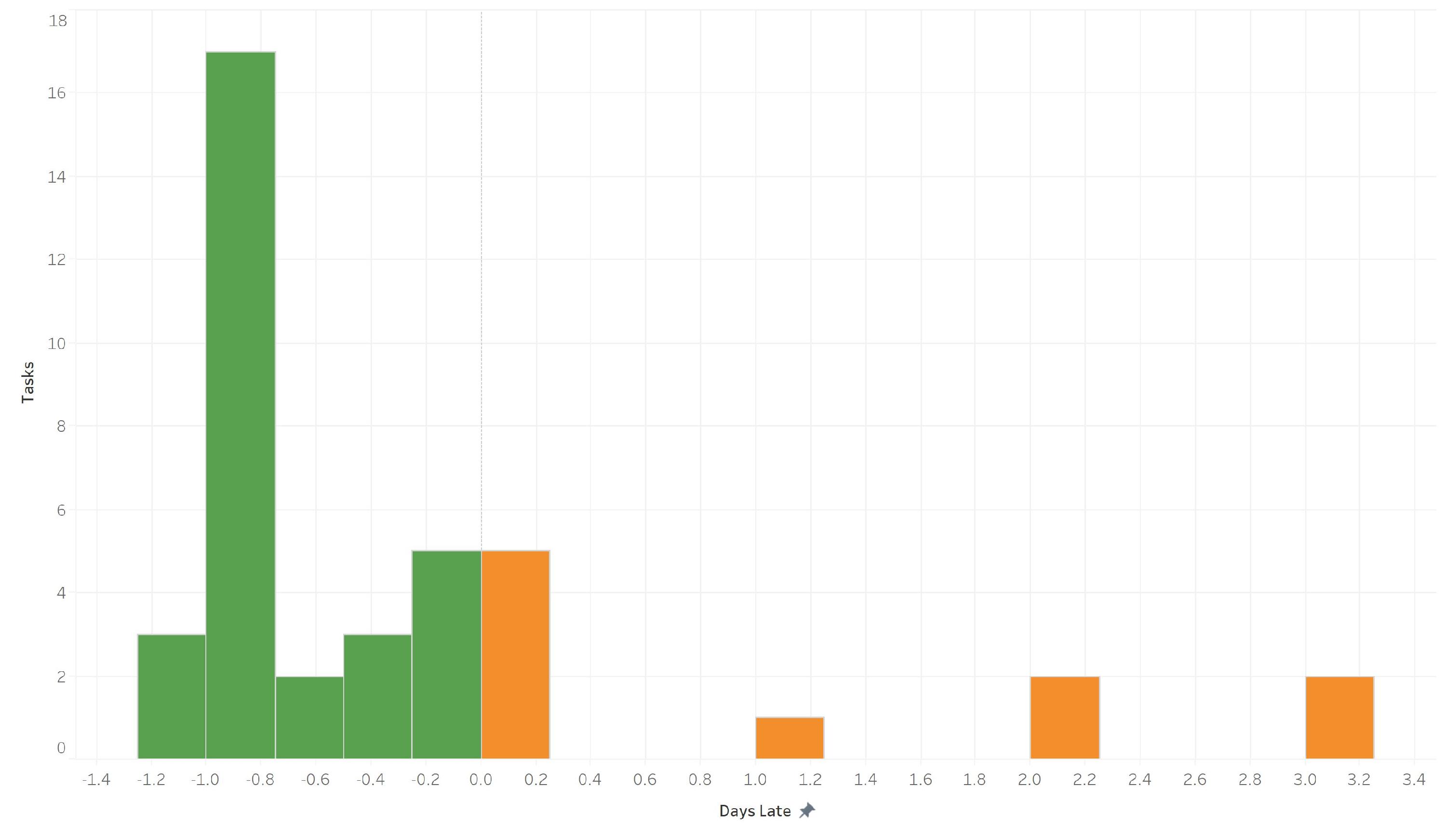
Questions this answers:
- What percentage of tasks finish on schedule?
- Are our due dates realistic?
A bar chart comparing on-time rates across team members. Spot who consistently hits deadlines - and who might need support.
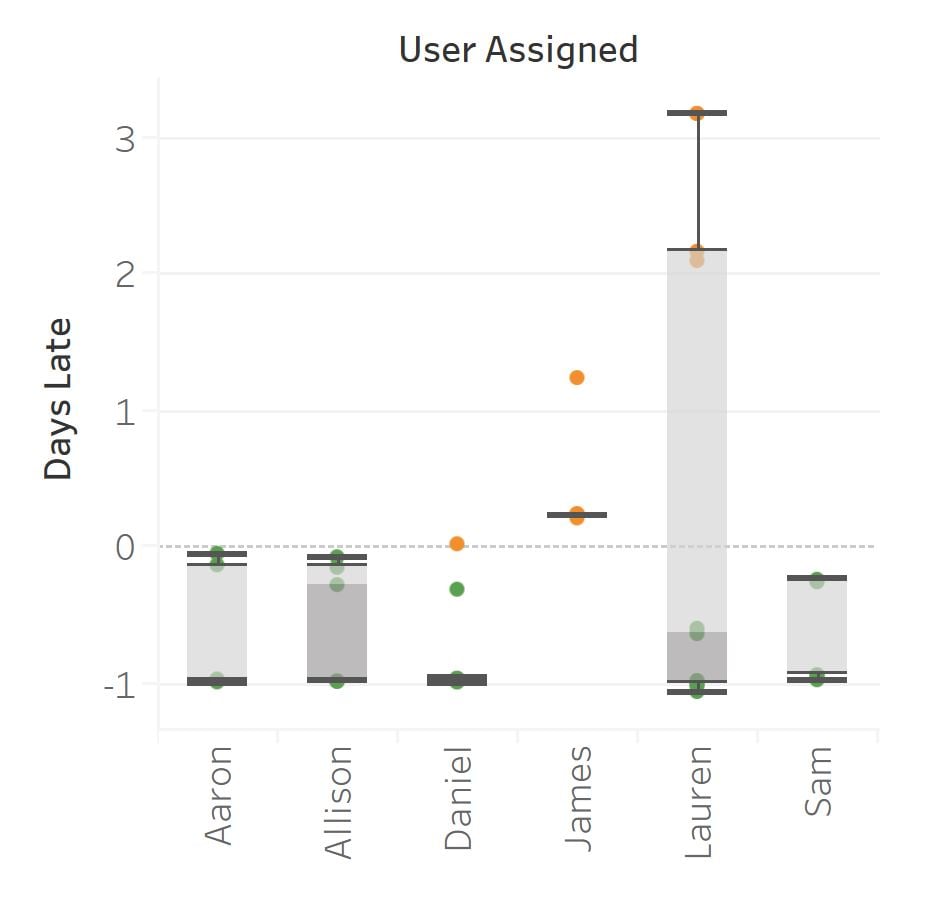
Questions this answers:
- Which team members meet deadlines most often?
- Who might benefit from workload adjustments or deadline changes?
Track whether on-time completion is improving or declining week over week. Helpful for measuring the impact of process changes.
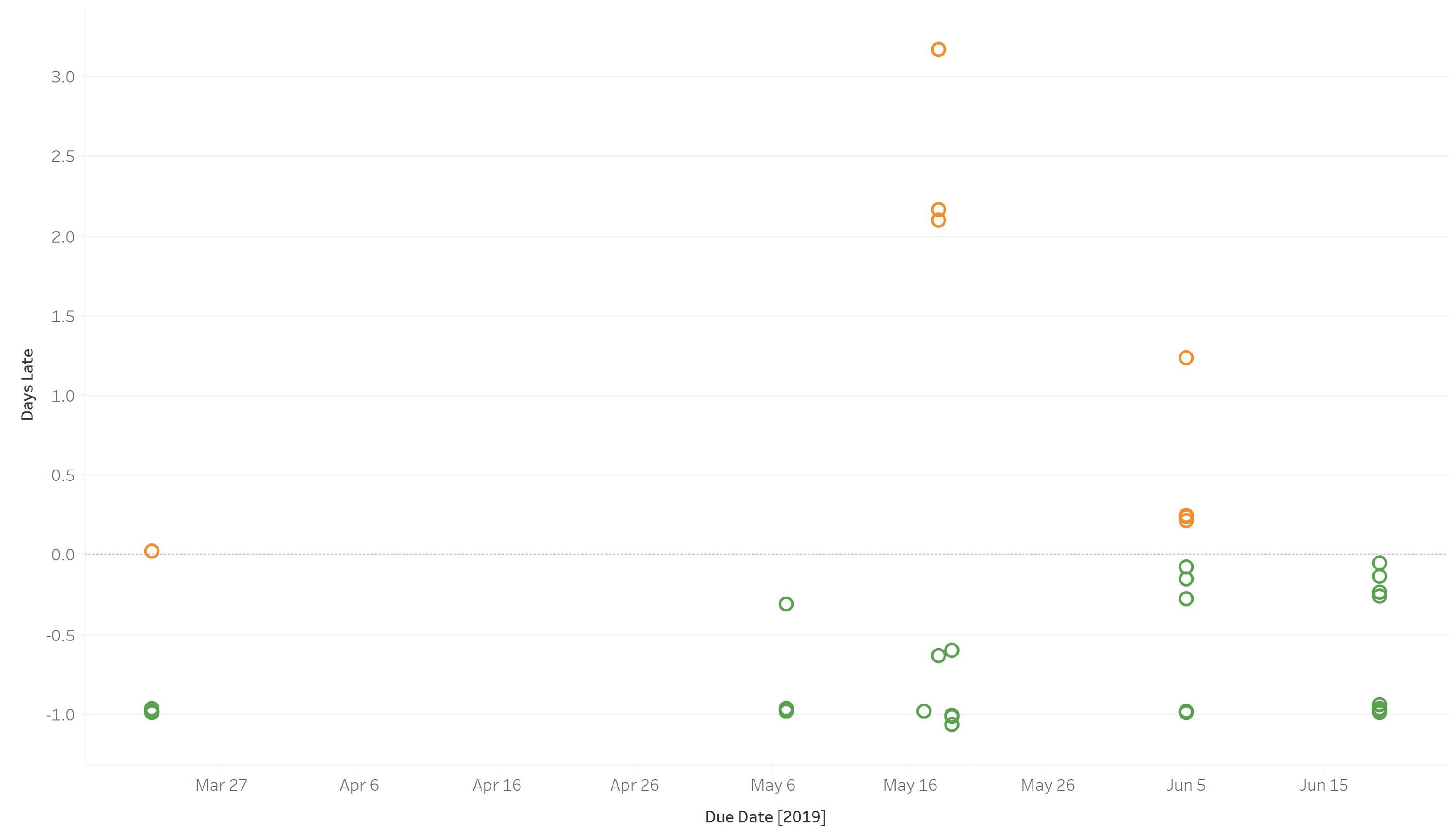
Questions this answers:
- Is timeliness trending up or down?
- Did a specific process change improve performance?
See how many processes each user owns. Quickly identify uneven workload distribution.
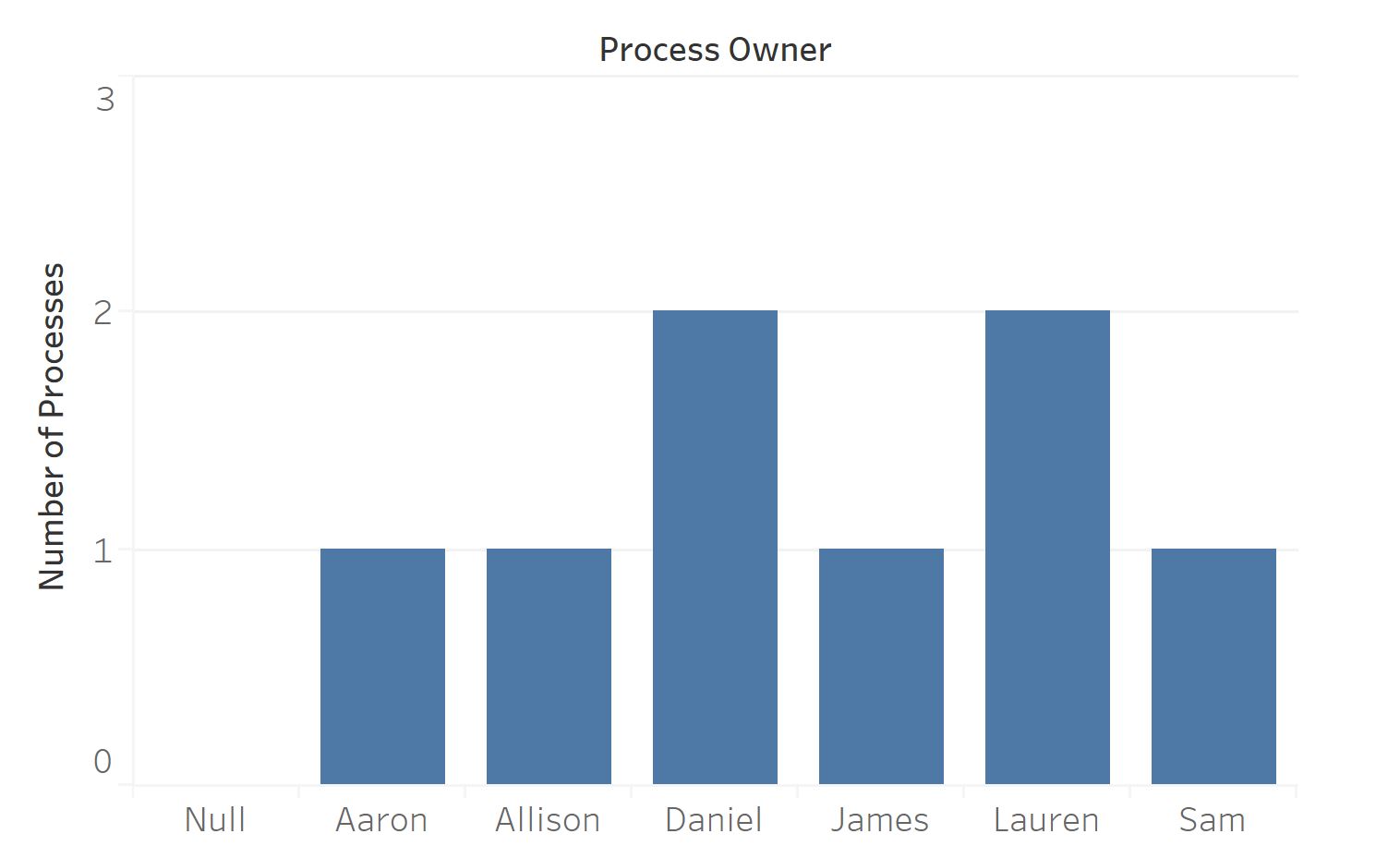
Questions this answers:
- Is process ownership balanced across the team?
- Are some users overloaded while others have capacity?
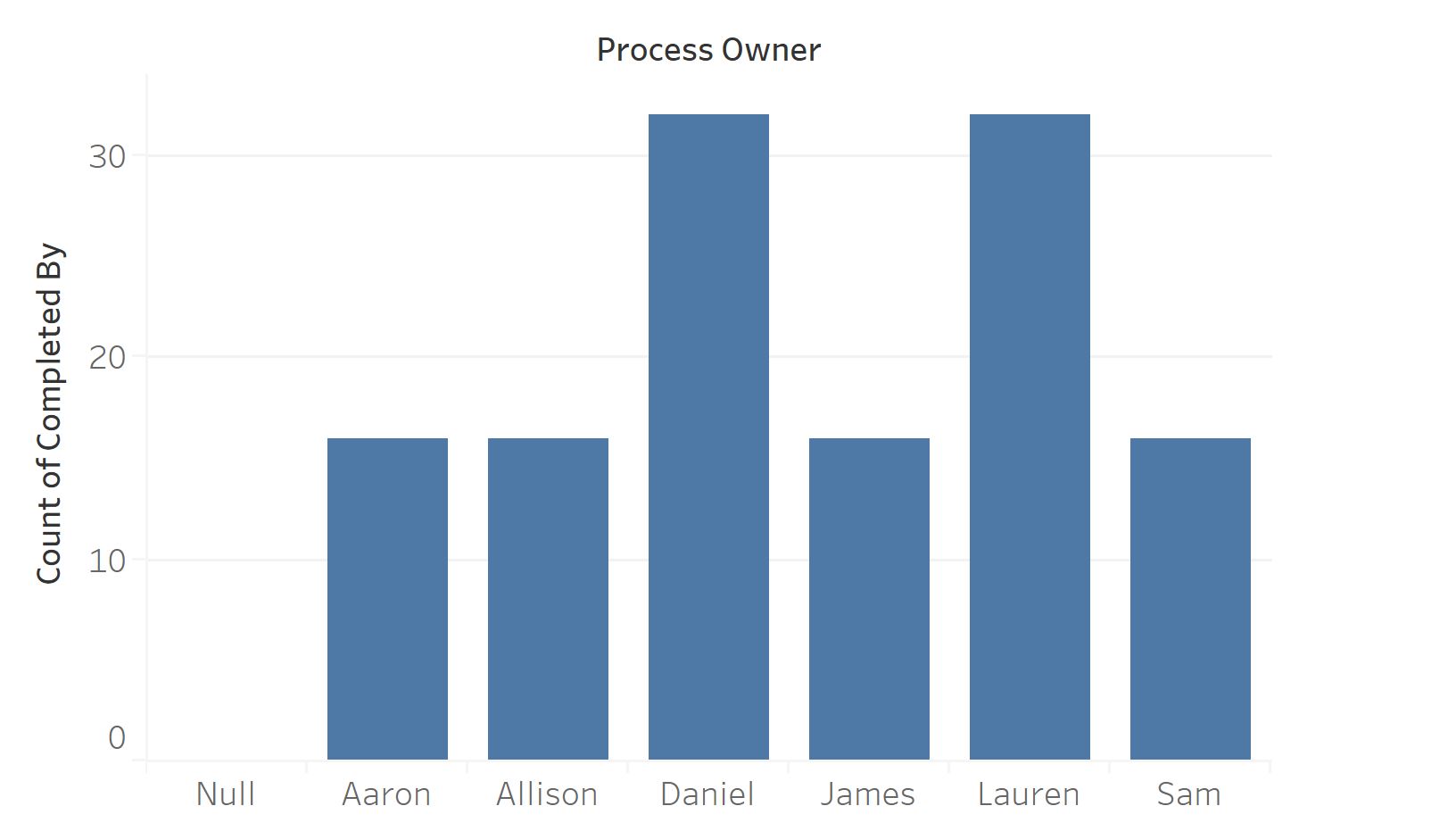
Count completed tasks per person over any time period. Built from assignee and completion timestamp data.
Questions this answers:
- Who completes the most tasks?
- Is workload distributed evenly?
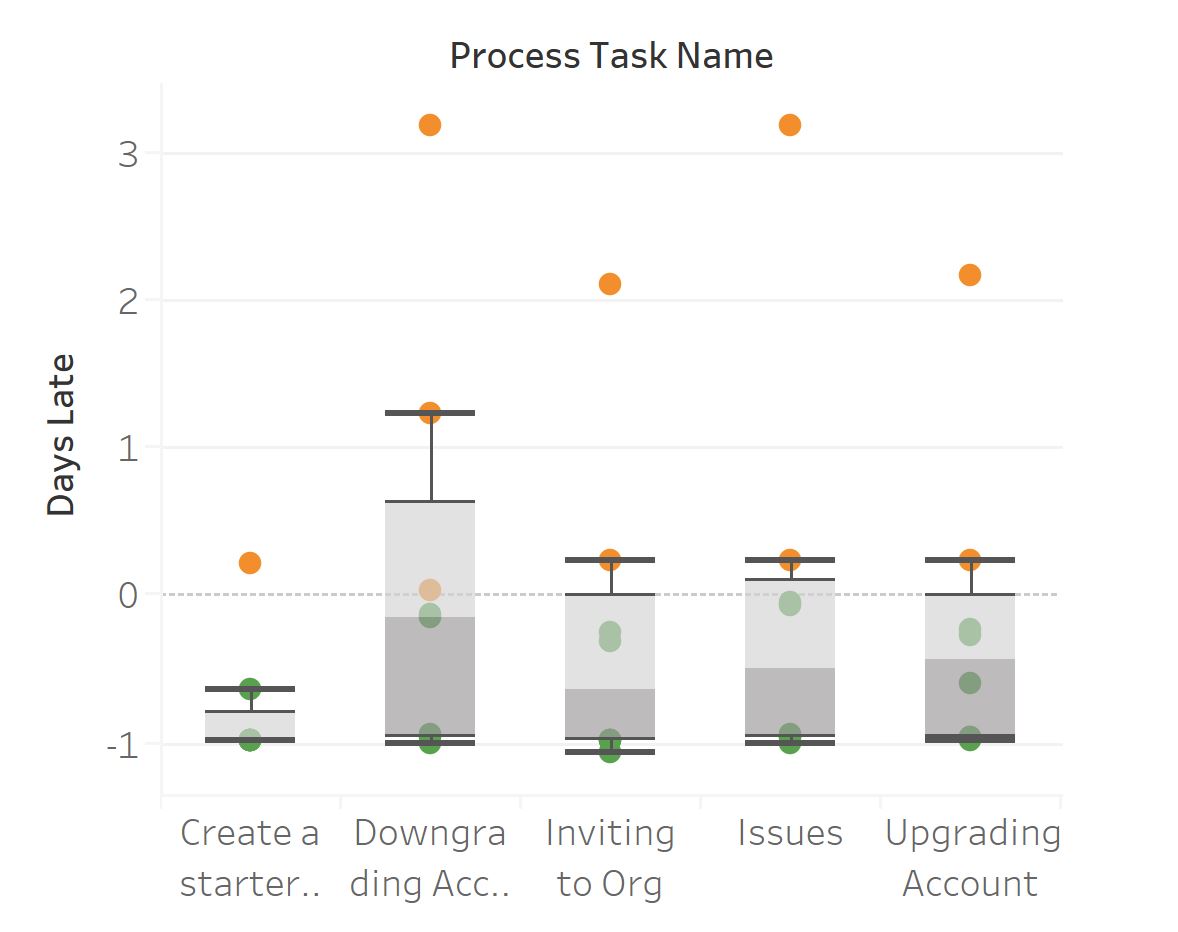
A heatmap showing which specific steps in your processes run late most often. Darker colors mean more delays - these are the steps worth redesigning.
Questions this answers:
- Which steps consistently cause delays?
- Are there steps that need redesigning or clearer instructions?
Shows how often each template gets launched. Identifies your most-used processes and templates that might be candidates for retirement.
Questions this answers:
- Which templates are launched most frequently?
- Are there templates that should be retired or consolidated?
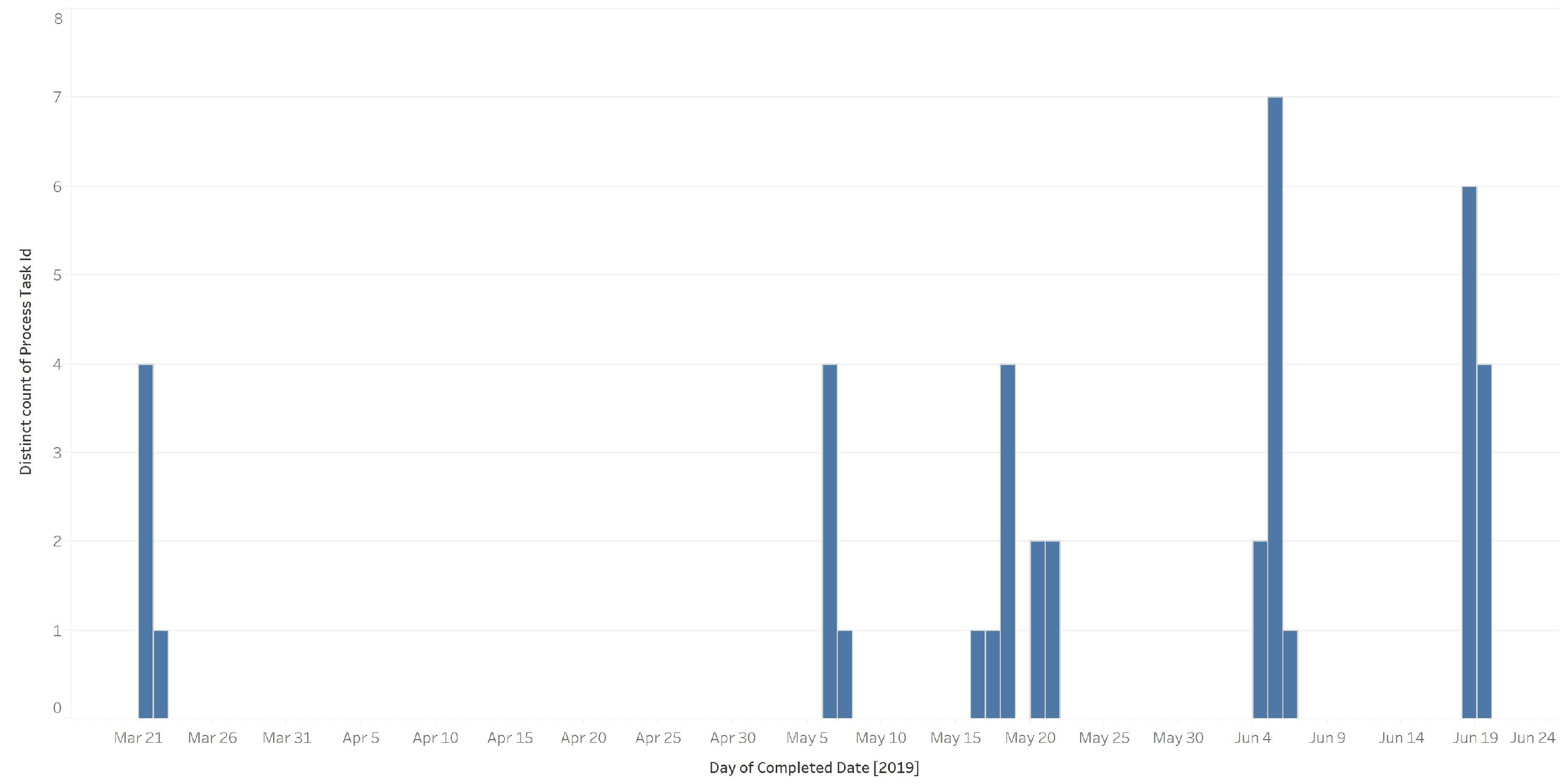
A time-series chart of daily task completions. Reveals patterns like Monday spikes or Friday slowdowns.
Questions this answers:
- Are there day-of-week patterns in task completion?
- Do we see consistent throughput or significant fluctuations?
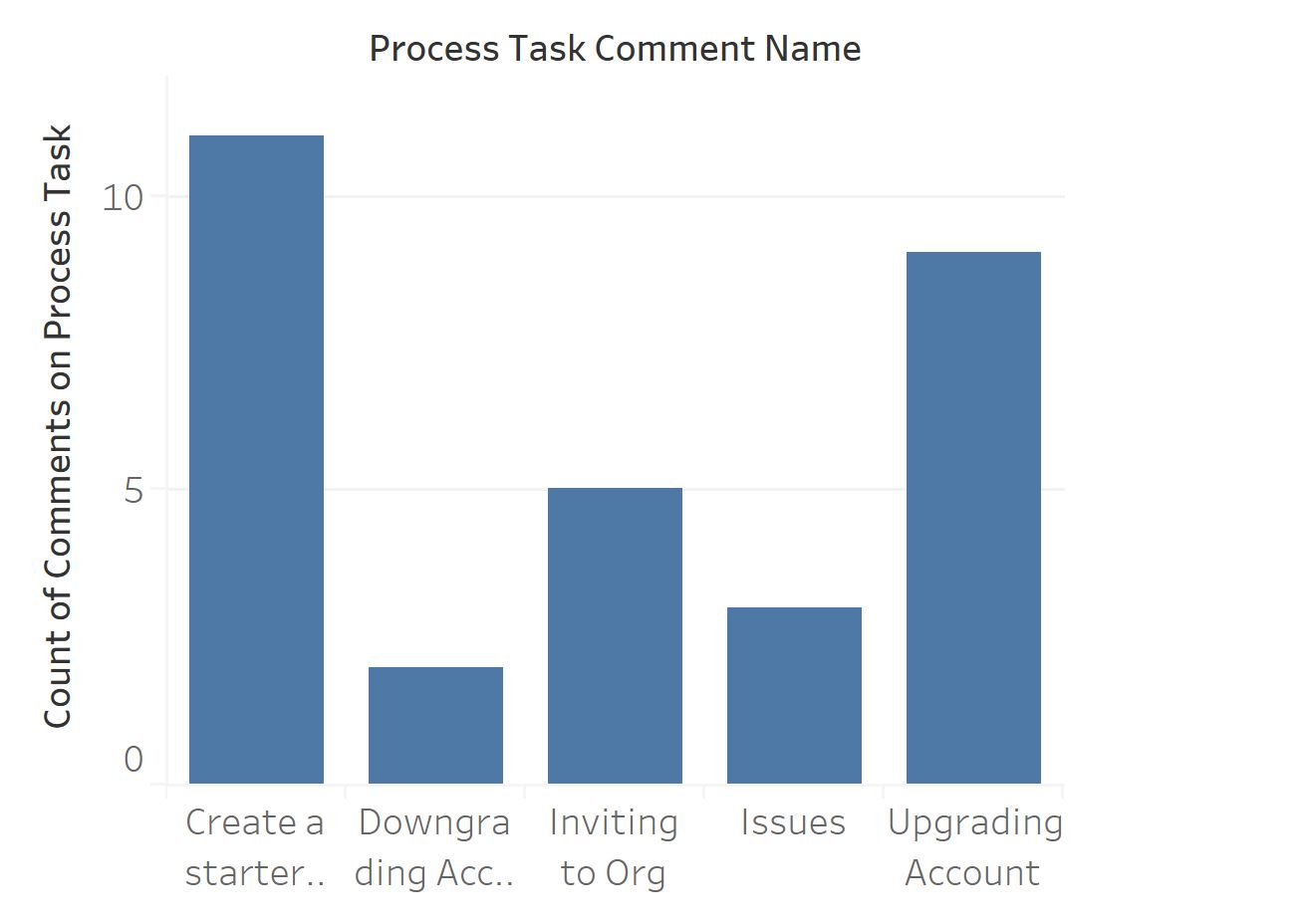
High comment volume on specific tasks usually signals confusion. This chart pinpoints which steps generate the most discussion.
Questions this answers:
- Which tasks need the most clarification?
- Where should you improve step instructions or documentation?
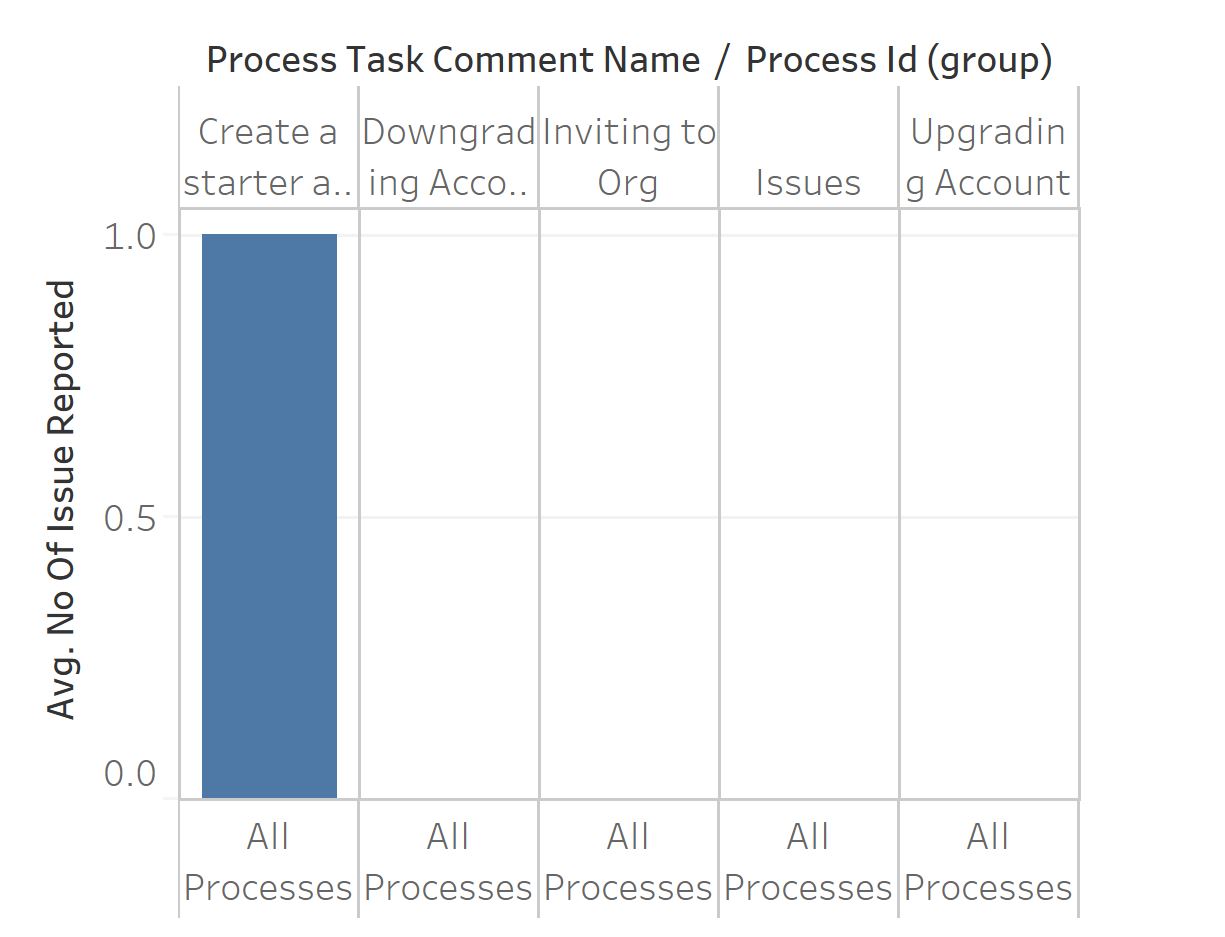
Ranks tasks by how often they generate reported issues. Fix the top offenders first for the biggest improvement.
Questions this answers:
- Which tasks consistently produce problems?
- Where should process improvement efforts focus first?
Get started quickly by downloading a pre-built Tableau workbook:
- Download the sample Tableau workbook ↗
- Open it in Tableau Desktop
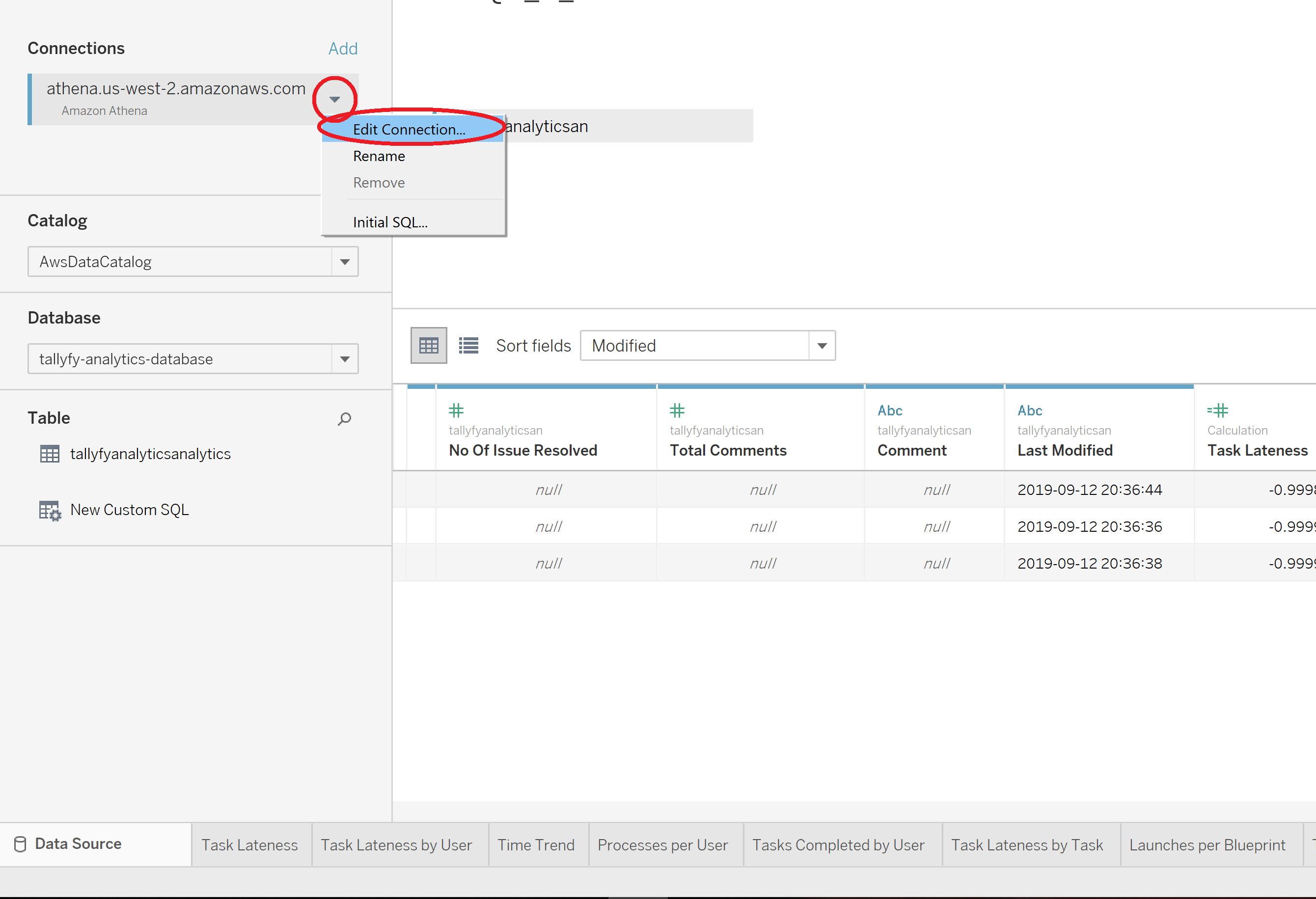
- Click Edit Connection and point it to your Tallyfy Analytics data source
- Customize the visualizations for your needs
These 10 charts are starting points. Once connected to Tallyfy Analytics, you can build custom views for any question your workflow data can answer.
Process Improvement > Gather data and use Tallyfy Analytics
Effective process improvement relies on collecting and analyzing real data rather than assumptions and Tallyfy Analytics automatically captures task completion times and bottleneck patterns that you can connect to BI tools like Tableau or Power BI for spotting trends and driving fact-based workflow changes.
Tableau > Connecting Tableau to analytics data
Tallyfy Analytics connects to Tableau Desktop through Amazon Athena in about 15 minutes by installing a JDBC driver and using Access Key credentials to query workflow data including process durations and task completion rates and form field answers for building visual dashboards.
Process Improvement > Understand process flow without flowcharts
Tallyfy replaces static flowcharts with live sequential templates where each step has clear assignments and deadlines so you can track real-time progress through the Tracker view and analytics to spot bottlenecks and then fix flow issues by reordering steps adding conditional logic or running parallel tasks.
Was this helpful?
About Tallyfy
- 2025 Tallyfy, Inc.
- Privacy Policy
- Terms of Use
- Report Issue
- Trademarks