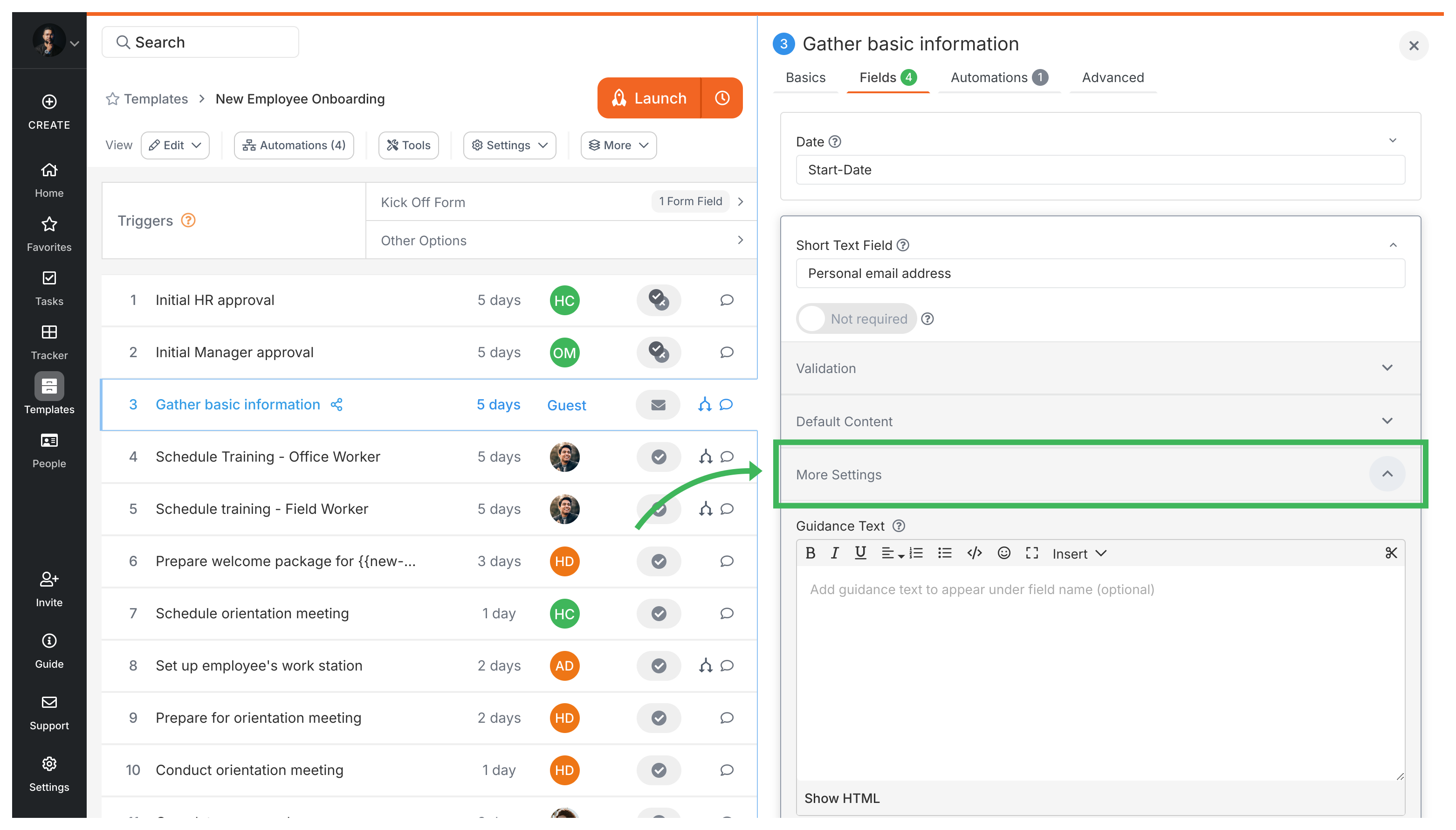
Guidance text appears directly below a form field label in Tallyfy, giving people instructions right where they need them. It’s great for specifying formats, examples, or links to extra resources.
Process notes in Tallyfy let you attach rich text context to any running process and that information automatically appears on every task so all participants stay aligned without hunting through emails or chat threads.
Tallyfy’s document templates let you insert editable short text, long text, and date fields into otherwise locked content so that anyone launching the template only fills in the blanks once and every instance comes out consistent.
Tallyfy lets you edit template steps by adding new ones or modifying existing step details including descriptions with rich media and assignments to specific people or groups or guests along with step types and form fields and deadlines set relative to launch or other steps and advanced settings like webhooks and mandatory flags and auto-assignment rules.