Tallyfy lets you bring external clients and partners into your workflows as free guests who complete specific tasks through secure email links without needing full accounts or logins while internal team members maintain oversight and control over the entire process.
Get a guest's unique link
Guest task links are URLs that let external people access specific tasks without a Tallyfy account. No login required.
These links stay active even after the guest completes their task, so you can reopen completed tasks when needed.
- The task must already be assigned to a guest
- You’ll need Administrator or Standard member permissions
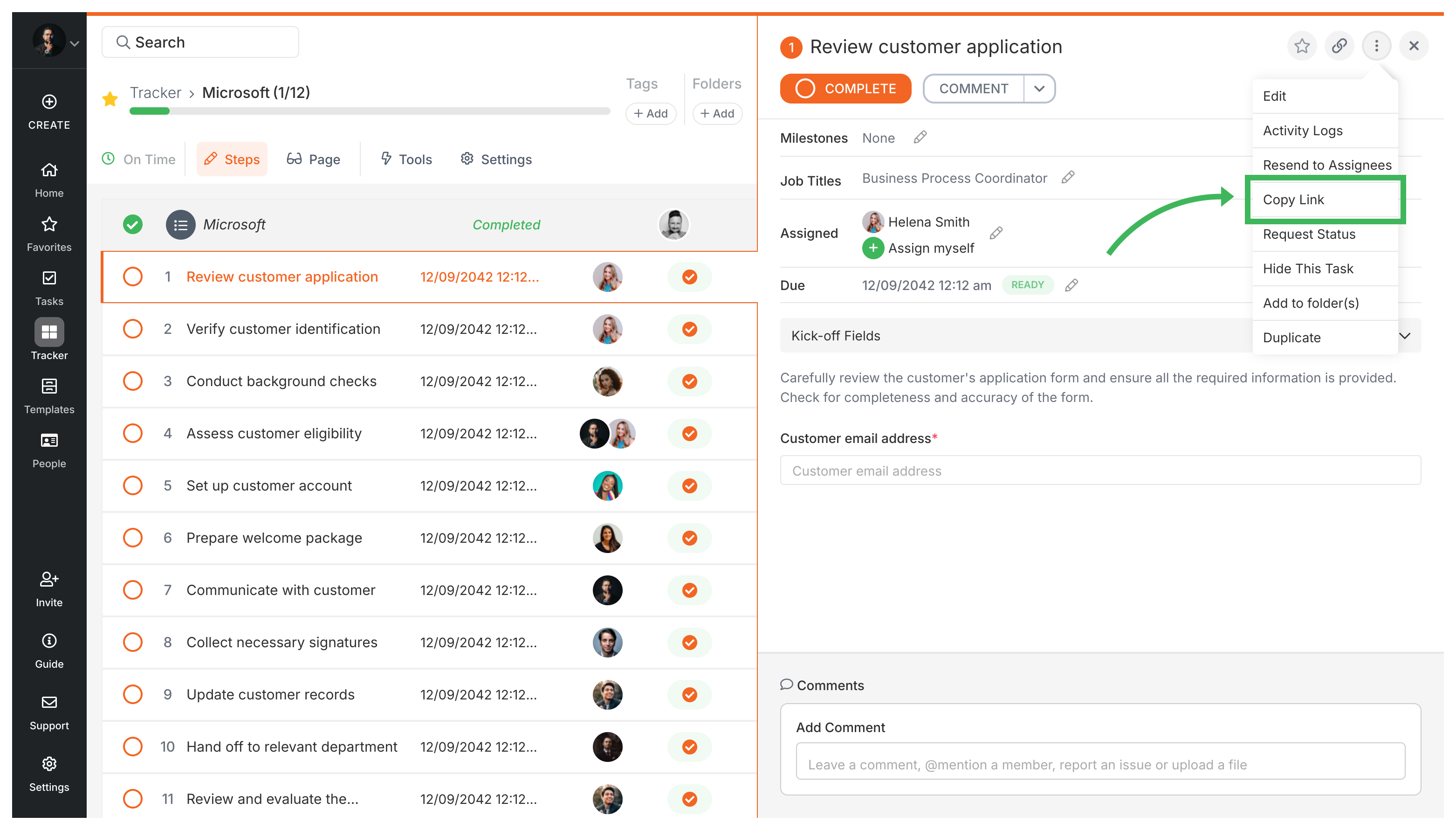
The quickest way when you’re already looking at the task:
- Go to the running process that contains the guest task.
- Find the specific task assigned to the guest.
- Click the menu icon (three dots) next to the task name.
- Select Copy Guest Link from the menu.
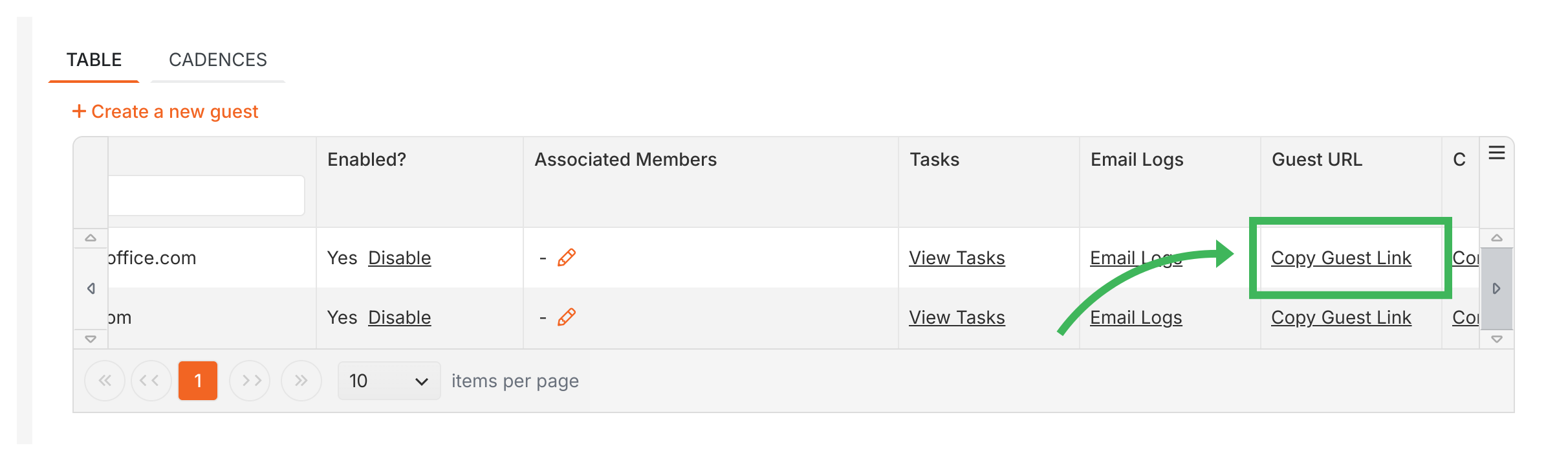
Use this when you need links for multiple guests or can’t remember which process contains their task:
- Go to Settings > Organization > Guests.
- Find the guest you need.
- Click Copy Guest Link in that guest’s row.
Once you’ve copied the link:
- Paste it anywhere - email, Slack, text message
- When the guest clicks it, they’ll land directly on their assigned task - no login screens or password resets
- The link stays active as long as the task exists
Guests > Assign tasks to guests
Tallyfy lets you assign tasks to external guests by entering their email address in a template or running process and the guest receives a secure link to complete their work without needing an account or password while at least one internal member is always co-assigned for oversight and comment routing.
Tallyfy lets you assign workflow tasks to external guests like clients and vendors via secure email links without requiring accounts or paid seats and provides tools to track their progress and convert them to full members when needed.
Tallyfy guests are external people like clients and suppliers who complete specific workflow tasks through secure email links without needing accounts or paid seats and they can only see their own assigned tasks while your internal data stays fully protected.
Was this helpful?
About Tallyfy
- 2025 Tallyfy, Inc.
- Privacy Policy
- Terms of Use
- Report Issue
- Trademarks