
Parsing uploaded SOPs - turning documents into workflows
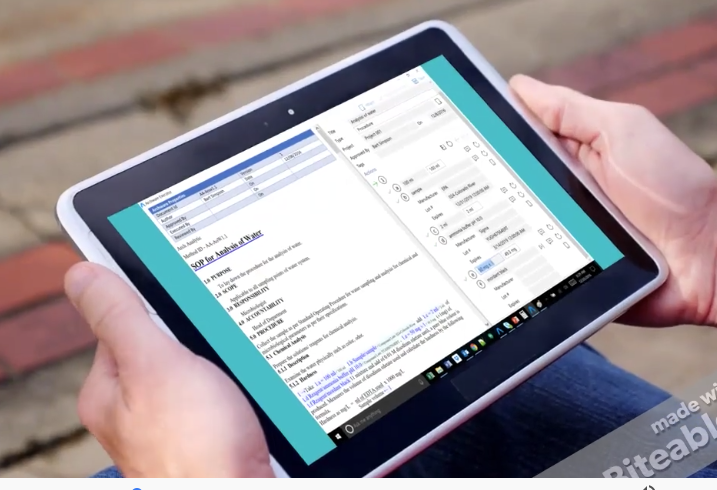
Most companies already have SOPs in Word or PDF. The challenge was converting those static documents into executable workflows without making users re-type everything.
Converting existing SOPs to workflows eliminates the biggest barrier to adoption. Here is how we approach process documentation.
Tallyfy is the only product available that does Process Documentation and Process Tracking in one
Summary
SOP document parsing at Tallyfy - this is our candid internal story. Not marketing. The evolution from flowchart annotation ideas in 2017 to AI-powered document parsing today, and everything that went wrong along the way.
- The whole world already has SOPs in Word or PDF - we knew the biggest friction was asking users to re-type what they already documented elsewhere
- Flowchart as social object - the original 2017 vision was uploading images and annotating shapes to auto-build templates
- 24+ second processing times - real production numbers showed the gap between the feature demo and the daily experience
- Data collection is the real value - an SOP tells you what to do, but the workflow captures what actually happened. See how templates work today
This reflects our experience at a specific point in time. Some details may have evolved since, and we have omitted certain private aspects that made the story equally interesting.
The single biggest complaint we heard in 2017 and 2018 was this: why do I have to rebuild my processes from scratch? I already have them documented. They are in Word. They are in PDF. They are in Visio flowcharts taped to the wall of the operations room.
This is the story of how we tried to solve that problem. And the story of how it took years longer than we expected.
The problem we knew was real
Back in February 2018, I wrote a message to the team that captured exactly what we were hearing from customers:
“The whole world already has SOPs - written up in Word or PDF format. Basically, a SOP is a procedure that needs to be followed. The big pain point is that today - people need to write up their SOP again into Tallyfy, a big ask.”
Every company has binders. Every company has SharePoint folders stuffed with procedures nobody reads. The documentation exists. It is just not executable.
We saw this pattern repeatedly in enterprise conversations. One large aerospace company had their entire knowledge transfer process documented in Word templates, Excel trackers, and MindManager mind maps - but no way to actually track whether procedures were being followed. A global food and beverage company had over 100 pages of procurement SOPs scattered across systems, and their teams spent hours just figuring out where a purchase order was in the approval flow. The documentation existed. The execution visibility did not.
The solution seemed obvious:
“The solution would be to upload your SOP - or point to a cloud document like a PDF or Word so that we do not care about versioning”
Simple enough, right? Upload your existing document. We convert it to a workflow. Done.
Except nothing about this is simple.
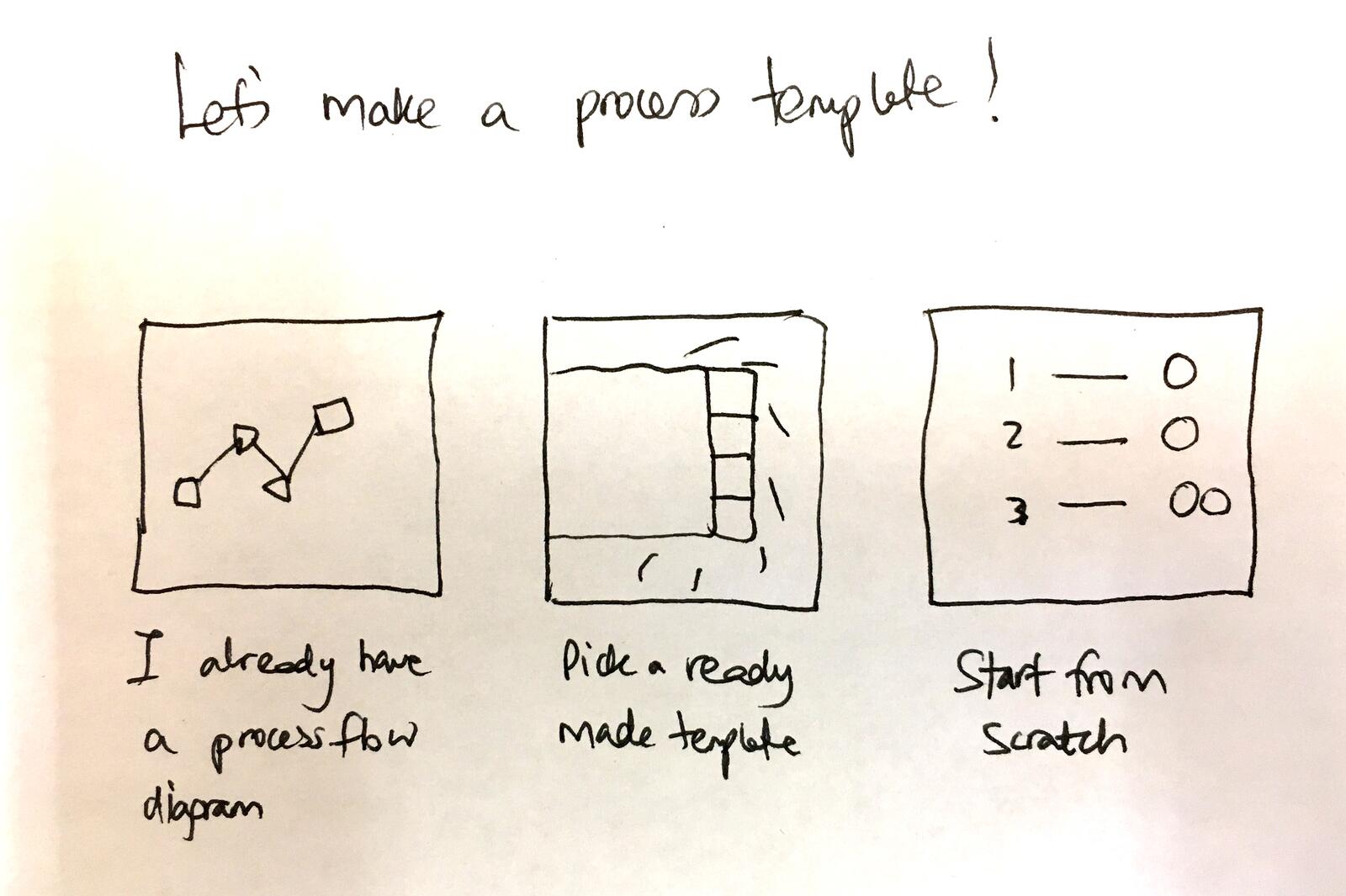
The flowchart annotation idea
Before we even talked about document parsing, we had a different vision. In October 2017, I was obsessed with flowcharts. Every operations professional thinks in flowcharts. They draw them on whiteboards. They make them in Visio. They print them and stick them on walls.
So why not just use the flowchart they already have?
“If you have already have a flowchart, how do you get every step on that flowchart built into a template - while also bringing in the various owners of those steps?”
The idea was radical. Upload an image of your flowchart. Draw shapes on top of it. Each shape becomes a step.
“Watch how you can take an image and just annotate shapes on it. Each shape would turn into a step on a template.”
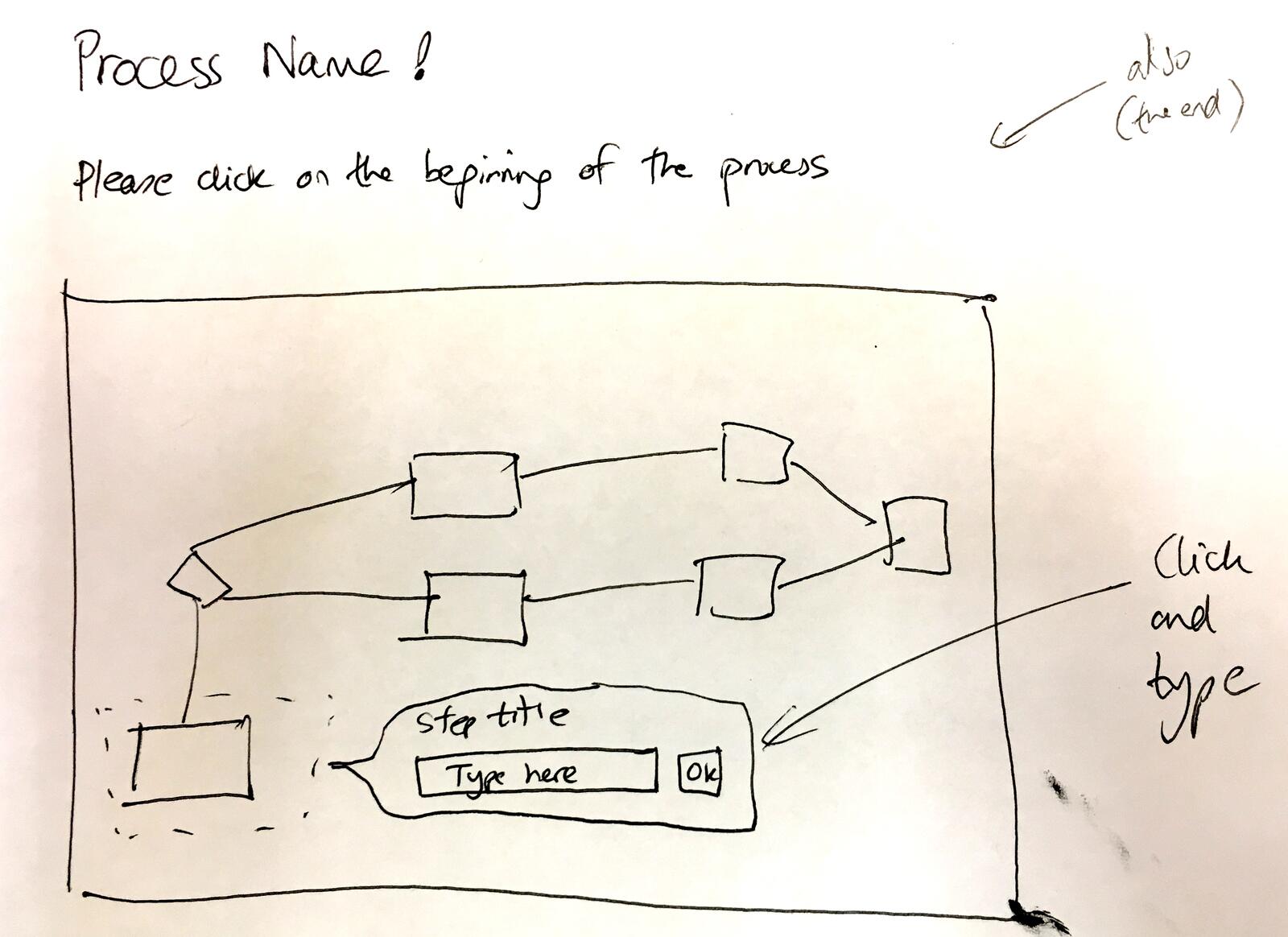
The vision was even more ambitious. I called it making the flowchart a “social object”:
“Basically, make a flowchart image a social object that auto-builds a Tallyfy template.”
And then the handoff:
“Once template creation is complete, this flowchart can be archived and we then take over as the system-of-record for that process”
This was the dream. Your dusty Visio diagram becomes a living, executable workflow. The diagram gets archived because Tallyfy is now the source of truth.
We never built this version. The technical challenges were immense. Shape detection on arbitrary images. Handling different flowchart notations. Connecting shapes to step sequences. Every edge case multiplied the complexity.
But the core insight was right: people already have their processes documented visually.
The swimlane dimension
One thing I kept coming back to was swimlane diagrams. These are the flowcharts that show not just what happens, but who does each step.
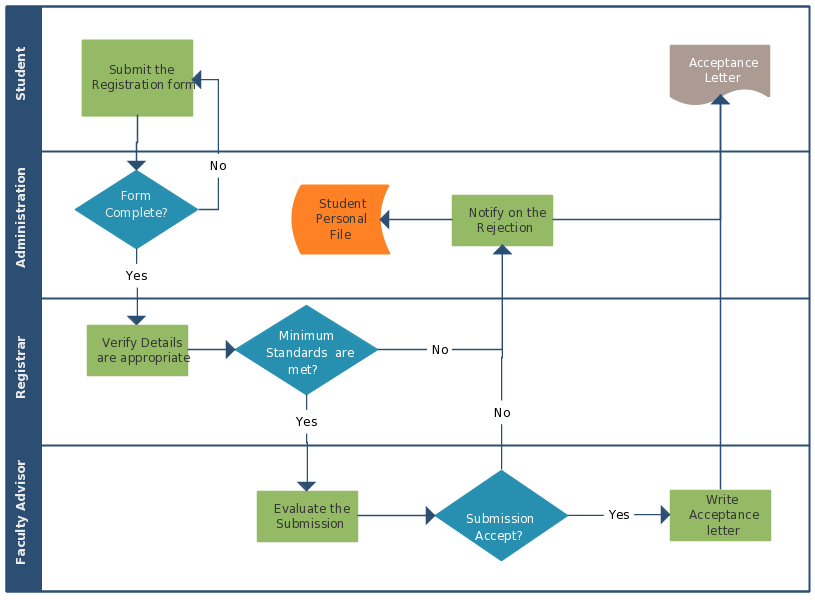
The AI parsing rules we eventually built reflected this:
“Every shape becomes a step… If a shape looks like a diamond or decision step - add the text - Decision before the step name”
Diamonds mean approvals. Rectangles mean tasks. Swimlanes show who. We wanted to preserve all of that intelligence from the original diagram.
But swimlanes created their own problem. The roles on a swimlane diagram are generic. “Project Manager.” “Legal.” “Finance.” The actual person changes every time you run the process. How do you map that?
This led to our role-based assignment system - but that is a different engineering story.
The swimlane insight proved critical when working with a major global payments company. Their customer onboarding process spanned eight different departments - Sales, Account Management, Compliance, Settlement, and more - each represented as a swimlane in their flowcharts. Converting that visual representation into an executable workflow meant preserving not just the steps, but the cross-departmental handoffs that made their process work.
The document parsing pivot
By early 2018, we pivoted from flowchart annotation to document parsing. Word documents and PDFs were more common than Visio diagrams. And the parsing problem was more tractable.
I wrote about the fundamental insight:
“With SOPs - people generally already know how to do it - it is the data that comes off a SOP that we can collect. e.g. SOP says you must record how many grams of sodium dioxide you put into this mixture”
This changed our thinking. The SOP is not just steps. The SOP is also the data you collect at each step. The form fields. The measurements. The approvals.
A document that says “verify customer identity” implies there is data to capture. What ID type? What ID number? Did verification pass?
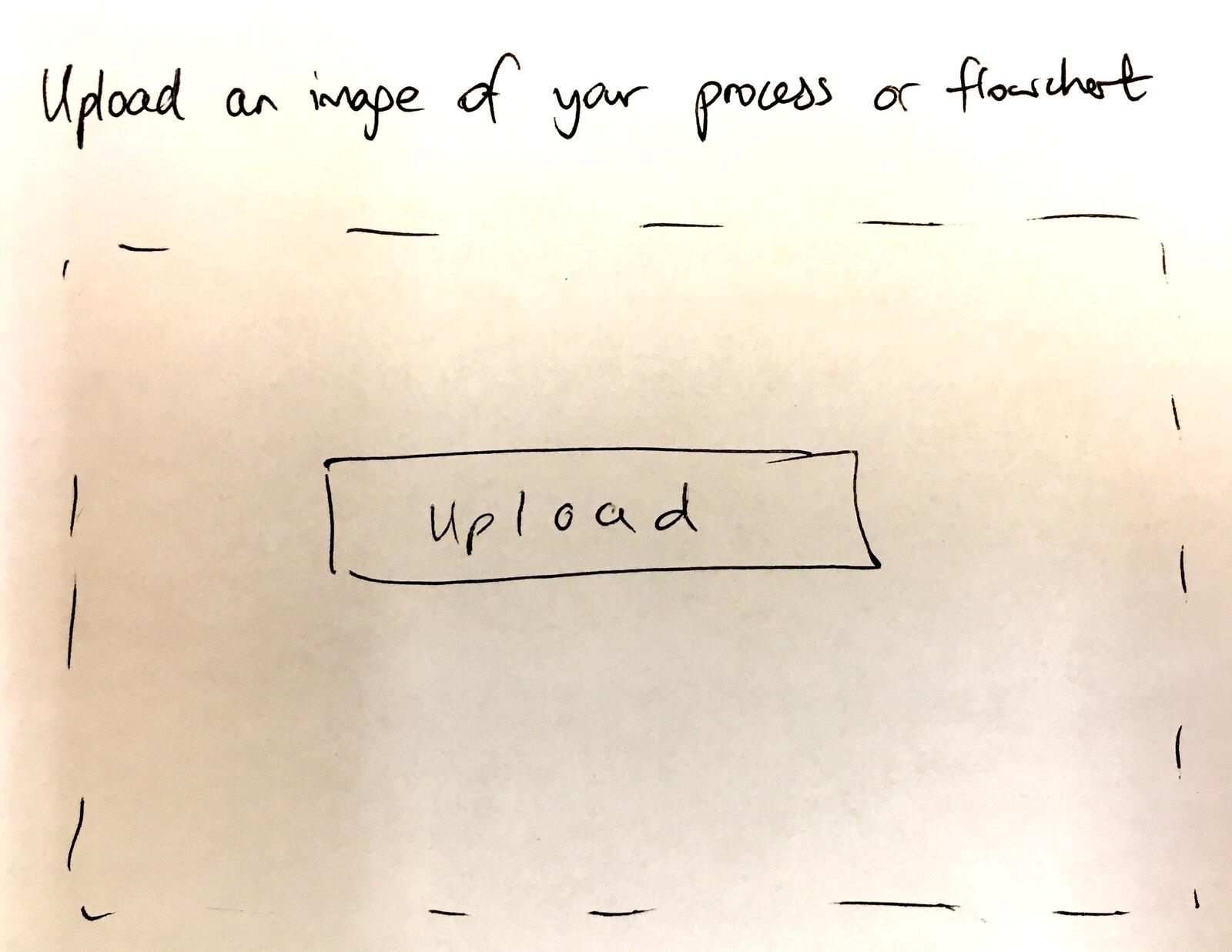
Learning from form builders
Around this time, I was paying close attention to how other companies approached form building. Typeform had experimented with a different design model - building forms like writing a document.
The approach had obvious appeal but also serious limitations. Form builders optimize for data collection, not process execution. They capture information but do not track who does what next. The fundamental problem remains unsolved: how do you connect a form submission to the twenty steps that follow?
Still, the concept sparked an idea:
“Maybe the creating a document paradigm is exactly where the simple approach should head towards, i.e minimal clicks and more typing”
What if we flipped the model? Instead of importing documents into a workflow builder, what if the workflow builder felt like writing a document?
This idea influenced our later AI approach. Natural language input. Describe your process in plain English. Let the system figure out the structure.
The AI era
Fast forward to 2024. GPT and large language models changed everything. Suddenly the parsing problem was solvable in ways we could not have imagined in 2017.
Our AI system prompt for document parsing is explicit about its purpose:
“Your ONLY task is to convert the input document into a properly formatted JSON object containing steps and milestones”
The AI reads your SOP. It extracts the steps. It understands the sequence. It identifies decision points.
But we kept the lessons from the flowchart annotation idea. The prompt includes rules about visual elements:
“Every shape becomes a step… If a shape looks like a diamond or decision step - add the text - Decision before the step name”
The AI understands flowchart notation. Upload a screenshot of a Visio diagram, and it tries to interpret the shapes.
Performance reality
Here is where I have to be honest about what actually happens. The feature works. But it is not instant.
Processing times in production consistently hit 24 seconds or more for complex documents. Twenty-five seconds to upload and parse. Another 15-40 seconds to create the template if you accept the AI suggestions.
For a demo, you use a short document. Five steps. Quick generation. Looks magical.
For real usage? Someone uploads a 30-page compliance SOP. And they wait. And wait. And wonder if it is broken.
We also hit unexpected issues. From an internal ticket about a timezone display bug for process due times:
“Forbidden error when creating a template using Upload document or flowchart”
The root cause was something we never anticipated:
“The issue is indeed happening geolocation-wise (Philippines IP)… All works fine when I tried it within our BrowserStack”
Our AI provider had geographic restrictions we did not know about. Users in certain regions could not use the feature at all. It worked perfectly in our US-based testing. It failed completely for users in the Philippines, Indonesia, and parts of Asia.
These are the kind of issues that make document parsing harder than it looks. The feature is not just “send document to AI, get steps back.” It is handling file formats, API rate limits, geographic restrictions, timeout handling, partial failures, and a dozen other edge cases.
What we left out
There are several capabilities we considered but deliberately did not build:
Full flowchart reconstruction - We thought about letting the AI redraw your flowchart in our interface. But static diagrams become stale. We wanted people using the live workflow, not maintaining two versions of the same process.
Automatic form field detection - The AI can identify that a step needs data collection. But deciding the exact field type, validation rules, and options requires human judgment. We generate suggestions, not decisions.
Direct Visio import - Parsing Visio XML is technically possible. But the format is complex, versions differ, and the maintenance burden was not worth it. Upload a screenshot instead.
Multi-document correlation - Some companies have SOPs split across multiple documents. We focused on single-document parsing first. Multi-document synthesis is a future problem.
Version tracking from source - The original 2018 idea was pointing to cloud documents and tracking versions. We decided against this because it creates confusion about which version is authoritative. Upload once, then Tallyfy is the source of truth.
The data collection insight
At Tallyfy, we’ve seen this pattern over and over: the most important thing I learned through all of this is what I wrote back in 2018:
“With SOPs - people generally already know how to do it - it is the data that comes off a SOP that we can collect”
A standard operating procedure tells you the steps. But the value is not in knowing the steps. Everyone already knows the steps. The value is in tracking what actually happened.
Did the operator really record the sodium dioxide measurement? What was the value? Who approved it? When?
This is why document-to-workflow conversion is only the beginning. The uploaded SOP becomes a template. The template becomes a running process. The running process captures actual data. That data is what matters.
Your SOP says “verify customer identity.” The workflow captures which ID was verified, when, by whom, and what the result was. That audit trail is worth infinitely more than the original document.
Example templates from parsed SOPs
These templates represent the kind of structured workflows that result from document parsing
Connecting to AI-first creation
Document parsing is now one of several ways to create templates in Tallyfy. You can also describe your process in natural language and let the AI create it directly.
The underlying technology is the same. Natural language understanding. Step extraction. Structure inference.
But the approach is different. Document upload assumes you have existing documentation. AI creation assumes you know your process but have not documented it yet.
We are also working on BYO AI integration so organizations can use their own AI providers. This solves the geographic restriction problem and gives enterprises more control over where their documents are processed.
The archive moment
There is one idea from 2017 that still guides our thinking:
“Once template creation is complete, this flowchart can be archived and we then take over as the system-of-record for that process”
That is the goal. Not to be another place to store SOPs. To be the place where SOPs become executable and the original documents become historical artifacts.
Your Word document does not track who did what. Your PDF does not send reminders. Your Visio diagram does not capture actual measurements.
Upload the SOP. Convert it to a template. Run the template. Archive the original. Now you have something better than documentation. You have operational data.
That transition - from static document to live workflow to captured data - is what we have been building toward since 2017. Document parsing is just the first step.
About the Author
Amit is the CEO of Tallyfy. He is a workflow expert and specializes in process automation and the next generation of business process management in the post-flowchart age. He has decades of consulting experience in task and workflow automation, continuous improvement (all the flavors) and AI-driven workflows for small and large companies. Amit did a Computer Science degree at the University of Bath and moved from the UK to St. Louis, MO in 2014. He loves watching American robins and their nesting behaviors!
Follow Amit on his website, LinkedIn, Facebook, Reddit, X (Twitter) or YouTube.
Automate your workflows with Tallyfy
Stop chasing status updates. Track and automate your processes in one place.