
Business automation tools and workflow automation guide
A complete guide to business automation tools, workflow automation, and digital process automation - including how to choose the right tools, implement them, and measure results.
Summary
- Top performers automate while others do manual labor - Research consistently shows top-performing businesses use automation tools to fuel growth; these companies run leaner, scale faster, and create more value than competitors stuck in manual workflows
- Workflow automation creates accountability and cuts errors - Every part of a process has a designated person performing specific actions, revealing which tasks take the most time and where processes get held up frequently; no one can say “no one told me”
- Digital process automation visualizes and improves business processes in real-time - Process management software documents every change as it happens, keeping teams aligned even after sweeping changes; analytics help managers quickly pinpoint improvement areas
- Automation eliminates repetitive work and increases employee satisfaction - Business process automation uses digital technology to remove tedious tasks, allowing team members to perform more meaningful work. See how Tallyfy automates workflows
- Want to see how business automation can cut your costs? Schedule a demo.
Business automation tools are a trendy way to automate processes in your business, creating value both for the company and their teams.
A lot of regular business processes tend to be very easy to automate. Social media posting, for example, can be reduced from someone’s full-time job to a simple automation tool. One media production team saved $57,480 per year by automating their 60-task podcast workflow, replacing what previously required a dedicated $5,000/month resource.
It’s not that the goals of marketing have changed, but the means to achieve them.
Thomas Davenport
You’re still likely driven by the same goals in business:
- Acquire new teams and users
- Build lasting relationships with the people you serve
- Nurture leads
- Improve conversions
- Expand social reach and brand visibility
A mid-sized property management company running 400+ daily workflows cut their processing times by 75% after consolidating their scattered tools into automated workflows. These goals consistently emerge as the core drivers behind automation investments.
Instead of costly advertising, extensive processes, and intense manual work, there are now a lot of business automation tools designed to make things run not only more efficiently, but more effectively.
Automation is one of the cornerstones of the accelerated growth movement. Without it, it would be a lot more difficult for startups and SMBs to run lean like they do.
If you want a single platform that ties together workflow automation without juggling dozens of point solutions, here is how Tallyfy approaches the problem.
Workflow Automation Software Made Easy & Simple
The business automation tools list
From marketing to operations, there are a number of business automation tools to help simplify your workflows, save up your and your teams time, and create real value.
The number of businesses using these tools continues to grow. Research from Salesforce/Pardot found that top-performing businesses are significantly more likely to use automation to fuel their growth.
Here are several of the most common or useful business automation tools to help you grow and scale your business.
Social media
Hootsuite
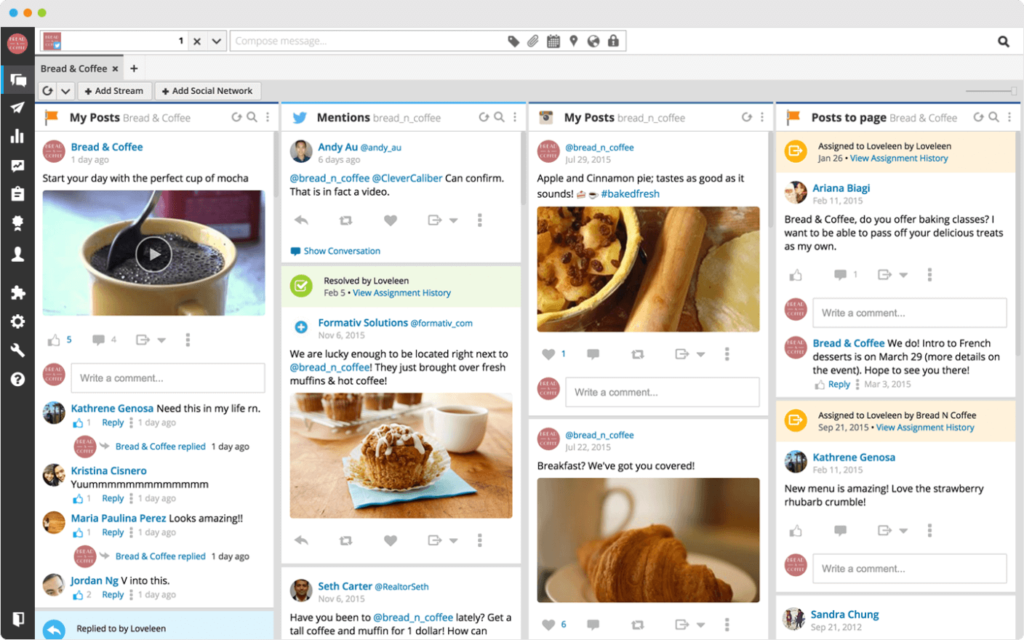
Since the early days of Twitter and Facebook, Hootsuite has been there to help business owners and marketers smooth out their social outreach and engagement.
Rather than spend extra time posting to individual accounts, juggling logins, and switching devices, Hootsuite gives you all of your accounts across every social channel in a single dashboard.
This allows you to schedule content posting on your social media channels more efficiently and effectively.
Buffer
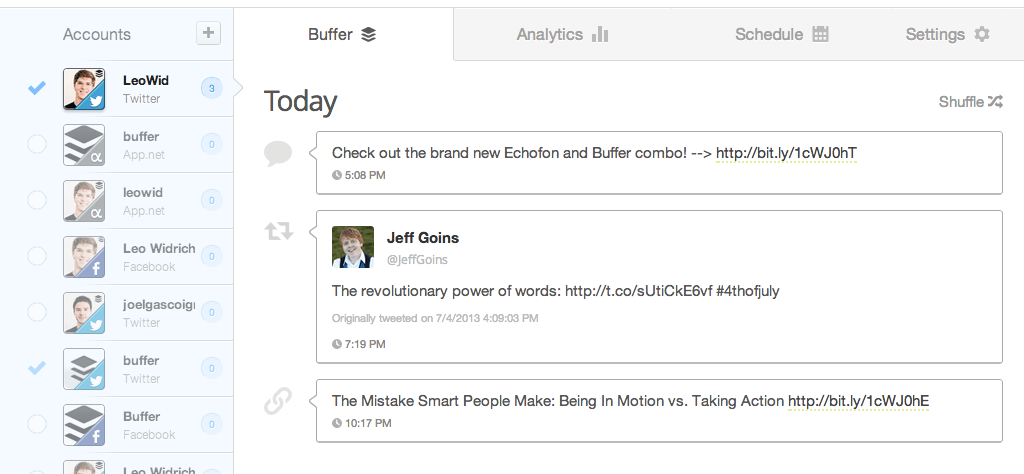
It takes a steady stream of content and engagement to hold the interest of your customers.
Rather than constantly promoting your business, use business automation tools like Buffer to help automate your content curation.
You can easily grab content from around the web to throw into your scheduled posts, without having to check in a few times a day to share posts individually. At Tallyfy, we’ve seen teams save hours each week just by batching their social media work this way.
Quuu
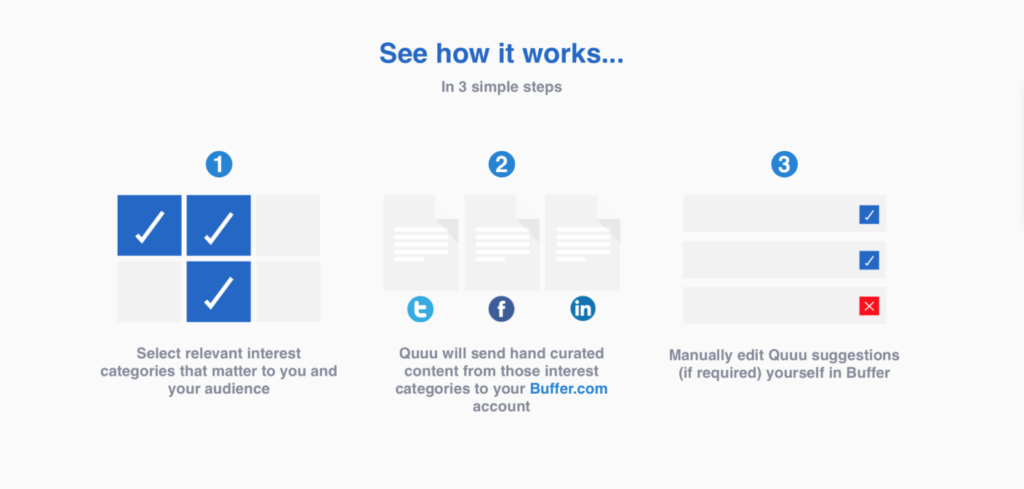
If finding the right type of content takes too much of your time, you can automate that too.
Quuu connects business owners in different industries with content creators looking for the right audience.
The way it works is, you select different interests for your audience, pick the number of posts, and either go for automatic posting or just and manually post the content you want.
99 Dollar Social
If on the other hand, you want to take a completely hands-off approach with your social media, then there’s 99 Dollars Social.
For 99$ per month, 99 Dollar Social completely takes over your social media marketing efforts, sharing the right type of content for your audience once every day.
Management
Asana
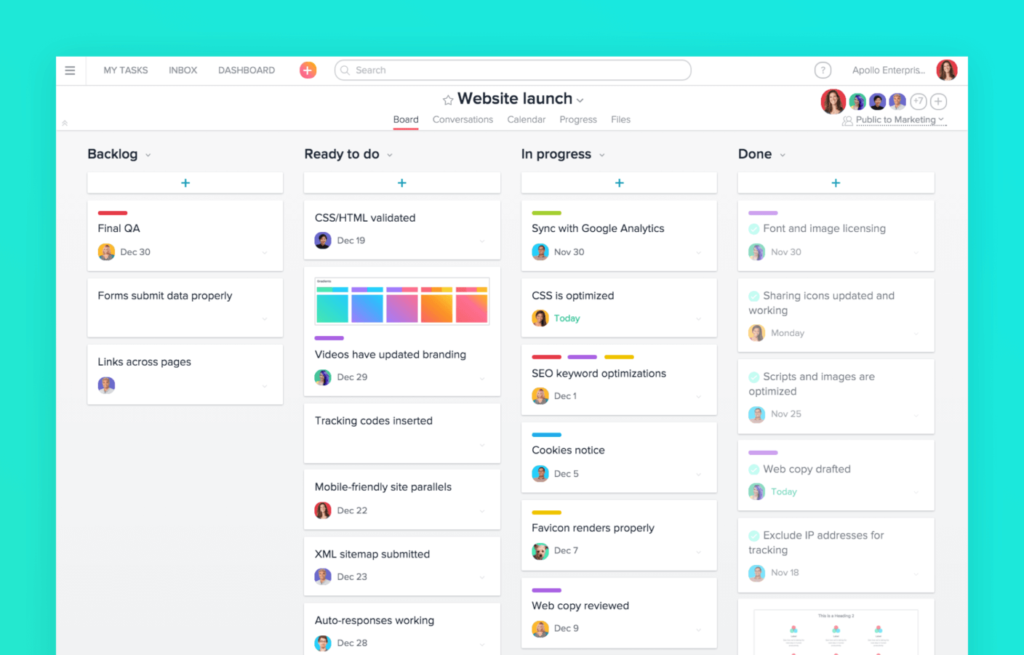
Asana is the go-to tool for project management: you can create/assign tasks and communicate with your teams without having to exchange hundreds of emails. It’s good for both local and remote teams and is essential for keeping different departments on the same page.
Tallyfy
Managing workflows can be time-consuming, inefficient and prone to errors. It’s a real headache.
Workflow management software, such as Tallyfy, allow you to map out business processes using reusable templates and keep track of them step by step.
It lets you communicate the tasks to the right people and makes sure all the important steps of a process are carried out, leaving no room for error or mistakes. You can also add automations to handle routine decisions automatically.
Read - Make fewer mistakes at work
Want to learn more about workflow software? Check out our complete guide!
Ready-to-use workflow templates
Start automating common business processes today
Basecamp
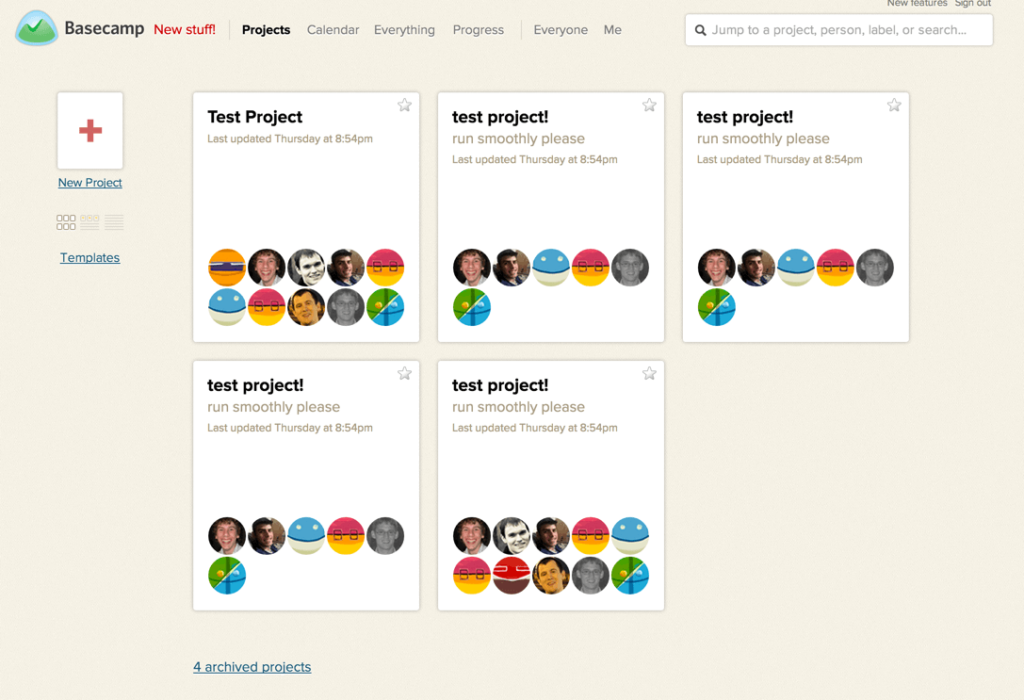
Basecamp focuses on the same idea as Asana: it’s meant to make the company or team communication easier with a cloud-based software.
The two business automation tools are pretty similar, with some small differences.
Asana is free for teams of up to 10 people, while Basecamp offers a free tier for 1 project or charges $15/user/month for unlimited projects.
What Basecamp stands out with, though, is its simplicity and ease of use.
E-commerce
Shopify
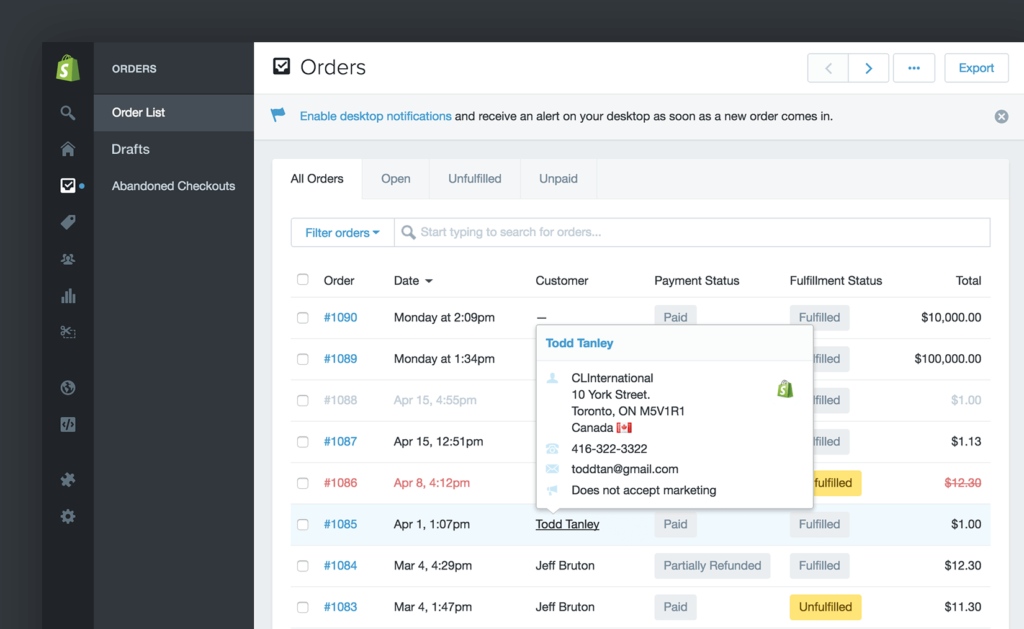
If you’re planning on taking your brick and mortar business online, Shopify is the easiest way to do so.
The platform allows you to create and manage an e-commerce store without any technical know-how.
Plus, it offers thousands of possible business process integrations (dropshipping apps, for example), allowing you to further automate your business.
Printful
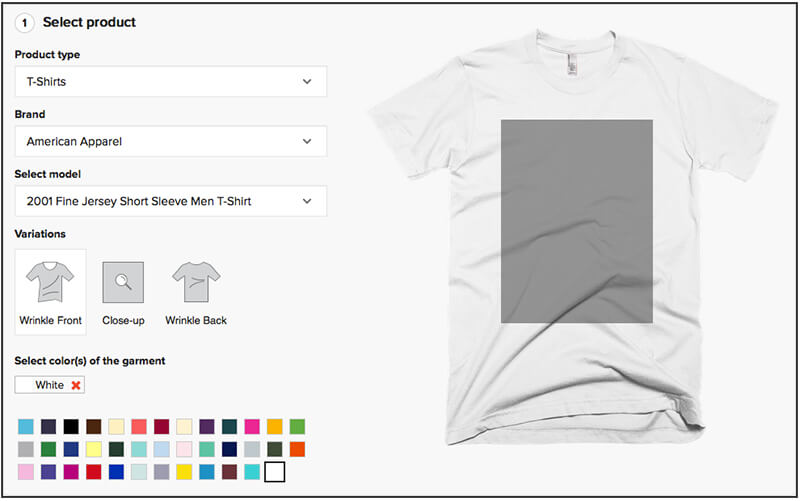
If on the other hand, you already have some online presence & looking to monetize your content, you can use the Printful integration for Shopify.
It allows you to print out merchandise specific to your business and handles all the logistics to boot.
All you have to do is create a store with a Printful integration, put up your designs on Printful products, and you’re good to go!
Whenever you get an order, the guys at Printful will handle the entire delivery process.
Sales and marketing
Hubspot
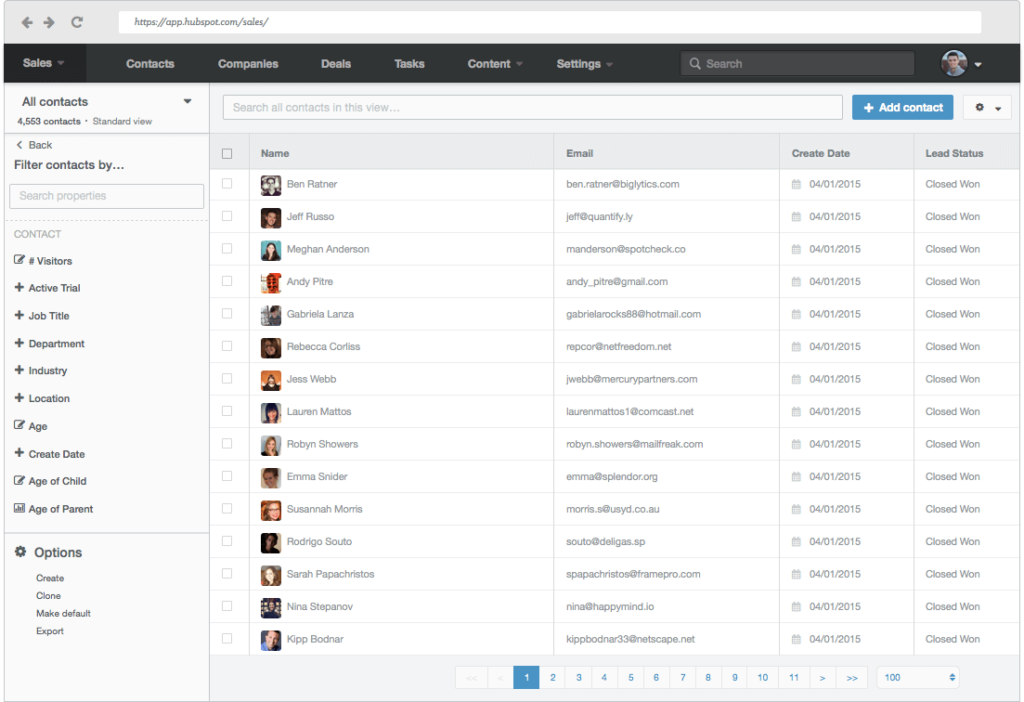
If you’re looking for an all-in-one sales & marketing solution, then Hubspot is go-to.
For sales, it acts like a classic CRM, keeping track of every contact point with the customer.
At the same time, it allows you to create landing pages / lead generation websites with ease.
Salesforce.com
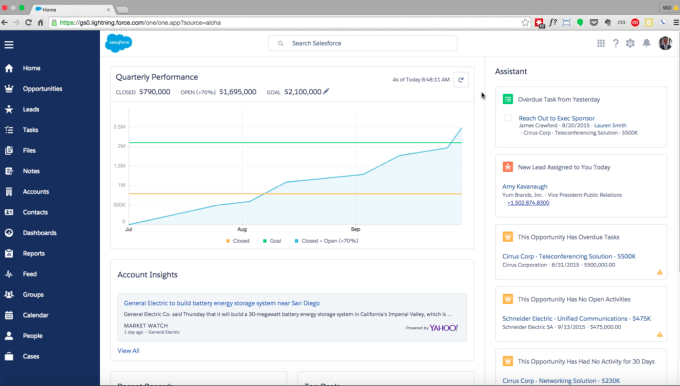
Salesforce is one of the leading CRM platforms, bringing with it a great deal of automation potential and customization to integrate with other business automation tools to boost the functionality of the platform for enterprise users.
With a mix of sales and marketing business automation tools, you can boost your digital presence while empowering sales and service representatives with all the customer information they need to close deals and tend to customer needs.
Communication tools
Slack
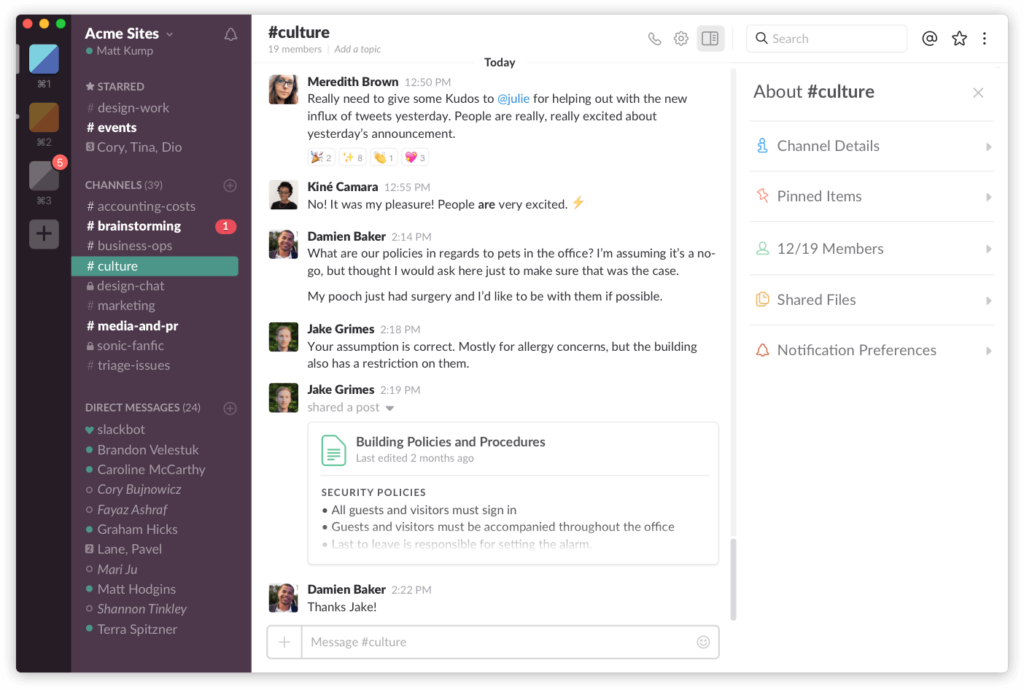
The number of emails that a business owner has to sort through each day can be a never-ending landslide that’s impossible to escape from.
It’s also easy to lose important items in those threads.
Instead, use Slack to help smooth out communication and get the conversation out of the inbox.
We even use Slack at Tallyfy to discuss projects, content, and more.
Conversations are threaded like a chat window and archived continuously so you can always dig into the history to find a specific topic.
MailChimp
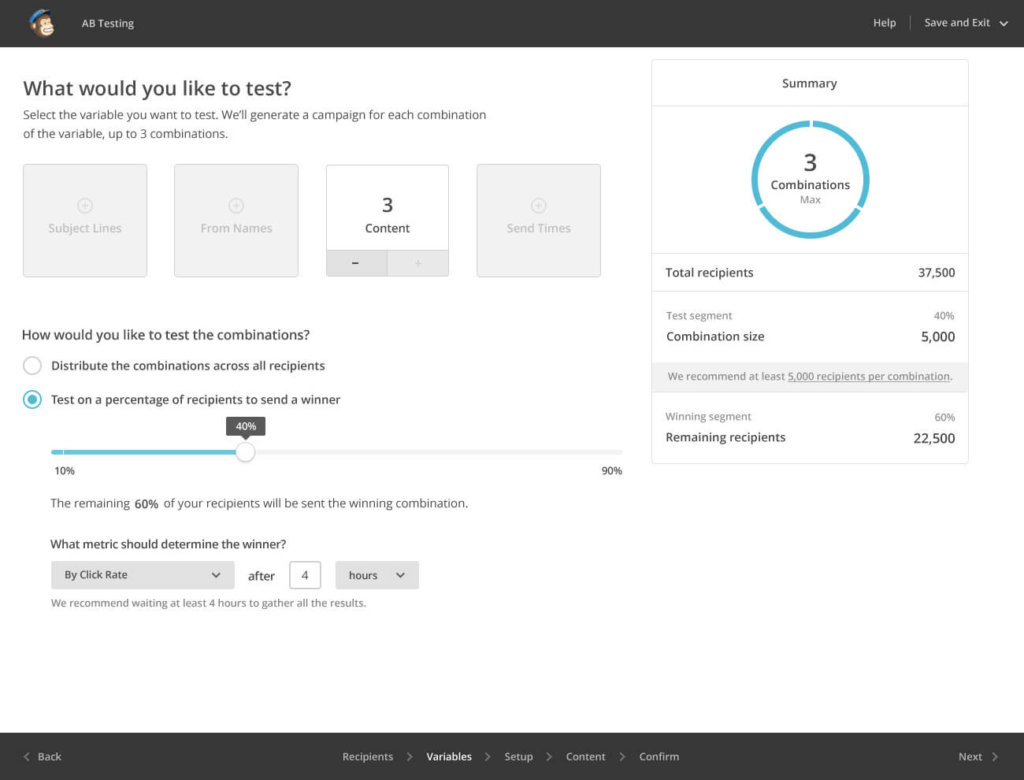
MailChimp is one of the most famous email communication tools out there.
It can be used both for internal and external communications, allowing you to keep your entire team up-to-date with your operations, or for your weekly newsletter for your customers.
Analytics tools
Google Analytics
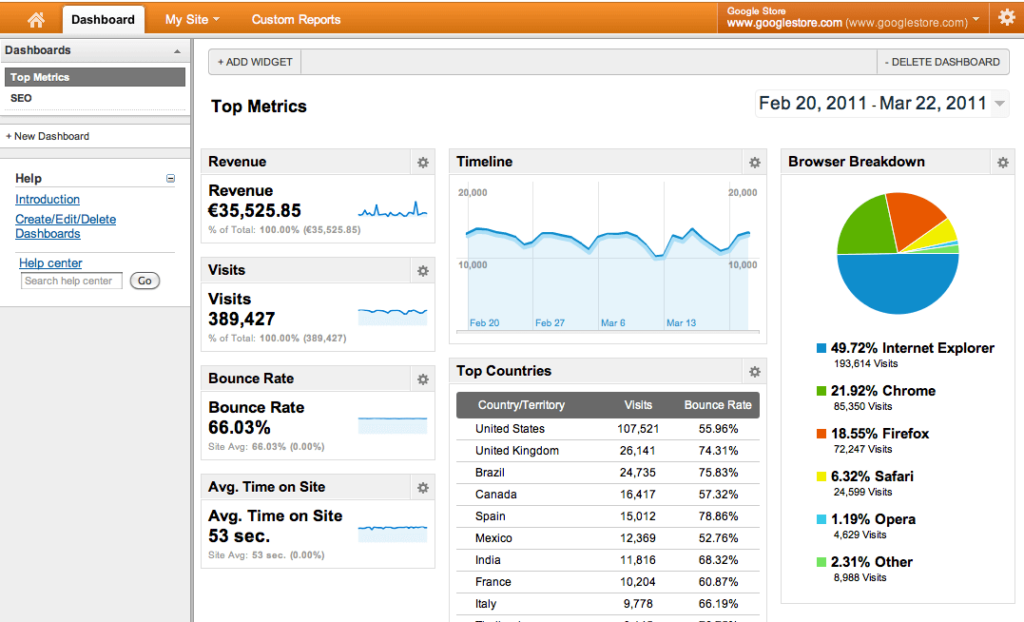
If you’ve ever had a website, you’re probably familiar with Google Analytics. Most people are.
It keeps track of all traffic to your website, giving all sorts of valuable insight.
You can create your own dashboard to review on a weekly or monthly basis, with all the metrics that matter to you.
The metrics can be anything - the bounce rate, revenue, SEO rankings, etc.
Kissmetrics
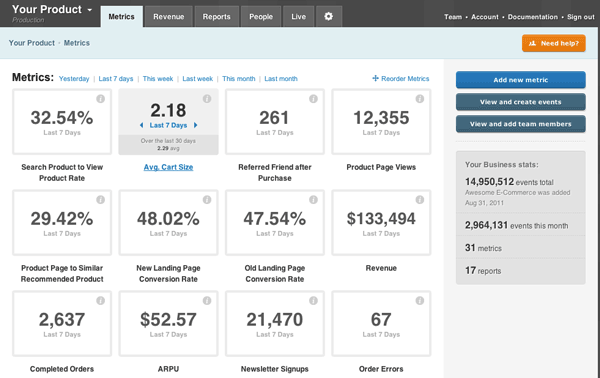
Kissmetrics works the same way as Google Analytics, with one key difference.
In addition to tracking all the traffic on the website, it lets you track your users by ID.
As in, with Google, you don’t get to track specific users. While with Kissmetrics, the user’s device gets cookied, allowing you to track their behavior whenever they visit your website.
Having such data in-hand, you can get a better view on how user-friendly your website is, and what kind of details you can probably improve to drive more revenue.
Customer service tools
Intercom
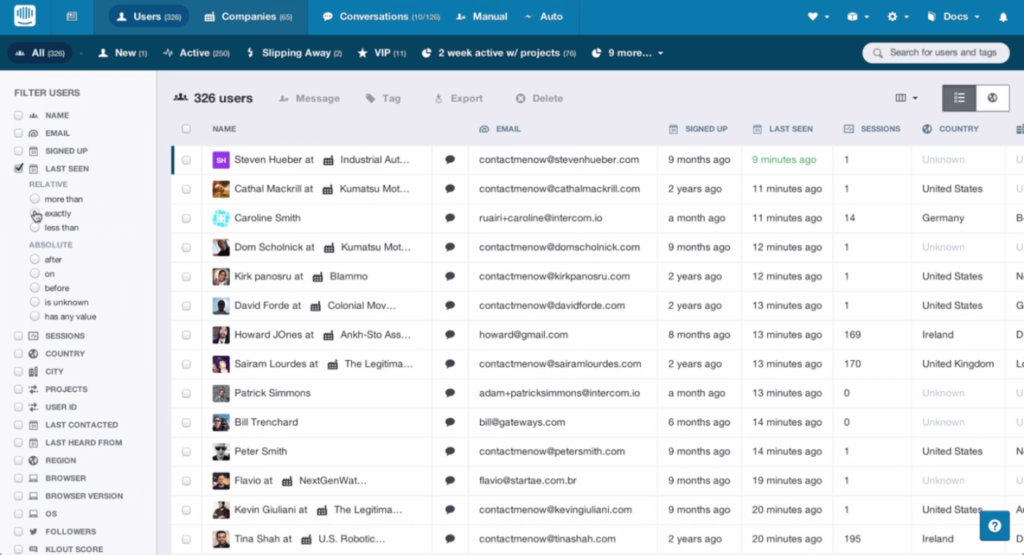
Intercom is a customer messenger platform that allows the user to be able to get in touch with you straight from the website.
If you want a more hands-off approach to customer support, you can even automate most of the interactions.
For example, If there is some feature customers keep asking you can set-up an automatic reply to depending on what keywords are mentioned in-chat.
Zendesk
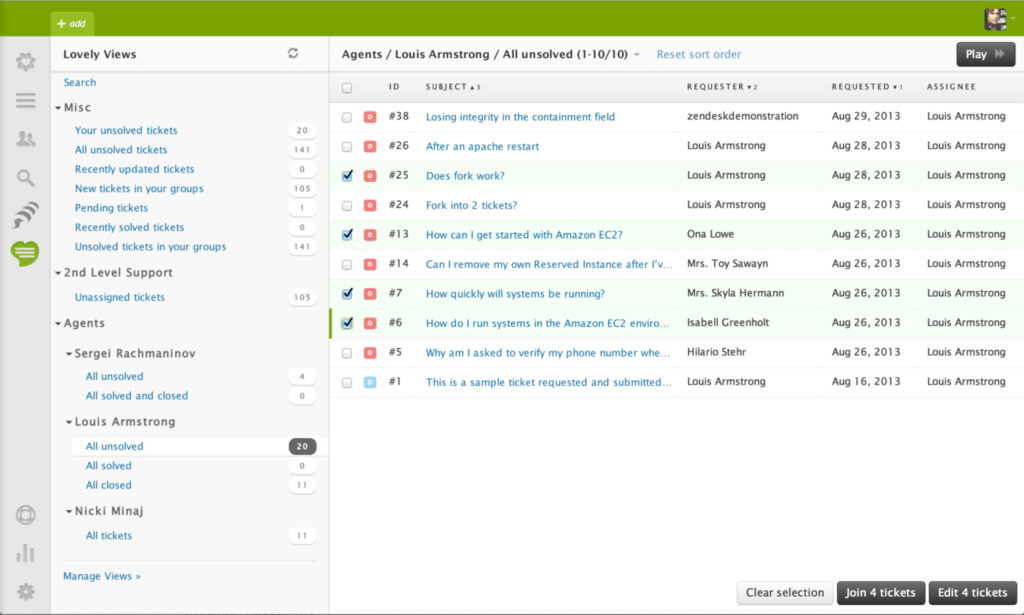
Your customer service team can be looped into the cycle of making for efficient and effective processes.
Business automation tools like Zendesk help you manage customer data, issues, knowledgebases, and even social interactions through a single dashboard.
With app integration, you can even log customer service issues with your CRM for smooth service and ensure that your customers are always satisfied.
Reducing the time to reach a resolution for every customer saves you a great deal in the end, from overhead to reducing customer churn.
App interconnection tools
Zapier
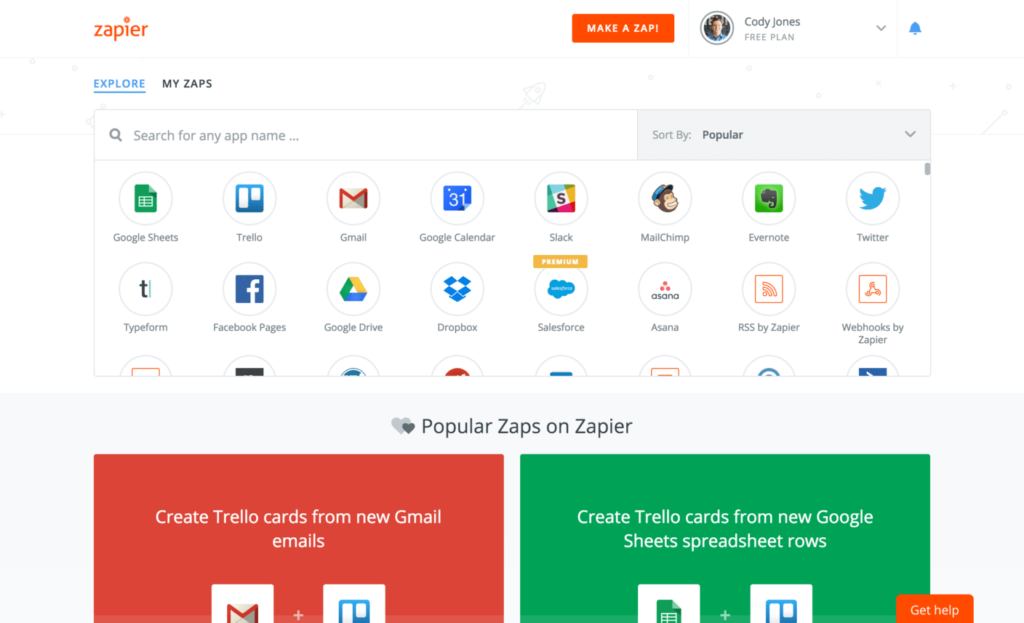
Zapier is a business automation tool that helps tie together different 3rd party apps.
As you could guess, there are many applications for this as you can imagine.
For example, tying in your Slack and Paypal, sending a notification each time there’s a product purchase.
Or, if you use Trello, you can automatically transform e-mails received into Trello tasks.
To get the most out of Zapier, you might want to try it in combination with other task automation tools.
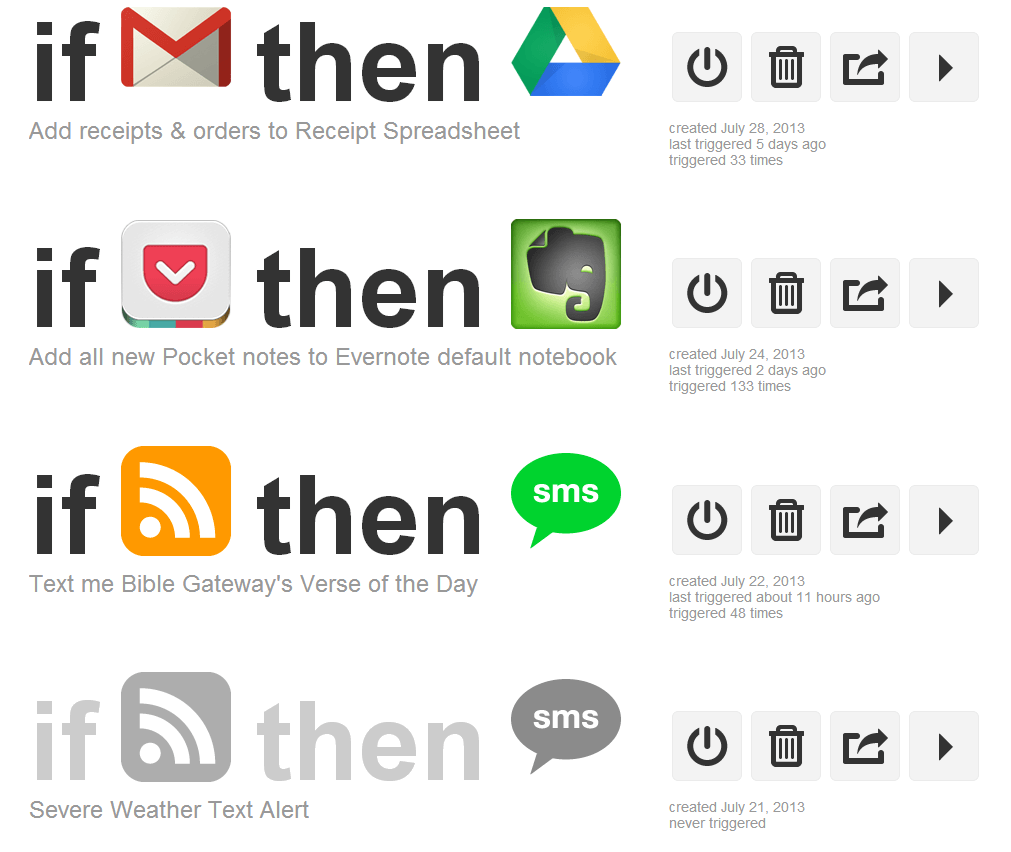
IFTTT
As with Zapier, IFTT is a tool used to connect different apps together.
While its key focus is personal use, it also offers numerous tools for automating your business.
For example, saving every attachment in your email to Google drive, or sharing the stats from your newsletter to your team.
Pricing overview
- 1 user
- 10 social accounts
- 3 users
- 20 social accounts
- 5+ users
- 50+ social accounts
- 3 channels
- 10 posts/channel
- Unlimited scheduling
- Unlimited users
- Up to 10 teammates
- Timeline view
- Workflow builder
- Goals
- Portfolios
- AI Studio
- 1 project
- 1GB storage
- Unlimited projects
- 500GB storage
- Unlimited users
- 5TB storage
- Up to 2 users
- 1,000 contacts
- All hubs at Starter level
- Advanced automation
- 2K contacts
- 90-day message history
- 5GB storage
- Unlimited history
- SSO
- 99.99% uptime SLA
- AI features included
- 250 contacts
- 500 emails/month
- Up to 50K contacts
- Up to 100K contacts
- Core support tools
- Automation
- Reporting
- 20 lite seats
- SSO
- HIPAA compliance
- 50 lite seats
- Multichannel ticketing
- Self-service portal
- Advanced analytics
- 100 tasks/month
- 2-step Zaps only
- 750 tasks/month
- Multi-step Zaps
- 2,000 tasks/month
- 25 users
- SSO
For developer teams: n8n
If your organization has developers, n8n offers dramatically better economics than Zapier for complex automations. The pricing model is fundamentally different: n8n charges per workflow execution, not per operation. A workflow with 20 steps running 1000 times costs the same as a 2-step workflow running 1000 times. Zapier would charge you 10x more for the complex workflow.
n8n requires technical skill to use, so it is not for business users who need no-code tools. But for developer teams building AI agent workflows or data pipelines, the cost savings compound quickly.
- Unlimited workflows
- You host
- 2,500 executions/month
- 10,000 executions/month
Why workflow automation matters
The first rule of any technology used in a business is that automation applied to an efficient operation will magnify the efficiency. The second is that automation applied to an inefficient operation will magnify the inefficiency.
— Bill Gates
Workflow automation is a created series of automated actions for the steps in a business process. When your work flows, you can concentrate on getting more done and focusing on the things that matter. It allows teams to spend more time on the actual work itself and less time on the processes that support them.
The top 5 benefits of workflow automation
-
Better communication - One of the biggest reasons employees leave an organization is a lack of communication with management. Because you are automating workflow you also automate communication, since no one has to remember to tell the next person it is their turn to do something. In our experience building workflow tools, we have heard from small agency owners who used to spend the majority of their time chasing staff for status updates rather than growing their business.
-
Creates accountability - By automating workflow you effectively create one person who is responsible for every part of the process. For each step, there is one person designated to perform a specific action. This also reveals which tasks take the most time to complete and where the process seems to get held up most frequently.
-
Reduces costs and error - Workflow automation reduces errors because it keeps necessary tasks from going unnoticed. Because every person involved is held accountable for their specific role, no one can make the excuse that “no one told me.” It also saves companies from costly expenses associated with employee errors.
-
Employees manage their own time - Management will know immediately if tasks are not completed on time. Supervisors will not have to manage every employee or spend time checking on their progress. Workflow automation allows management to look at the overall workflow process and view everything within the context of the bigger picture.
-
More workplace efficiency - By creating customized workflow automation, you can assign approval responsibilities to anyone within the company, no matter what current reporting hierarchy is in place. Setting up template automations handles the routing automatically.
Is manual work sustainable?
Are you hearing this at work? That's busywork
Enter between 1 and 150,000
Enter between 0.5 and 40
Enter between $10 and $1,000
Based on $30/hr x 4 hrs/wk
Your loss and waste is:
every week
What you are losing
Cash burned on busywork
per week in wasted wages
What you could have gained
160 extra hours could create:
per week in real and compounding value
Total cumulative impact over time (real cost + missed opportunities)
You are bleeding cash, annoying every employee and killing dreams.
It's a no-brainer
Steps for implementing workflow automation
Before implementing workflow automation, management must identify what areas need workflow improvement. The ideal way to do this is by making a visual representation of the current workflow using flow diagrams. This will give you a better understanding of your current business workflow and help you identify repetitive tasks.
After you have identified the problem, the next step is to clearly define your business goals. Then explain how your business goals will be achieved by creating workflow automation and what process you will use to measure them.
Now it is important to decide on the means to the end. What process do you want to use to achieve the established business goals? An ideal workflow is simple, user-friendly, and easily adaptable by all users.
The next step is to train employees on how to use the new workflow software. In any company, new changes are often met with resistance so it is important to involve employees right from the beginning and explain to them how the software will help them.
Digital process automation and your business
Process automation refers to the use of digital technology to perform a process or processes in order to accomplish a workflow or function. A wide variety of business processes and activities can be automated, or more often, they can be partially automated with human intervention at strategic points within workflows.
Sales, marketing, production, supply chain, inventory control, administration, IT and management processes are among those benefitting from digital process automation.
Visualize, understand and improve business processes
When we first introduce a new process, we specify the steps that must be completed to achieve the desired result. But over time, the process will change, often for good reasons. This organic development makes process flow documentation inaccurate and out of date.
When processes are documented using process management software, each change is made in real time and recorded. Not only that but the people who are responsible for moving the process along know where they are in the process flow, even after sweeping changes have been made.
Creating synergy between human and machine intelligence
Human and machine intelligence are two very different things. Even the most intuitive software works with repetitive patterns and within pre-set parameters. The human mind, on the other hand, can use intuition, creativity, and innovation to solve problems machines cannot resolve.
By using digital process technology, the mechanical steps within processes are managed by the automated process flow. The human element contributes its unique abilities in the way that is most likely to further the process and its outcome. In our experience, together the two have a relationship in which the combined effort is more effective than the sum of its parts.
Are your business processes automatable?
You can automate (separately or together) marketing, sales, workflows, customer service, human resources, and more. Automation is a continuous process that can be tinkered and adjusted to your business needs.
The most commonly automatable business workflow processes have to do with data transfer, data management, and scheduling. But there are aspects of larger scale processes which can be automated as well. The trick is finding them.
Sales automation
One of the most important aspects of sales is lead generation. Lost productivity in sales and poorly managed leads cost companies significant revenue every year. A mid-sized financial services team we worked with reported that manual paperwork tracking consumed excessive time - after automating their deal execution workflows, they saved 5 hours per deal across their pipeline.
Customer service and ticketing
In an increasingly competitive business environment, real-time, helpful customer support is a must. Automating the ticketing process means that automated bots can be put in place to chat with customers and put them through to representatives only when the issue cannot be solved by information already in the company’s knowledge database.
Automating task assignment
Task assignment has to do with the allocation of different duties to either a person or an automated process. When all types of tasks are done by human employees, significant productivity is lost because of task switching. Business process management software like Tallyfy also sends reminders and helps you take a more transparent look by showcasing who is doing what and how the overall task is going.
Related questions
What is the difference between RPA and DPA?
DPA works on improving the way entire business processes are done from start to finish, while RPA focuses on one specific repetitive task. Think of DPA as the conductor of an orchestra, where all the musicians are coordinated, whereas RPA is like a musician playing the same notes perfectly every time. DPA is about humans and systems working together, while RPA is robotic emulation of human clicking and typing on a computer.
What is the difference between BPM and DPA?
DPA is the modern, technology-first version of traditional business process management. DPA takes BPM concepts and infuses them with smart technology so processes can run on their own. The comparison is akin to moving from a paper map to GPS - both get you to the destination, but DPA provides real-time guidance and automation.
What processes should I automate first?
Start with stable, reliable, easily frustrating processes. Typical use cases are new hire onboarding, expense approval, document review, or customer service requests. Look for processes that require the involvement of more than one person or the approval of certain people, and that need to be documented consistently. The ideal candidates should be both important but not too complicated.
How do I measure the success of automation?
Consider the time saved, errors reduced and employee satisfaction. Keep track of the extent to which processes take less time to complete, the number of fewer mistakes that are made and the amount of time people save on repetitive tasks. Track customer satisfaction scores and employee feedback. The best measure is often just “Can we even imagine going back to the old way things were done?”
Ready to automate your business workflows? See how Tallyfy can help or check out these Gmail Addons to further supercharge your business with tech tools.
About the Author
Amit is the CEO of Tallyfy. He is a workflow expert and specializes in process automation and the next generation of business process management in the post-flowchart age. He has decades of consulting experience in task and workflow automation, continuous improvement (all the flavors) and AI-driven workflows for small and large companies. Amit did a Computer Science degree at the University of Bath and moved from the UK to St. Louis, MO in 2014. He loves watching American robins and their nesting behaviors!
Follow Amit on his website, LinkedIn, Facebook, Reddit, X (Twitter) or YouTube.

Automate your workflows with Tallyfy
Stop chasing status updates. Track and automate your processes in one place.